Create Original Sounds
PSR-E413 Owner’s Manual 21
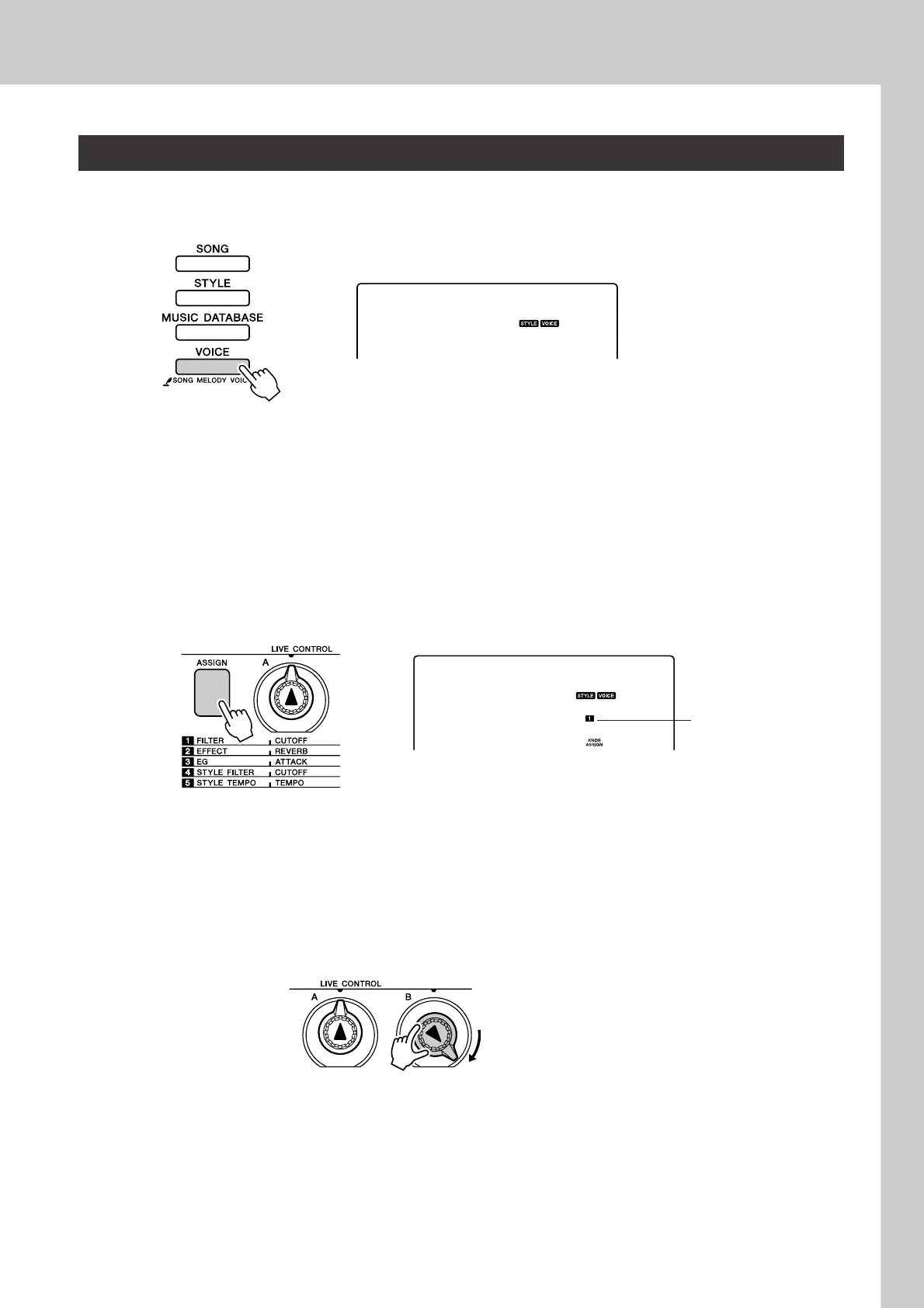
1
Select the voice you want to play on the keyboard.
The name of the currently selected voice will appear in the display when
you press the [VOICE] button. Use the dial to select the desired voice.
For this example we want to use a synth-lead type voice, so select “97
SquareLd” (Square-wave Lead).
2
Press the [ASSIGN] button as many times as necessary to
select “z FILTER” (“z” will appear in the display).
Knob A can now be used to adjust the filter cutoff frequency, and Knob
B can be used to adjust the resonance.
3
Rotate Knob B to its maximum setting (all the way to the
right).
Rotating the knob to the right while the volume is set to a high level can
result in distortion. If this occurs, reduce the volume level.
Using the Knobs
097
SquareLd
097
SquareLd
“z” appears here.
Filter
Resonance
Filter
Cutoff















 To Next Page