PSR-E413 Owner’s Manual 23
Q
u
i
c
k
G
u
i
d
e
The Easy Way to Play Piano
This instrument includes a performance assistant technology feature
that lets you play along with a song and sound like a great pianist (even
though you might be making lots of mistakes)! In fact, you can play any
notes and still sound good!
So even if you can’t play piano and can’t read a note of music, you can
have some musical fun. It’s never too late to start learning!
Refer to page 25 for more information on using performance assistant technology to help you play.
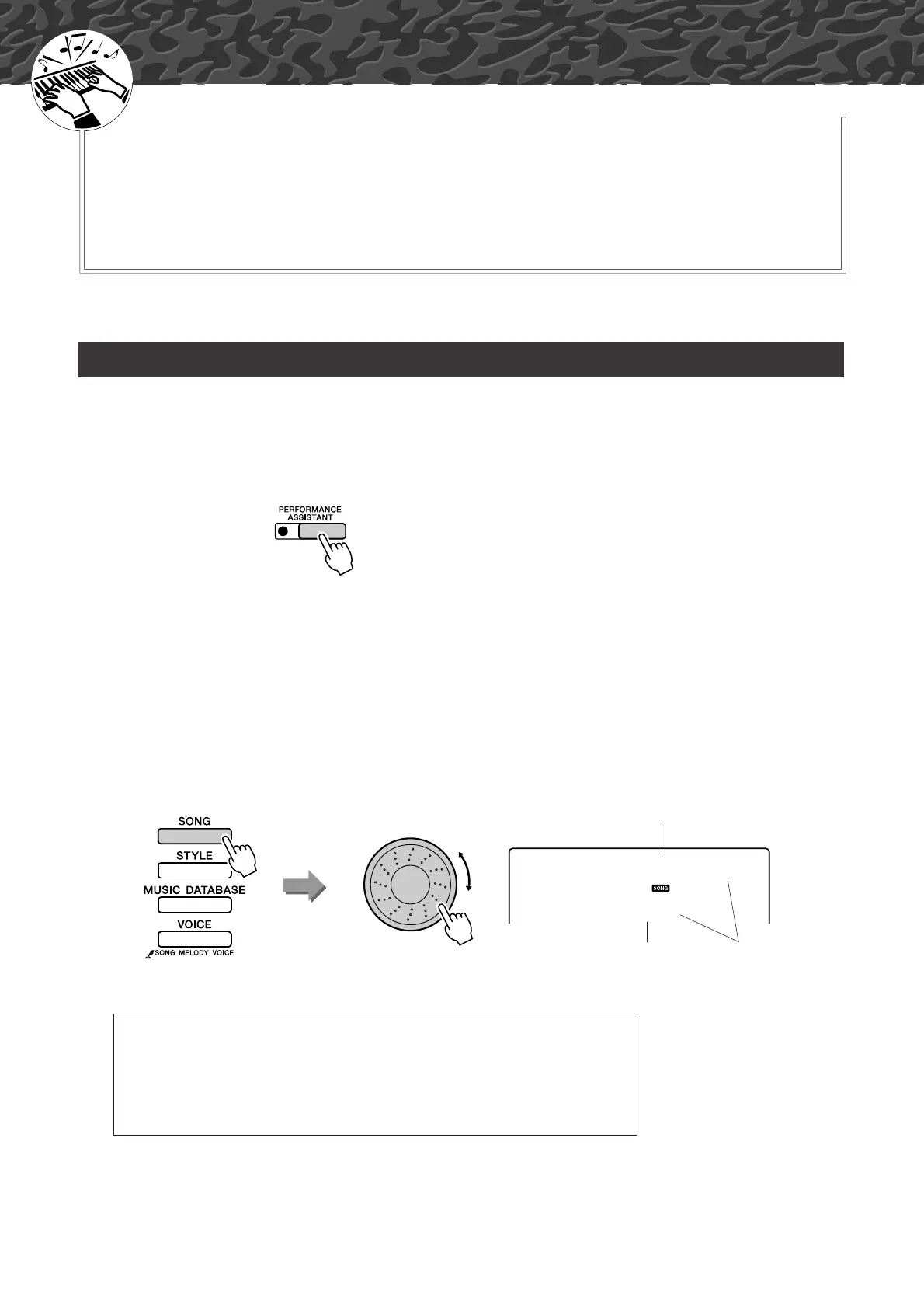
1
Press the [PERFORMANCE ASSISTANT] button.
The indicator lights when the performance assistant technology feature
is on.
2
Select a song.
Press the [SONG] button, and the song number and name will be dis-
played. You can use the dial or other selection controls to select a differ-
ent song.
For this example try selecting the “010 AveMaria”.
Play with Both Hands
● What is a “Song”?
Of course you know the normal meaning of the word, but for this
instrument the term “song” also refers to the data that makes up a piece of
music. You can listen to the songs, use them for lessons, and use them with
a range of other functions (page 39).
Press the [PERFORMANCE ASSISTANT]
button to turn the function on or off.
010
AveMaria
The song displayed here
will be played.
Song number
Song name















 To Next Page