The Easy Way to Play Piano
PSR-E413 Owner’s Manual 27
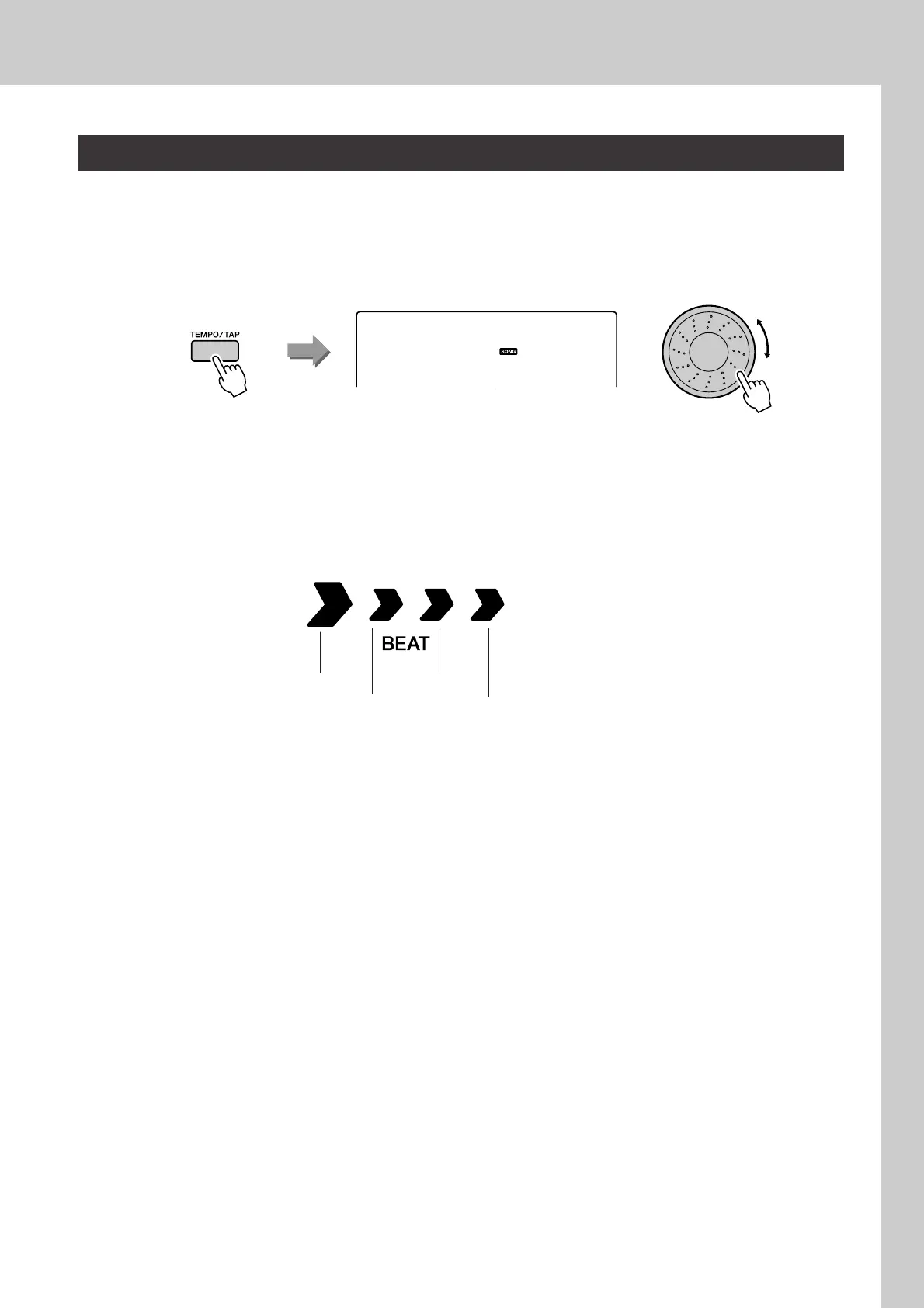
When using the performance assistant technology or in other situations in which the tempo of the song is
too fast or too slow for you, you can change the tempo as required. Press the [TEMPO/TAP] button. The
tempo display will appear and you can use the dial, the [+] and [-] buttons, or the [0] to [9] number buttons
to set to tempo to anywhere from 011 and 280 quarter-note beats per minute.
You can return to the original tempo by simultaneously pressing the [+] and [-] buttons.
● About the Beat Display
The arrow marks in the beat display flash in time with the rhythm of the song or style.
Change the Song Tempo
Current tempo value
090
Tempo
Second beat Fourth beat
First beat of measure Third beat















 To Next Page