28 PSR-E413 Owner’s Manual
Q
u
i
c
k
G
u
i
d
e
Try Playing a Variety of Instrument Voices
In addition to piano, organ, and other “standard” keyboard instruments,
this instrument has a large range of voices that includes guitar, bass,
strings, sax, trumpet, drums and percussion, sound effects … a wide
variety of musical sounds.
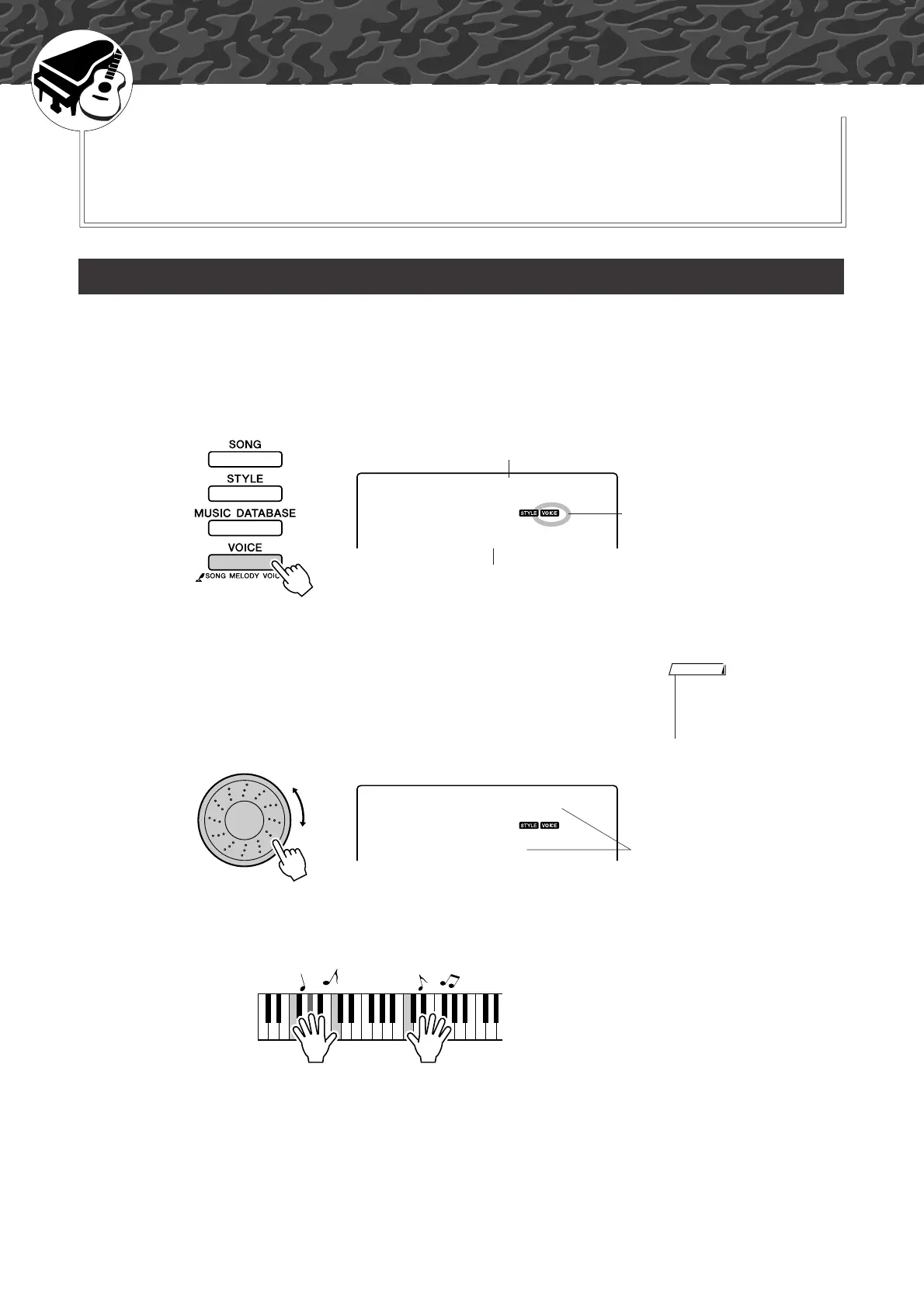
This procedure selects the main voice you will play on the keyboard.
1
Press the [VOICE] button.
The voice number and name will be displayed.
2
Select the voice you want to play.
While watching the displayed voice name rotate the dial. The available
voices will be selected and displayed in sequence. The voice selected
here becomes the main voice.
For this example select the “092 Flute” voice.
3
Play the keyboard.
Try selecting and playing a variety of voices.
Select and Play a Voice—MAIN
001
GrandPno
Voice number
Voice name
Appears when the Voice mode
is engaged.
•You can also select the voice
using the CATEGORY [ ] and
[] buttons after pressing the
[VOICE] button. (page 58)
NOTE
f
r
092
Flute
Select 092 Flute















 To Next Page