52 PSR-E413 Owner’s Manual
Q
u
i
c
k
G
u
i
d
e
Record Your Own Performance
You can record up to 5 of your own performances and save them as
user songs 031 through 035. The recorded song can be played back on
the instrument.
■ Recordable Data
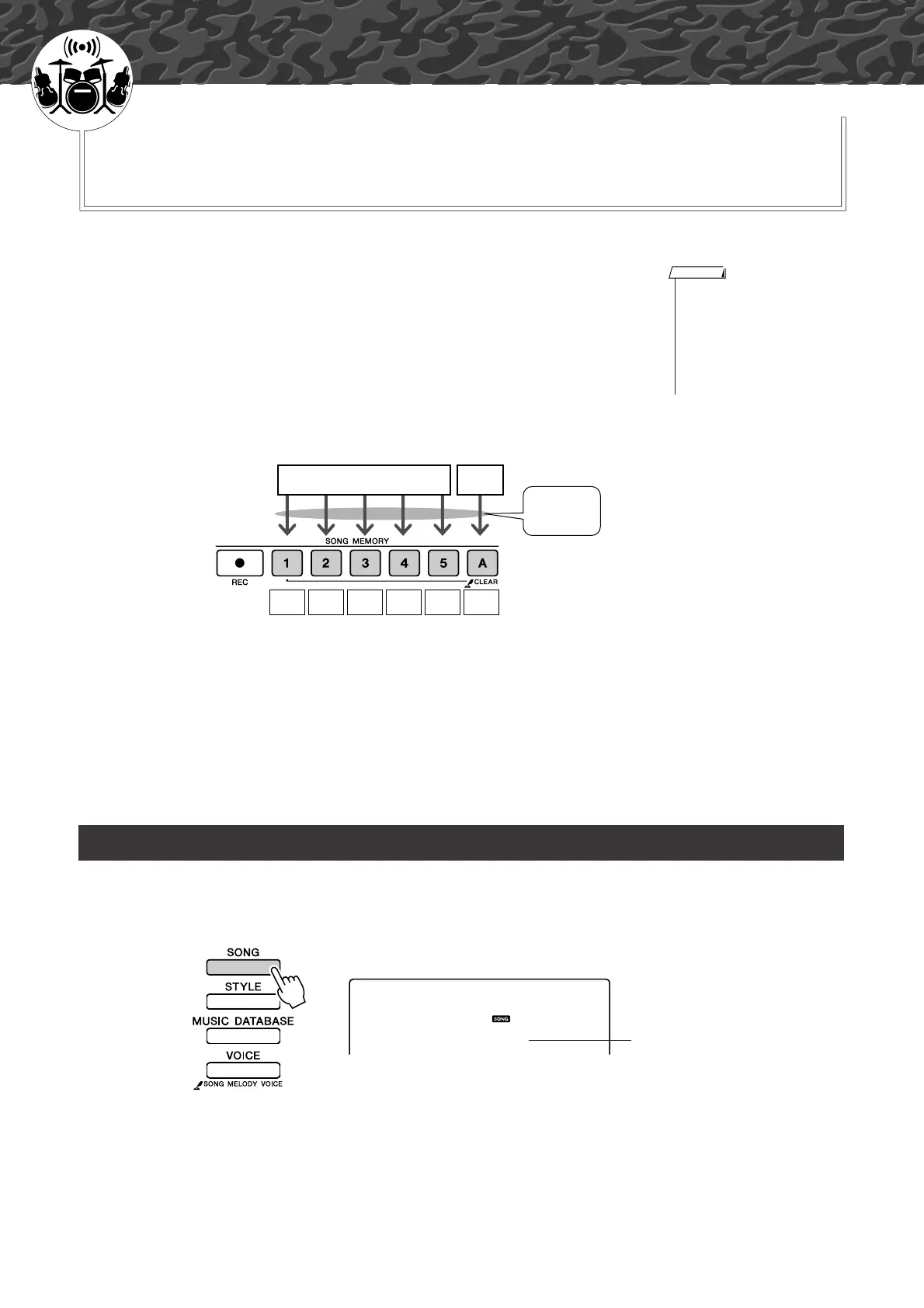
You can record to a total of 6 tracks: 5 melody tracks and 1 style (chord) track.
Each track can be recorded individually. To record your own performance, first
use the SONG MEMORY [1]–[5] and [A] buttons to specify the track(s) you
want to record on.
● Melody Track [1]–[5].......... Record the melody parts.
● Style Track [A] ................... Records the chord part.
■ Track Mute
This instrument allows you to choose whether recorded tracks will play back
while you are recording or playing back other tracks (page 79).
1
Press the [SONG] button, then use the dial to select the
user song number (031–035) you want to record to.
Recording Procedure
• Up to approximately 10,000
notes can be recorded for the
five user songs if you record
only to the melody tracks. Up to
approximately 5,500 chord
changes can be recorded for
the five user songs if you record
only to the style track.
NOTE
Melody Chords
Specify
track(s) and
record
Tra ck
1
Tra ck
2
Tra ck
3
Tra ck
4
Tra ck
5
Tra ck
A
031
User 1
Rotate the dial to select a song
number between 031 and 035.















 To Next Page