Record Your Own Performance
PSR-E413 Owner’s Manual 53
2
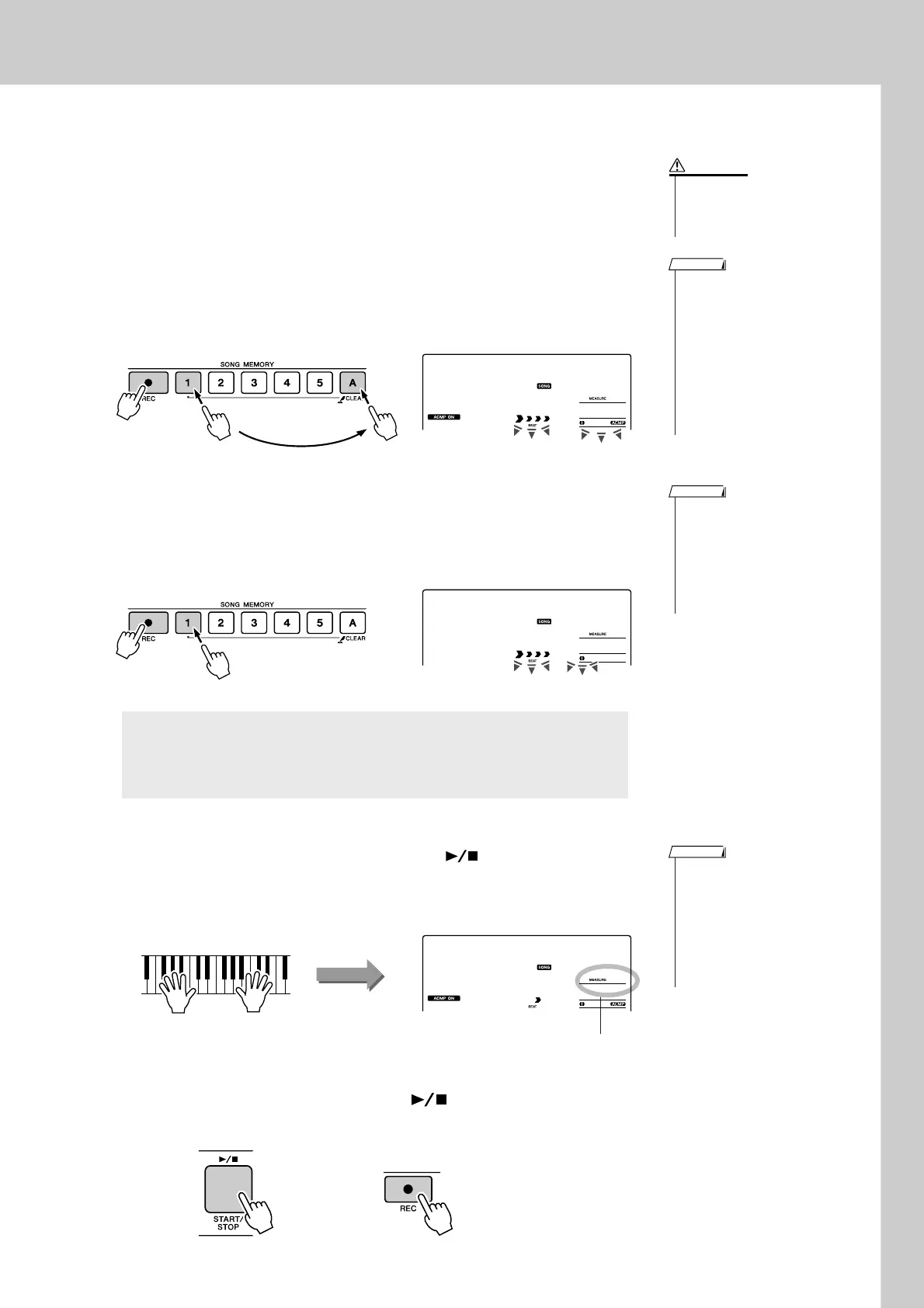
Select the track(s) you want to record to and confirm your
selection on the display.
◆ Record a Melody Track and the Accompaniment Track
Together
Press the melody track button [1]–[5] you want to record to while hold-
ing the [REC] button.
Next, press the [A] button while holding the [REC] button.
The selected tracks will flash in the display.
◆ Record a Melody track
Press the melody track button [1]–[5] you want to record to while hold-
ing the [REC] button.
The selected track will flash in the display.
3
Recording will start when you play on the keyboard.
You can also start recording by pressing the [ ] (START/STOP) but-
ton.
The current measure will be shown on the display during recording.
4
Stop recording by pressing the [ ] (START/STOP) or
[REC] button.
To cancel recording to a selected track, press that track button a
second time. Style accompaniment cannot be turned on or off
while recording is in progress.
• Style accompaniment is auto-
matically turned on when you
select the style track [A] for
recording.
• Style accompaniment cannot
turned on or off while recording
is in progress.
• If you use a split voice for
recording, notes played to the
left of the split point will not be
recorded.
NOTE
• If you record to a track that
contains previously-recorded
data the previous data will be
overwritten and lost.
CAUTION
Press and hold
rEC
User 1
001
• If style accompaniment is on
and track [A] has not yet been
recorded, the style track [A] will
automatically be selected for
recording when a melody track
is selected. If you only want to
record a melody track, be sure
to turn the style track [A] off.
NOTE
rEC
User 1
001
• If the memory becomes full dur-
ing recording a warning mes-
sage will appear and recording
will stop automatically. Use the
song clear or track clear (page
55) function to delete unwanted
data and make more room avail-
able for recording, then do the
recording again.
NOTE
Recording
starts
Current measure
rEC
User 1
003
or















 To Next Page