174
Selecting Cooling Fan Operation
In order to increase the life of the cooling fan, the fan can be set to oper-
ate only when Inverter is running
n039 = 0 (Factory setting): Operates only when Inverter is running
(Continues operation for 1 minute after
Inverter is stopped.)
=1: Operates with power ON
Using Energy-saving Control Mode
Verify that the constant n002 is set to 0 (V/f control mode) when per-
forming energy-saving control. Set n139 to 1 to enable the energy-sav-
ing control function.
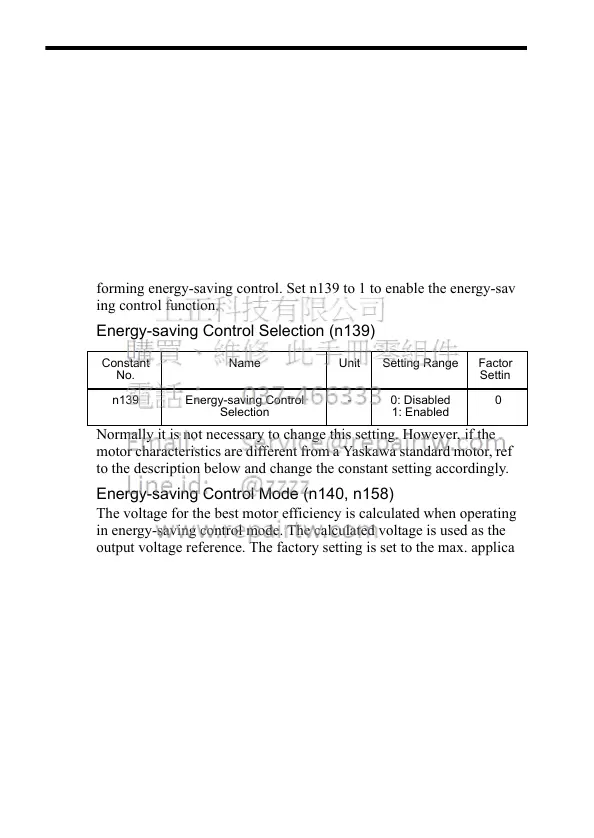
Energy-saving Control Selection (n139)
Normally it is not necessary to change this setting. However, if the
motor characteristics are different from a Yaskawa standard motor, refer
to the description below and change the constant setting accordingly.
Energy-saving Control Mode (n140, n158)
The voltage for the best motor efficiency is calculated when operating
in energy-saving control mode. The calculated voltage is used as the
output voltage reference. The factory setting is set to the max. applica-
ble motor capacity for a Yaskawa standard motor.
The greater the enegy-saving coefficient is, the greater the output volt-
age becomes.
When using a motor other than a Yaskawa standard motor, set the motor
code corresponding to the voltage and capacity in n158. Then, change
the setting of the energy-saving coefficient K2 (n140) by 5% to mini-
mize the output power.
When the motor code is set in n158, the energy-saving coefficient K2,
which corresponds to the motor code, must be set in n140.
Constant
No.
Name Unit Setting Range Factory
Setting
n139 Energy-saving Control
Selection
- 0: Disabled
1: Enabled
0













 To Next Page