164
Multi-function Analog Input Signal Selection (n078)
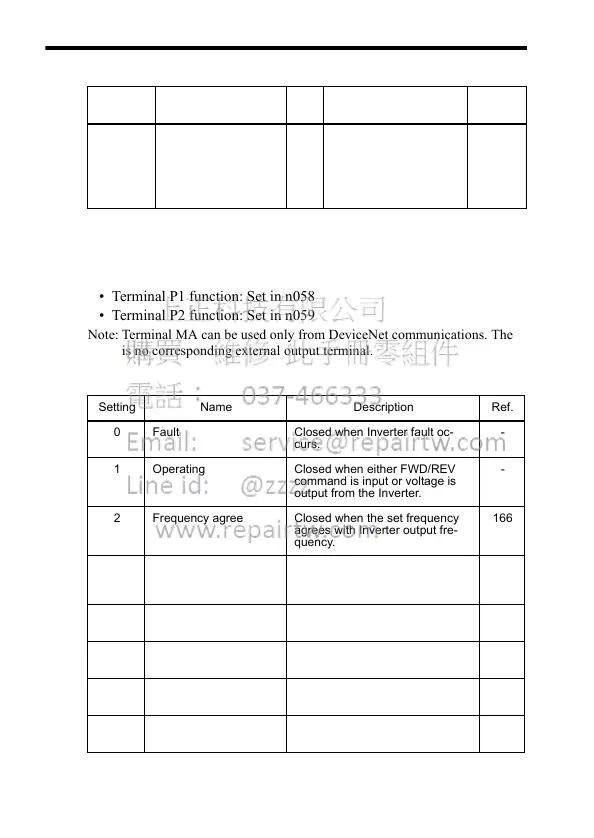
Using Output Signals (n057, n058, n059)
The functions of multi-function output terminals MA, P1 and P2 can be
changed as necessary by setting constants n057, n058, and n059.
• Terminal MA function: Set in n057
• Terminal P1 function: Set in n058
• Terminal P2 function: Set in n059
Note: Terminal MA can be used only from DeviceNet communications. There
is no corresponding external output terminal.
Constant
No.
Name Unit Setting Range Factory
Setting
n078 Multi-function Analog
Input Signal Selection
1 0=Digital Operator ter-
minal (voltage: 0 to
10 V)
1=Digital Operator ter-
minal (current 4 to
20 mA)
0
Setting Name Description Ref.
0 Fault Closed when Inverter fault oc-
curs.
-
1 Operating Closed when either FWD/REV
command is input or voltage is
output from the Inverter.
-
2 Frequency agree Closed when the set frequency
agrees with Inverter output fre-
quency.
166
3 Zero speed Closed when Inverter output fre-
quency is less than minimum out-
put frequency.
-
4 Frequency detection 1 Output frequency ≥ Frequency
Detection Level (n095)
147
5 Frequency detection 2 Output frequency ≤ Frequency
Detection Level (n095)
147
6 Overtorque detection,
NO contact output
-146
7 Overtorque detection,
NC contact output
-146













 To Next Page