54
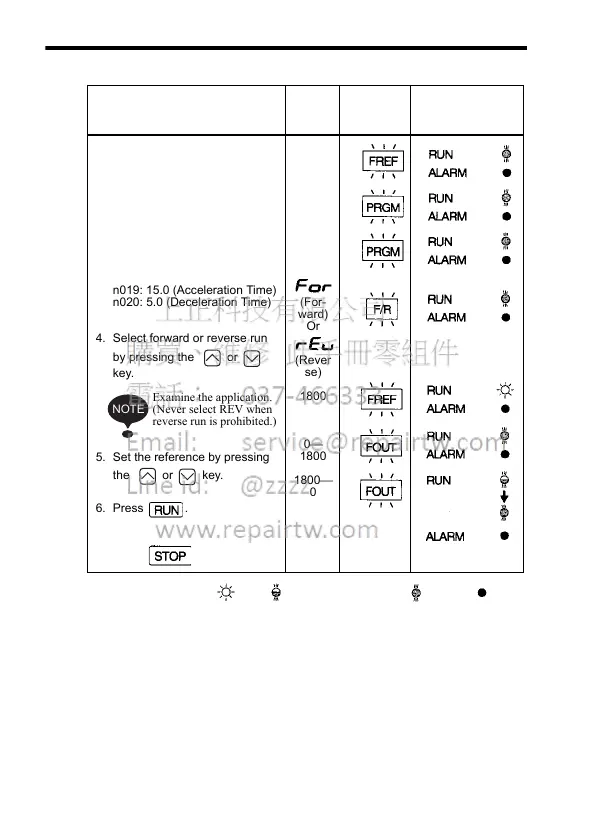
Operation Steps Opera-
tor Dis-
play
Function
Indicators
Status Indicators
1. Turn ON the power supply.
2. Set constant n004 to 1.
(Enables the potentiometer and
RUN/STOP commands from
the Digital Operator.)
3. Set the following constants.
n019: 15.0 (Acceleration Time)
n020: 5.0 (Deceleration Time)
4. Select forward or reverse run
by pressing the or
key.
Examine the application.
(Never select REV when
reverse run is prohibited.)
5. Set the reference by pressing
the or key.
6. Press .
7. Press to stop.
0
1
15.0
5.0
(For-
ward)
Or
(Rever
se)
1800
0
1800
1800
0
NOTE
Status indicators :ON :Flashing (long flashing) :Flashing :OFF













 To Next Page