OPERATION
Axiovert 200 Documentation Carl Zeiss
B 40-080 e 03/01 3-43
3.4 Documentation
Depending on the instrument configuration, the Axiovert 200 (manual) and Axiovert 200 M microscopes
can be equipped with up to five documentation ports.
− Frontport for the connection of a SLR camera, a video or digital camera (e.g. AxioCam from Zeiss) via
a special video or camera adapter.
− Sideport (right or left) for the connection of documentation equipment via the 60 mm interface for
LSM and FCS connections please see page 1-9).
− Baseport (bottom) for the connection of documentation equipment via the 60 mm interface.
− Binocular phototube with 60 mm interface.
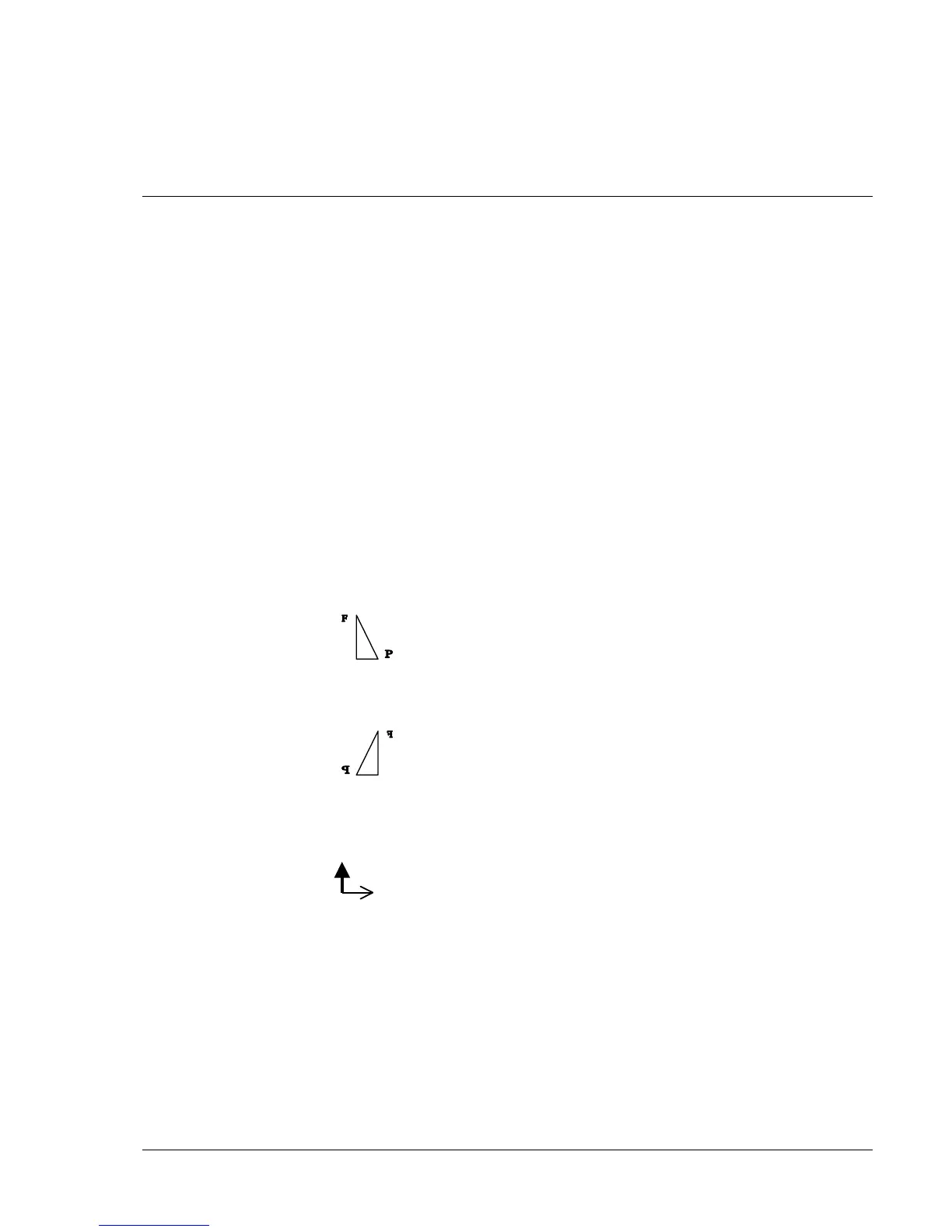
3.4.1 Image orientation of camera ports
The following table gives a detailed overview of the image orientation on the Axiovert 200 camera ports.
The descriptions are based on an object, such as a stage micrometer, with readable figures or letters to
illustrate the orientation:
Original object: Viewed without microscope
As shown above, the object is placed on the microscope stage with the readable side facing the objective
and is then seen from top by the microscope user as follows:
This view is the reference view
for the description below.
Viewed from top, too, a movement of the specimen stage in Y direction to the back (thick arrow) and in
X direction (thin arrow) appears like this:
For a given viewing direction related to the respective stand component, the table below provides the
following information:
− Intermediate image of the object and the image on the monitor as captured by the camera as well as
− direction of motion of the object, when moving the stage.










 To Next Page