FEATURES
MENU
(CONTINUED)
PAR
(Parental) CONTROL
If
there
is
a channel that you
do
not want your children to
watch, you
can
"lock it out" for up
to
12
hours by entering
your own (secret) 4-digit code.
The
locked
out
channel
can
be any channel accessed through the ANTENNA
or
CABLE sources.
NOTE: Parental Control
can
be
used
to
lock
out
only
one channel. Before .Parental Control
can
be activated,
the ANTENNA
or
CABLE source must first
be
selected.
See the SOURCES Menu for details.
Once
you have locked
out
a channel, the
TV
will not
be
able to tune it for the next
12
hours unless you deactivate
Parental Control.
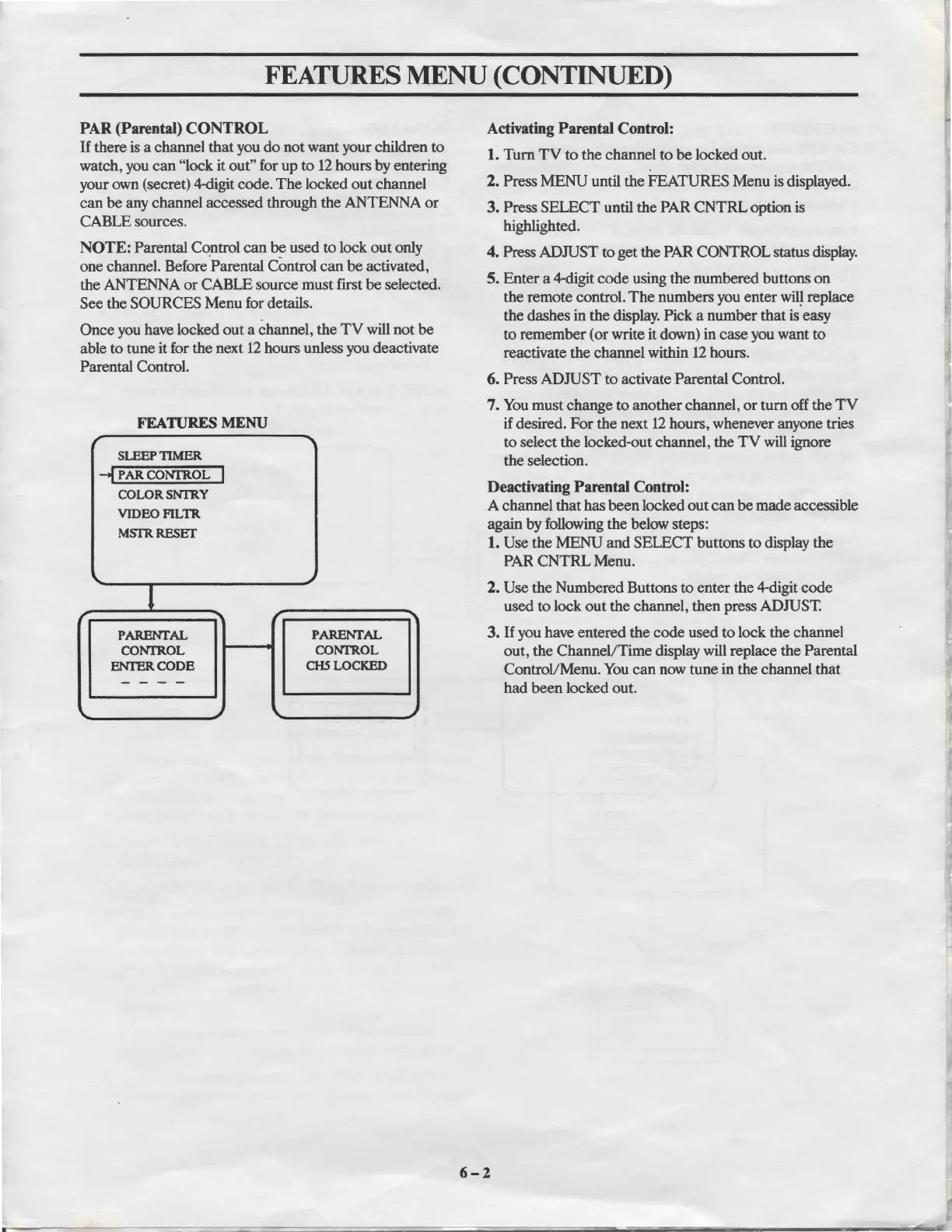
FEATURES
MENU
r
"'
SLEEPTIMER
--f
PARCONI'ROL
I
COLORSNI'RY
VIDEOFILTR
MSTRRESET
,,
1
r r
PARENrAL
PARENfAL
CONI'R.OL
CONI'ROL
ENrERCODE
CHS
LOCKED
- - - -
,,
I,.
,,
Activating
Parental
Control:
1.
Tum
TV
to
the channel
to
be
locked out.
2. Press MENU until the FEATURES Menu
is
displayed.
3. Press SELECT until the PAR
CNTRL
option is
highlighted.
4. Press ADJUST to get the PAR CONTROL status display.
5.
Enter
a 4-digit
code
using the numbered buttons on
the remote control.
The
numbers you enter
wil~
replace
the dashes in the display. Pick a number that
is
easy
to
remember (
or
write it down) in case you want
to
reactivate the channel within
12
hours.
6. Press ADJUST
to
activate Parental Control.
7.
You
must change to another channel,
or
tum
off the
TV
if desired. For
the
next
12
hours, whenever anyone tries
to
select the locked-out channel, the
TV
will ignore
the selection.
Deactivating
Parental
Control:
A channel that has
been
locked
out
can
be
made accessible
again by following the below steps:
1. Use the MENU and SELECT buttons
to
display the
PAR
CNTRL
Menu.
2. Use the Numbered Buttons
to
enter the 4-digit code
used to lock
out
the channel, then press ADJUST.
3.
If
you have entered the code used
to
lock the channel
out, the Channel/Time display will replace the Parental
Control/Menu.
You
can
now tune in the channel that
had
been
locked out.
6-2



 To Next Page