FEATURES
MENU
(CONTINUED)
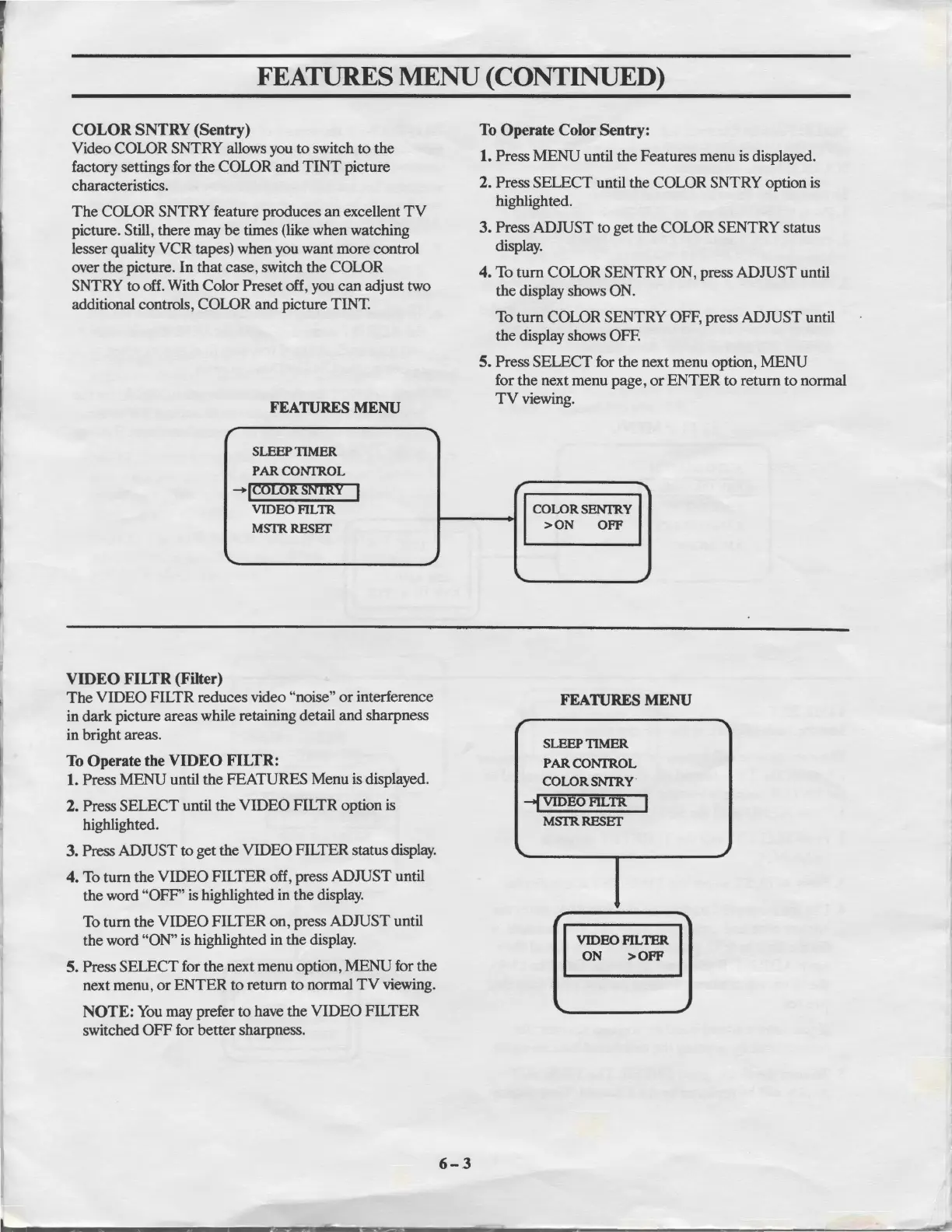
COLOR SNTRY (Sentry)
Video COLOR SNTRY allows you
to
switch
to
the
factory settings for
the
COLOR
and
TINT
picture
characteristics.
The
COLOR SNTRY feature produces
an
excellent
TV
picture. Still, there may
be
times (like when watching
lesser quality
VCR
tapes) when you want
more
control
over the picture.
In
that
case, switch
the
COWR
SNTRY
to
off. With Color Preset off, you
can
adjust two
additional controls, COLOR
and
picture TINT.
FEATURES
MENU
r
----
SLEEPTIMER
PARCONI'ROL
-,~l'.5rnit
SNI'RV
I
VIDEOFILTR
MSTRRESET
\.
~
VIDEO
FILTR
(Filter)
The
VIDEO
FILTR reduces video "noise"
or
interference
in
dark
picture areas while retaining detail
and
sharpness
in bright areas.
To
Operate
the
VIDEO
FILTR:
1.
Press
MENU
until
the
FEATURES Menu is displayed.
2. Press
SELECT
until
the
VIDEO
FILTR option is
highlighted.
3.
Press ADJUST to get the VIDEO FILTER status display.
4.
To
tum
the
VIDEO
FILTER off, press
ADJUST
until
the word
"OFF'
is highlighted in
the
display.
To
tum
the
VIDEO
FILTER
on,
press
ADJUST
until
the
word "ON" is highlighted in
the
display.
5. Press
SELECT
for the next menu option,
MENU
for
the
next menu,
or
ENTER
to
return
to
normal
TV
viewing.
NOTE: You may prefer
to
have the
VIDEO
FILTER
switched
OFF
for
better
sharpness.
6-3
To
Operate
Color
Sentry:
1. Press
MENU
until
the
Features menu is displayed.
2.
Press
SELECT
until the COLOR SNTRY option is
highlighted.
3. Press
ADJUST
to
get
the
COLOR SENTRY status
display.
4. To
tum
COLOR SENTRY ON, press
ADJUST
until
the display shows ON.
To
tum
COLOR SENTRY OFF, press
ADJUST
until
the
display shows OFF.
5. Press
SELECT
for
the
next menu option,
MENU
for
the
next menu page,
or
ENTER
to
return
to
normal
TV
viewing.
r
COLORSENI'RY
>ON
OFF
...
FEATURES
MENU
r
SLEEP TIMER
PAR CONI'ROL
COLORSNrR.Y·
--f
VIDEO FILTR
I
MSTRRESET
\.
..
~
VIDEO FILTER
ON
>OFF
..



 To Next Page