EasyManua.ls Logo

Zenith L30W36 - Page 15

Zenith L30W36
56 pages
Print Icon
To Next Page IconTo Next Page
To Previous Page IconTo Previous Page
Loading...
15
Safety Instructions
Monitor Overview
Connections
Basic Operation
Sleep Timer
Picture & Sound
Special Features
Misc.
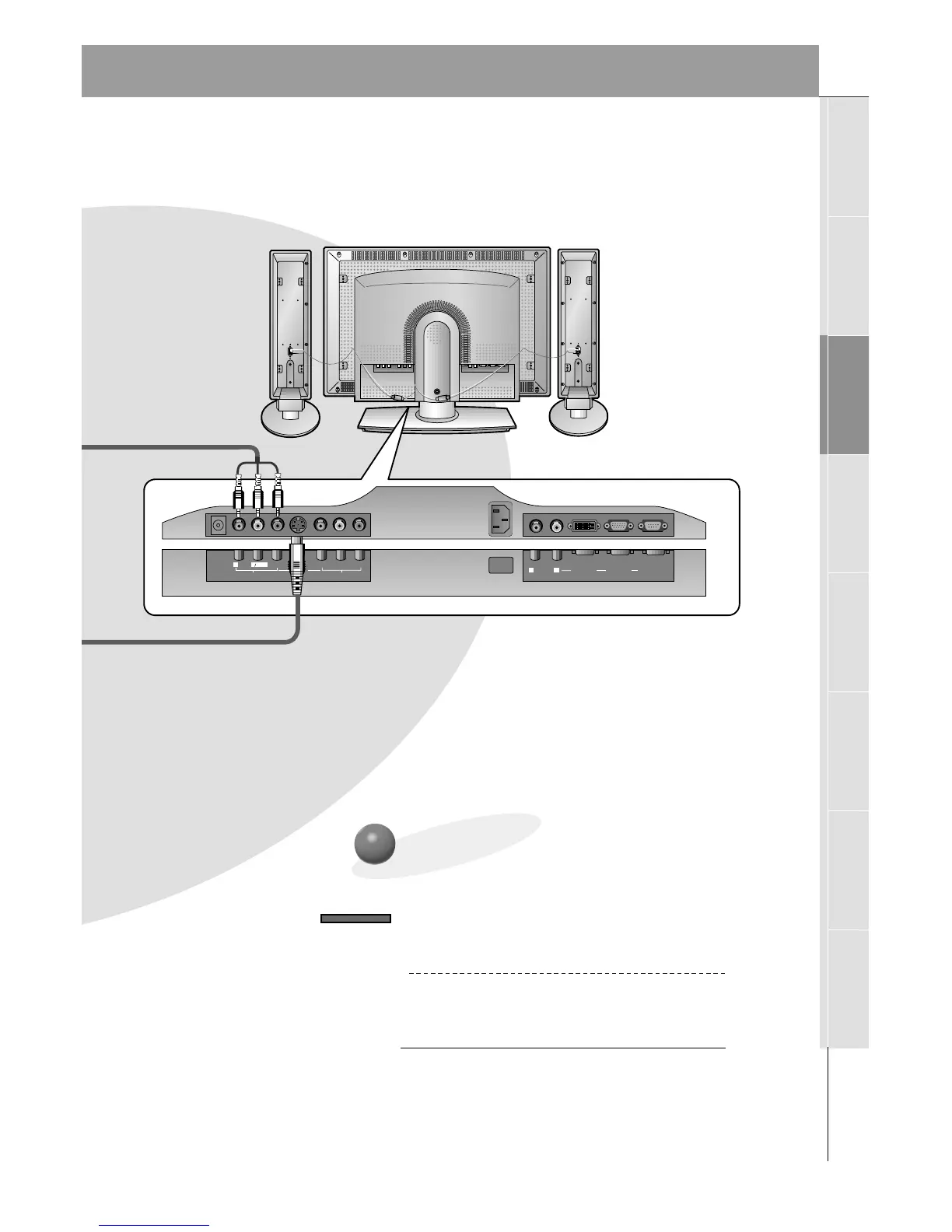
YPB PR
R
L
MONO
AUDIO
VIDEO
S-VIDEO
AV INPUT
COMPONENT
(DVD/DTV INPUT)
AC INPUT
R
L
AUDIO
RGB 2 INPUT
(DIGITAL RGB INPUT)
RGB 1 INPUT
(PC/DTV INPUT)
RS 232C INPUT
(CONTROL/SERVICE)
DC OUTPUT
(DC 12V)
Monitor Connections Panel
To Watch VCR
Use the INPUT SELECT button on the
remote control to select VIDEO.
(When connecting with S-Video, select the
S-VIDEO source.)
1
Insert a video tape into the VCR and press
the PLAY button on the VCR. See VCR
owners manual.
2
INPUT SELECT

Related product manuals