18
DVD Setup
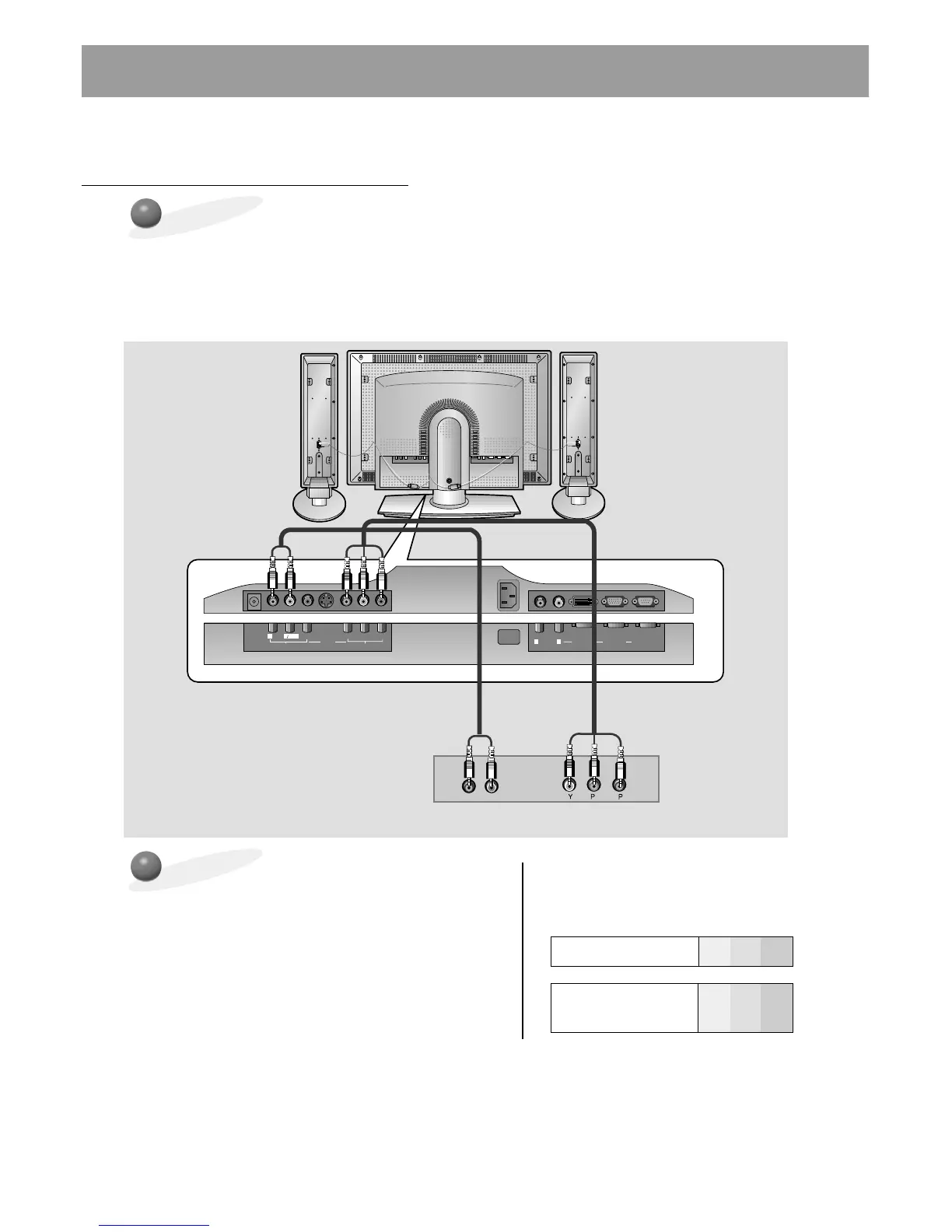
• Connect DVD video outputs to Y, PB, PR of COMPONENT (DVD/DTV INPUT) and audio
outputs to Audio jacks of AV INPUT.
• Component Input is available in 480i, 480p, 720p, and 1080i modes.
• If your DVD has only S-video output, connect S-video of DVD to S-video jacks on the
monitor and audio outputs to Audio jacks of AUDIO INPUT.
How to Connect a DVD (Digital Video Disk Player)
How to select and view
Component source
• Use the INPUT SELECT button on the monitor's remote
control to select COMPONENT.
• Turn on the DVD player, and insert a DVD.
Follow instructions in the DVD player's owners manual.
• Component Input Jacks
Connect DVD player jacks to Monitor's
Component input jacks as indicated below.



 To Next Page