EasyManua.ls Logo

Zenith L30W36 - Color Temperature Adjustments

Zenith L30W36
56 pages
Print Icon
To Next Page IconTo Next Page
To Previous Page IconTo Previous Page
Loading...
30
READY
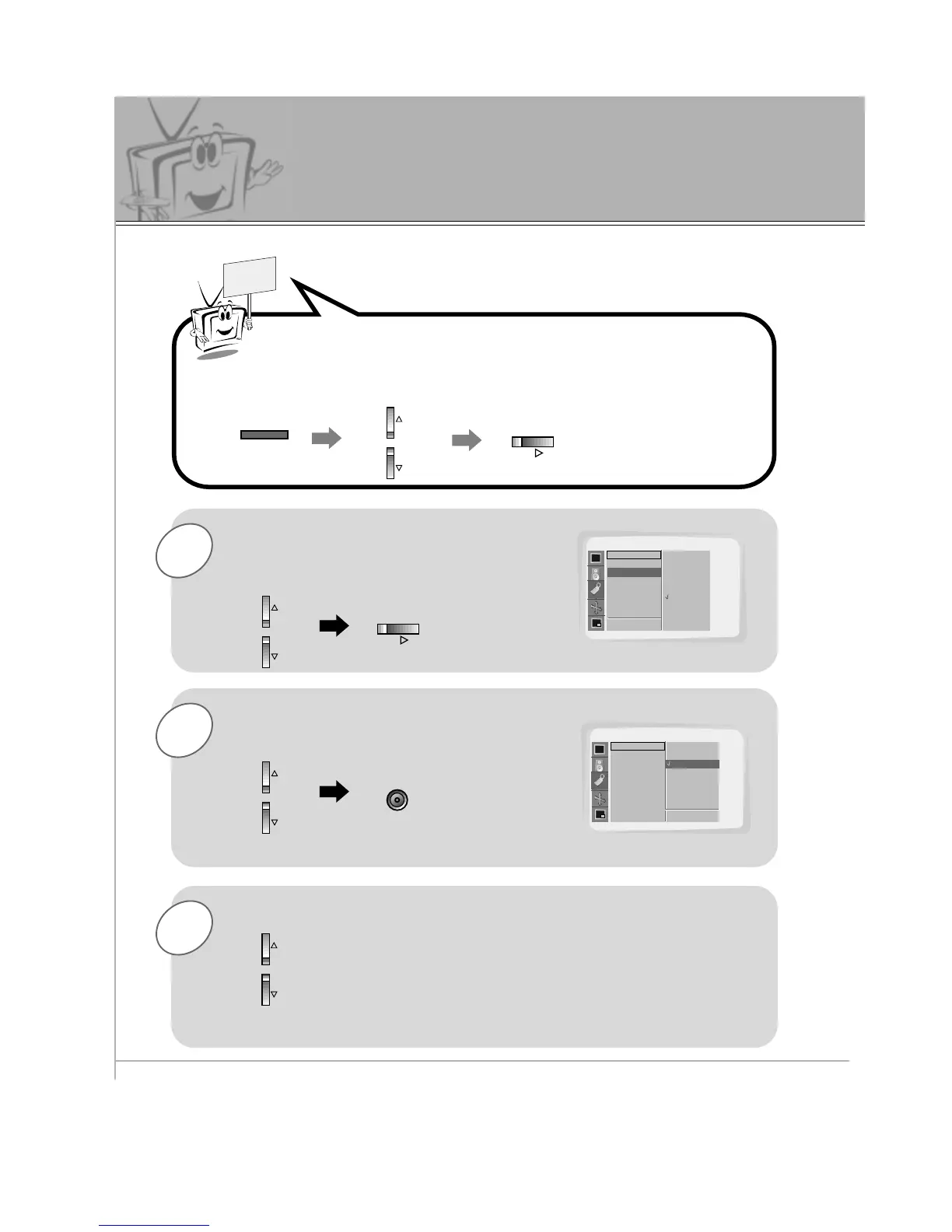
Press the MENU button and then use the UP/DOWN button to
select SPECIAL menu.
Press the VOL (
G
) button.
Color Temperature Adjustments
3
2
1
Use the UP/DOWN button to select
Color TEMP. and then press the
VOL (
G
) button.
Use the UP/DOWN button to select your
desired color temperature and then press
the ENTER button.
Use the UP/DOWN button to select R-Adjust, G-Adjust and
B-Adjust in the same way.
Press the VOL (
F
) button again to go back within menu.

MENU
VOL
VOL
ENTER
SPECIAL
Language
Color TEMP.
R-Adjust
G-Adjust
B-Adjust
Screen Saver
Set ID
D
E
Move
SPECIAL
Language
Color TEMP.
R-Adjust
G-Adjust
B-Adjust
Screen Saver
Set ID
D
E
Move
Color TEMP. G
F Prev.
A Prev.
Normal
Cool
Warm
User
Normal
Cool
Warm
User
Normal

Related product manuals