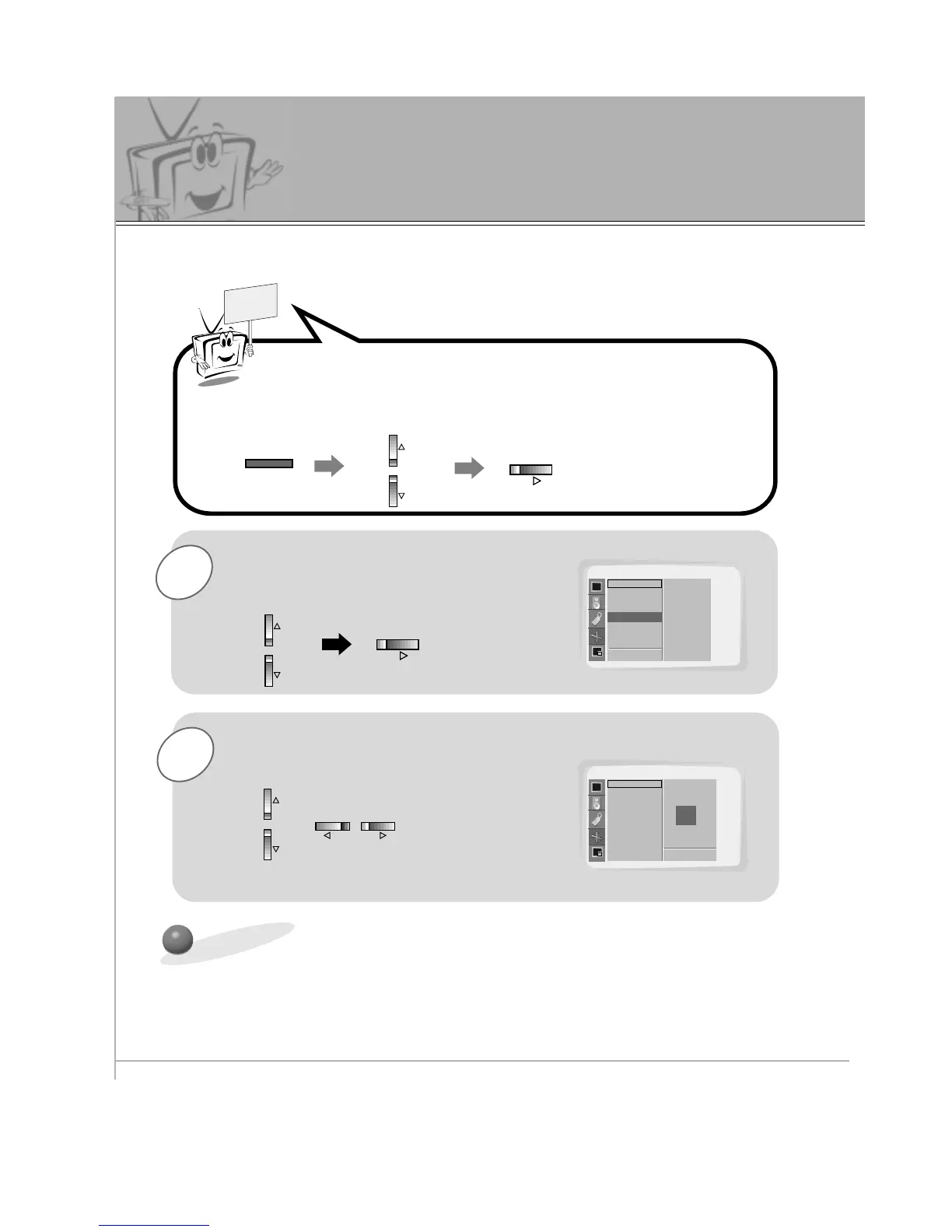
Use the UP/DOWN button to select
Position and then press the VOL (
G
)
button.
Use the VOL buttons or UP/DOWN
button to adjust the picture to the desired
position.
Press the MENU button and then use the UP/DOWN button to
select PICTURE ADJ. menu.
Press the VOL (
G
) button.
Initializing (Reset to original setting)
PICTURE ADJ.
Auto. Config.
ARC(Main)
Zoom In/Out
Position
Clock Adjust
Phase Adjust
Reset
D
E
Move
Position G
F Prev.
Adjust
F
D
E
G
PICTURE ADJ.
Auto. Config.
ARC(Main)
Zoom In/Out
Position
Clock Adjust
Phase Adjust
Reset
Adjust
A Prev.
F
D
E
G
• To initialize the adjusted value, select “Reset” with the UP/DOWN button and then press
the VOL(
G
) button.
- If necessary, use ‘ZOOM IN/OUT’ prior to adjusting picture ‘POSITION’.



 To Next Page