EasyManua.ls Logo

Zenith L30W36 - Adjusting Sound: Bass, Treble, Balance

Zenith L30W36
56 pages
Print Icon
To Next Page IconTo Next Page
To Previous Page IconTo Previous Page
Loading...
28
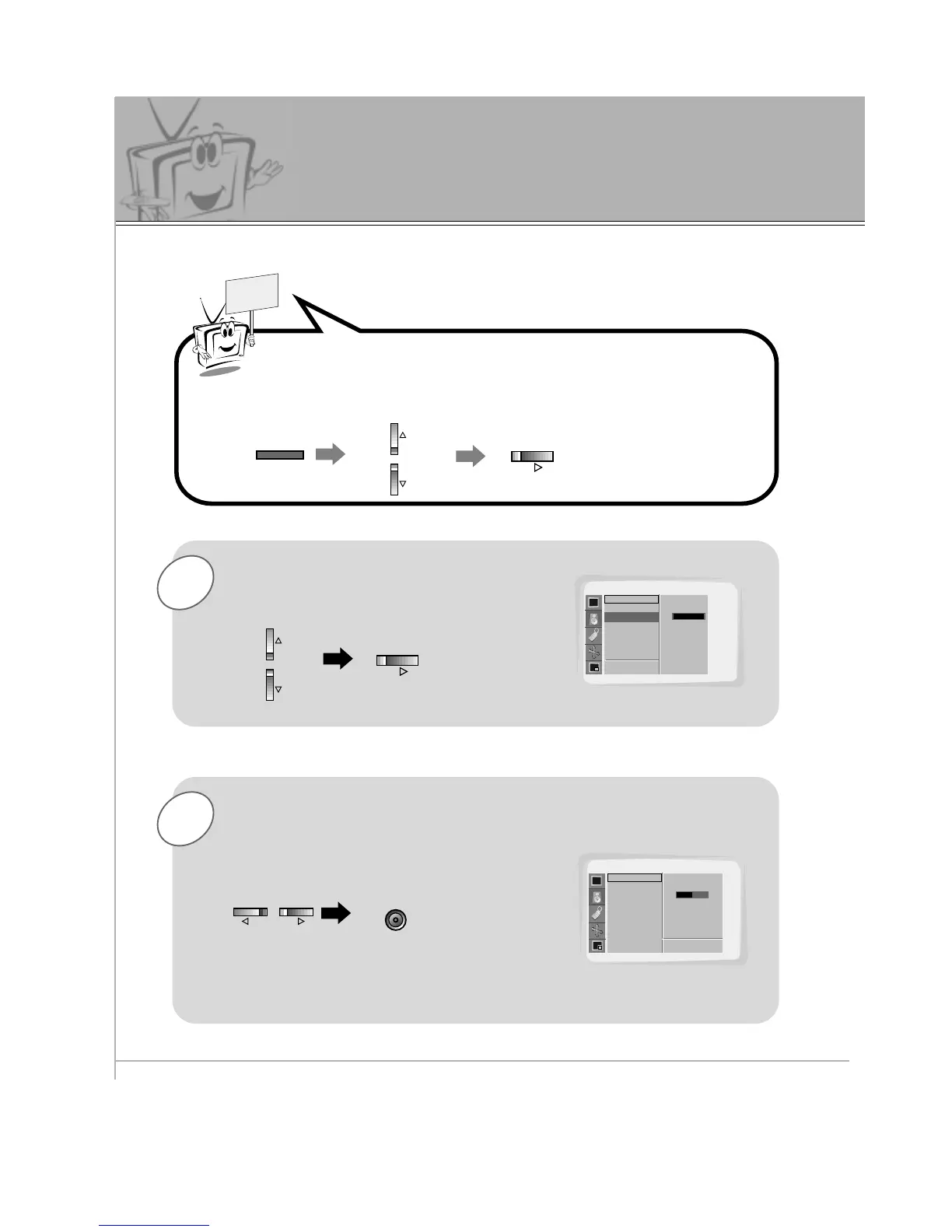
Adjusting Sound
Manual Settings
1
READY
Use the UP/DOWN button to select
Treble and then press the VOL (
G
)
button.
Press the MENU button and then use the UP/DOWN button to
select the
SOUND menu.
Press the VOL (
G
) button.
2
Use the VOL buttons to make appropriate
adjustments and then press the ENTER
button.
Use the UP/DOWN buttons to select other menu
options.

MENU
VOL
VOL
VOLVOL
ENTER
SOUND
DASP
Treble
Bass
Balance
D
E
Move
Treble G
100
SOUND
DASP
Treble
Bass
Balance
50
F Prev.
A Prev.
Adjust Bass and Balance in the same way.
FGAdjust

Related product manuals