19
Safety Instructions
Monitor Overview
Connections
Basic Operation
Sleep Timer
Picture & Sound
Special Features
Misc.
DTV Setup
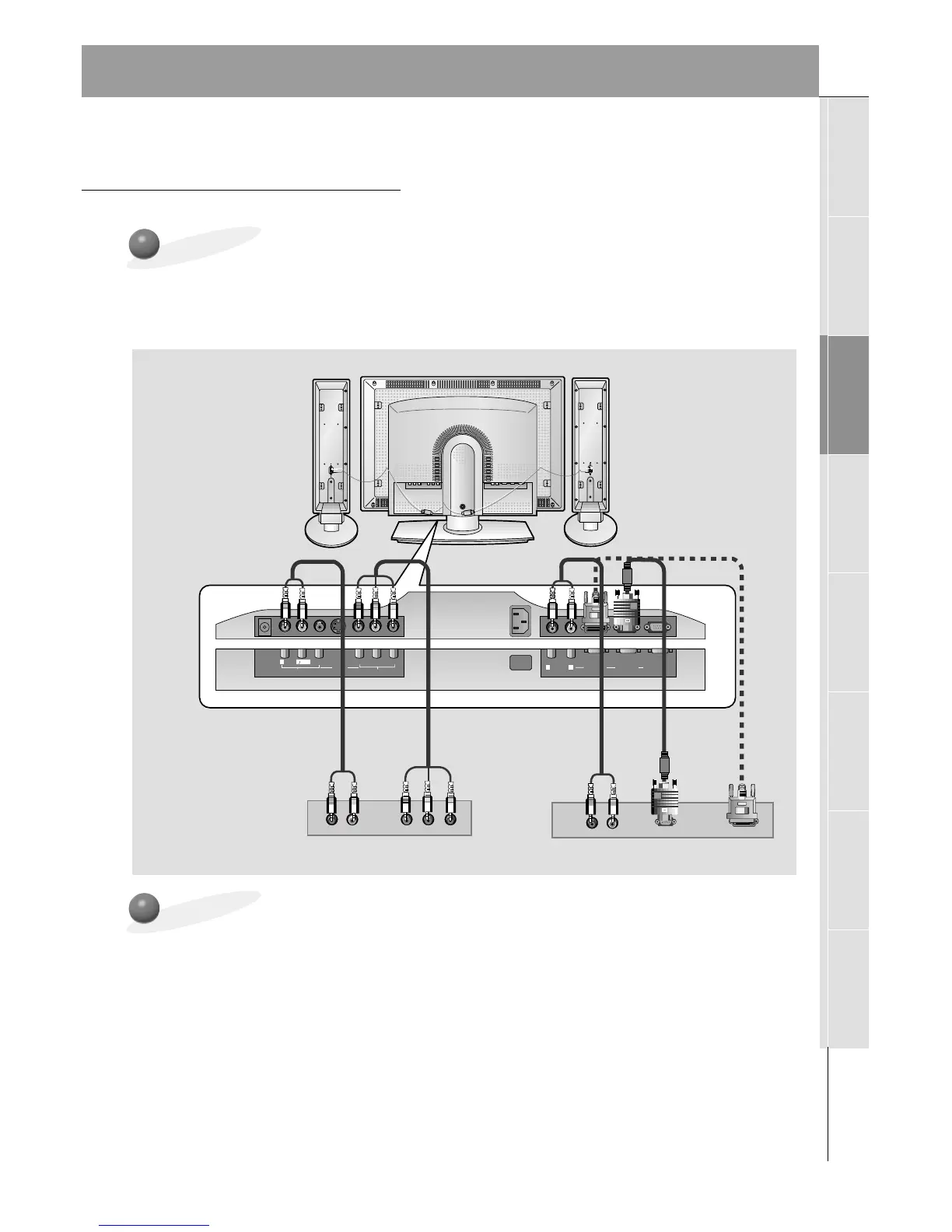
- To watch digitally broadcast programs, purchase/connect a digital SET-TOP BOX.
How to Connect
How to Select and Use a Digital Set-top Box
• Turn on the digital SET-TOP BOX.
(Refer to the owner’s manual for the digital SET-TOP BOX.)
• Use the INPUT SELECT button on the remote control to select
COMPONENT, RGB1 or
RGB2 (HDCP(High-bandwidth Digital Contents Protection) compatible).
Typical Digital Set-top Box Connections Panels
or
• You can use the Monitor’s COMPONENT (DVD/DTV INPUT) inputs, the single RGB1
(PC/DTV INPUT) or RGB2 for video connections, depending on your Set-top Box connec-
tors. Then, make the corresponding Audio connections.
• DTV Input is available in 480p, 720p, and 1080i modes.
Monitor Connections Panel



 To Next Page