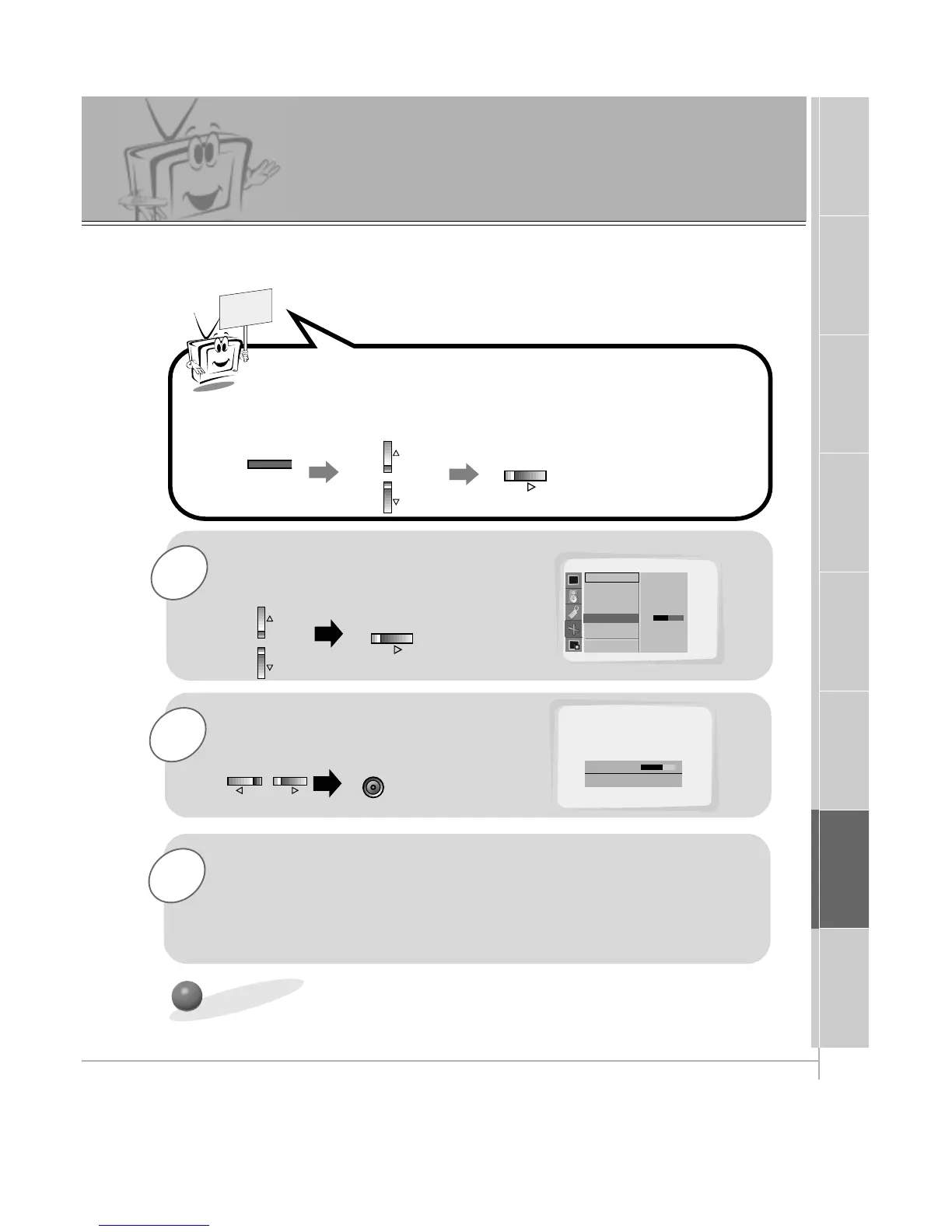
Use the UP/DOWN button to select
Clock Adjust and then press the
VOL (
G
) button.
Use the VOL buttons to adjust
Clock
and then press the ENTER button.
Press the MENU button and then use the UP/DOWN button to
select
PICTURE ADJ. menu.
Press the VOL (
G
) button.
PC Mode Adjustments
PICTURE ADJ.
D
E
Move
F Prev.
Auto. Config.
ARC(Main)
Zoom In/Out
Position
Clock Adjust
Phase Adjust
Reset
Clock Adjust G
0
Clock +25
FG Adjust
D
E
Move
A Prev.
- Horizontal/Vertical position and CLOCK/PHASE adjustment work in RGB1 (PC mode) and
Horizontal/Vertical position only work in RGB (DTV mode-480p,720p,1080i).
3
Adjust Phase Adjust in the same way.
• The adjustment range of Clock Adjust is -50 ~ +50.
• The adjustment range of Phase Adjust is 0 ~ 31. (Based on the input mode,
the adjustment range of Clock Adjust/Phase Adjust may change.)
• Based on the input signal, the position of the picture may not change even
though you have adjusted the Clock or Phase position with this function.
Initializing (Reset to original settings)
• To initialize the adjusted value, select “Reset” with the UP/DOWN button and then press
the VOL (
G
) button.



 To Next Page