SWT
GIGABIT/FAST ETHERNET SWITCH TYPE SWT 85/137
USER GUIDE - M0SWTA1903Iv09 - V09 March 2019
5.16 OTHERS CONFIGURATION
The Others menu enables/disables the use of the PoE power supply, allows to configure
the time that the switch stores the MAC addresses of inactivity, as well as configure the
digital output as an alarm.
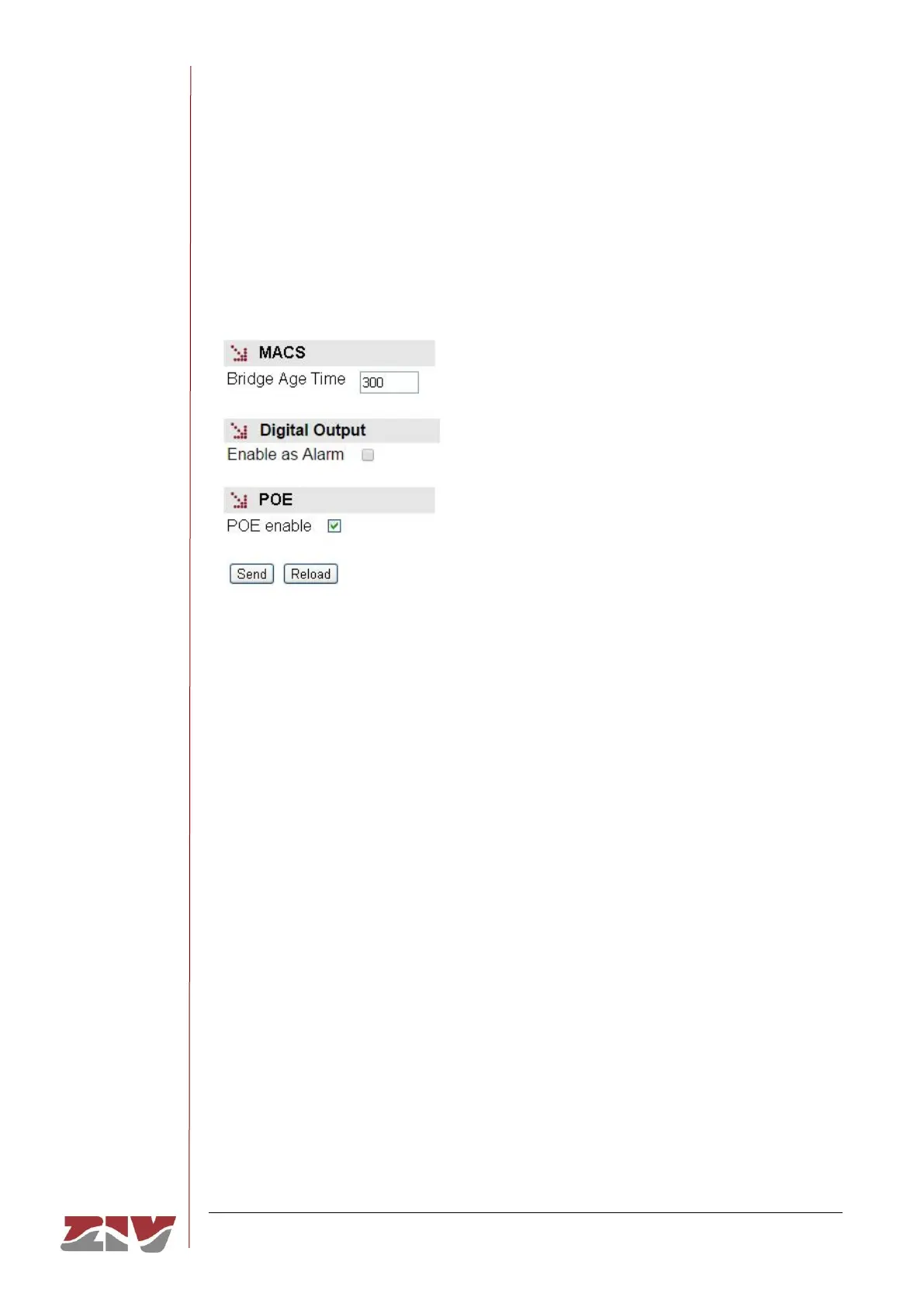
FIGURE 48 Others menu configuration page
The sections and their configuration parameters are as follows:
MACS:
• Bridge Age Time. It establishes the maximum time a learned MAC address of
inactivity will remain in the switch MAC address table. The value to be configured,
in seconds, is between 15 and 3600. The value established by default is 300.
Digital Output:
• Enable as Alarm. A simple CheckBox parameter to indicate whether the digital
output, pins 1 and 2 of I/O connector, will be used as alarm.
POE:
• POE enable. This option appears in the SWT with front ports and PoE power
supply. By checking this box, the Power over Ethernet power supply is enabled
(IEEE 802.3af). Said power supply offers the possibility of directly power supplying
IP devices through the first four electrical ports (1 to 4).



 To Next Page