SWT
GIGABIT/FAST ETHERNET SWITCH TYPE SWT 34/137
USER GUIDE - M0SWTA1903Iv09 - V09 March 2019
3.2 SWT WITH REAR PORTS
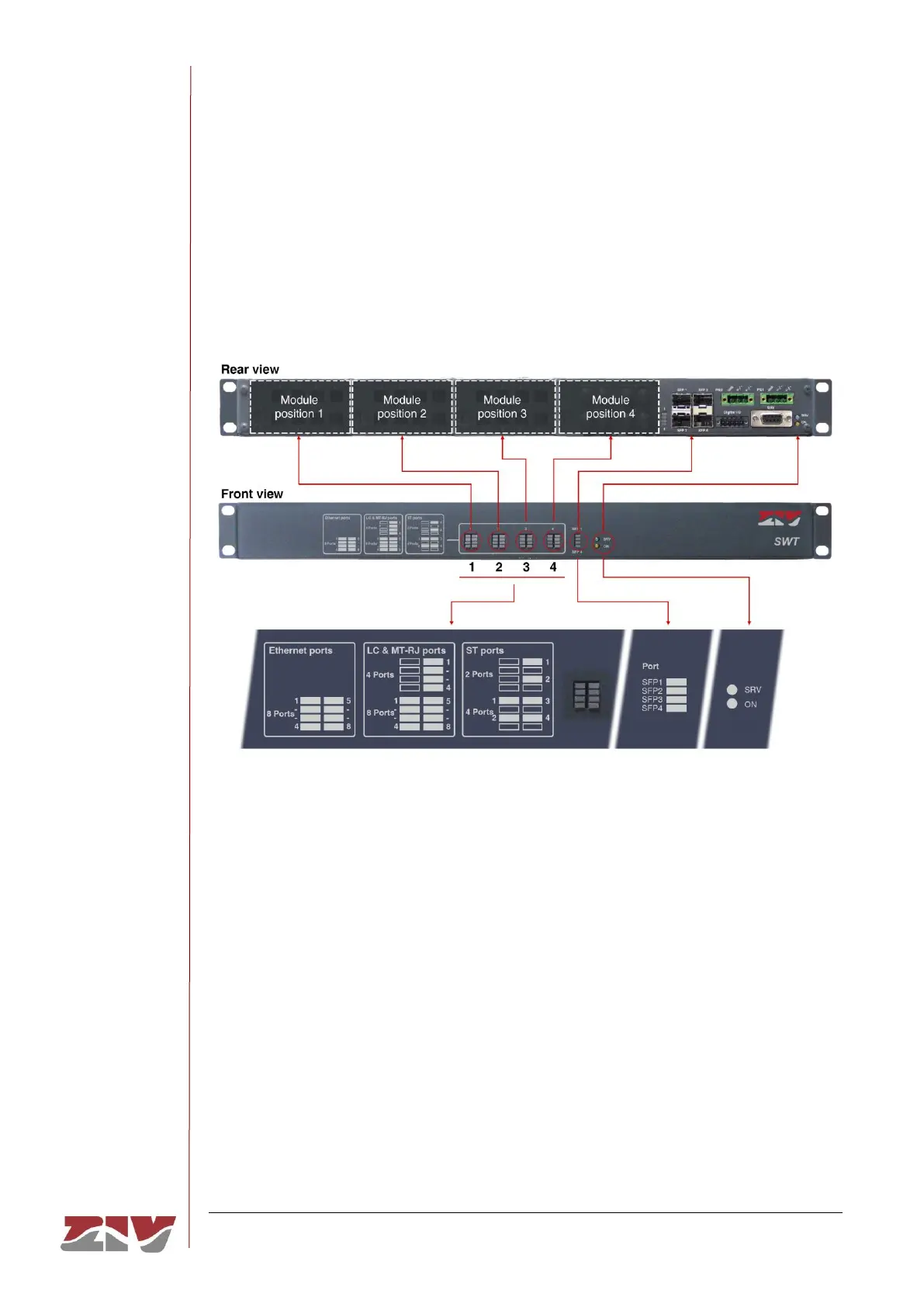
FIGURE 21 shows a front view of the SWT with rear ports, showing the detail of the
different LEDs. They are described below.
FIGURE 21 LEDs in the SWT with rear ports
Basic LEDs
Amber. It flashes when there is emission or reception activity by
the SRV serial service interface.
Red. It is permanently lit when the equipment is powered with an
external power-supply voltage.
LEDs associated with SFP ports
Amber. There is one LED per SFP interface. It stays on when the
link is established correctly and flashes in the case of emission or
reception activity in the interface.



 To Next Page