Zmorph Fab - QUICK START GUIDE 18
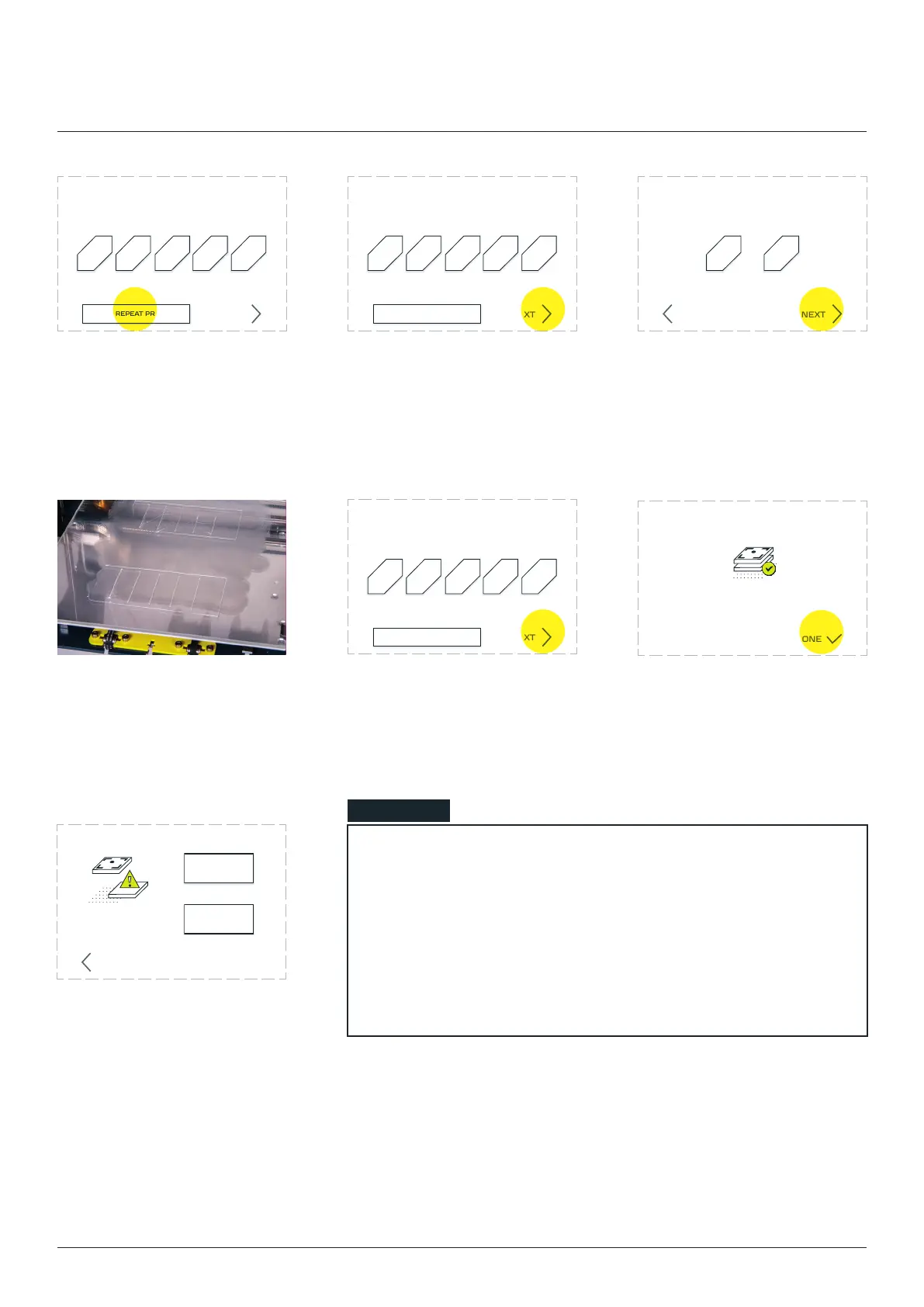
Choose ‘NONE’ option. Tap the ‘NEXT’ button. The printer will ask which of
the line is closest to the best
‘NEXT’.
The machine will prepare
another 5 lines, depending
on the choice - lower (1) or
higher (5).
Select the best one by
pressing their corresponding
numbers visible on the
screen and clicking ‘NEXT’.
Zmorph Fab calibration is
complete.
NONE, REPEAT PRINTING
1 2 3 4 5
NEXT
Choose the best printed line
(numeration from le to right)
NONE, REPEAT PRINTING
1 2 3 4 5
NEXT
Choose the best printed line
(numeration from le to right)
NONE, REPEAT PRINTING
1 2 3 4 5
NEXT
Choose the best printed line
(numeration from le to right)
Which line was better?
1 5
NEXTBACK
DONE
Calibration
result inaccurate
REPEAT
MANUAL
BACK
NOTE
If after the second round of calibration the user still decides that
none of the lines are accurate, the machine will show a warning
screen and advise to repeat the automatic calibration process or
to perform the manual calibration.
If meeting calibration issues or autocalibration doesn’t work,
please contact Technical Support.
Single Extruder Toolhead 1.75mm



 To Next Page