zmorph3d.com 23
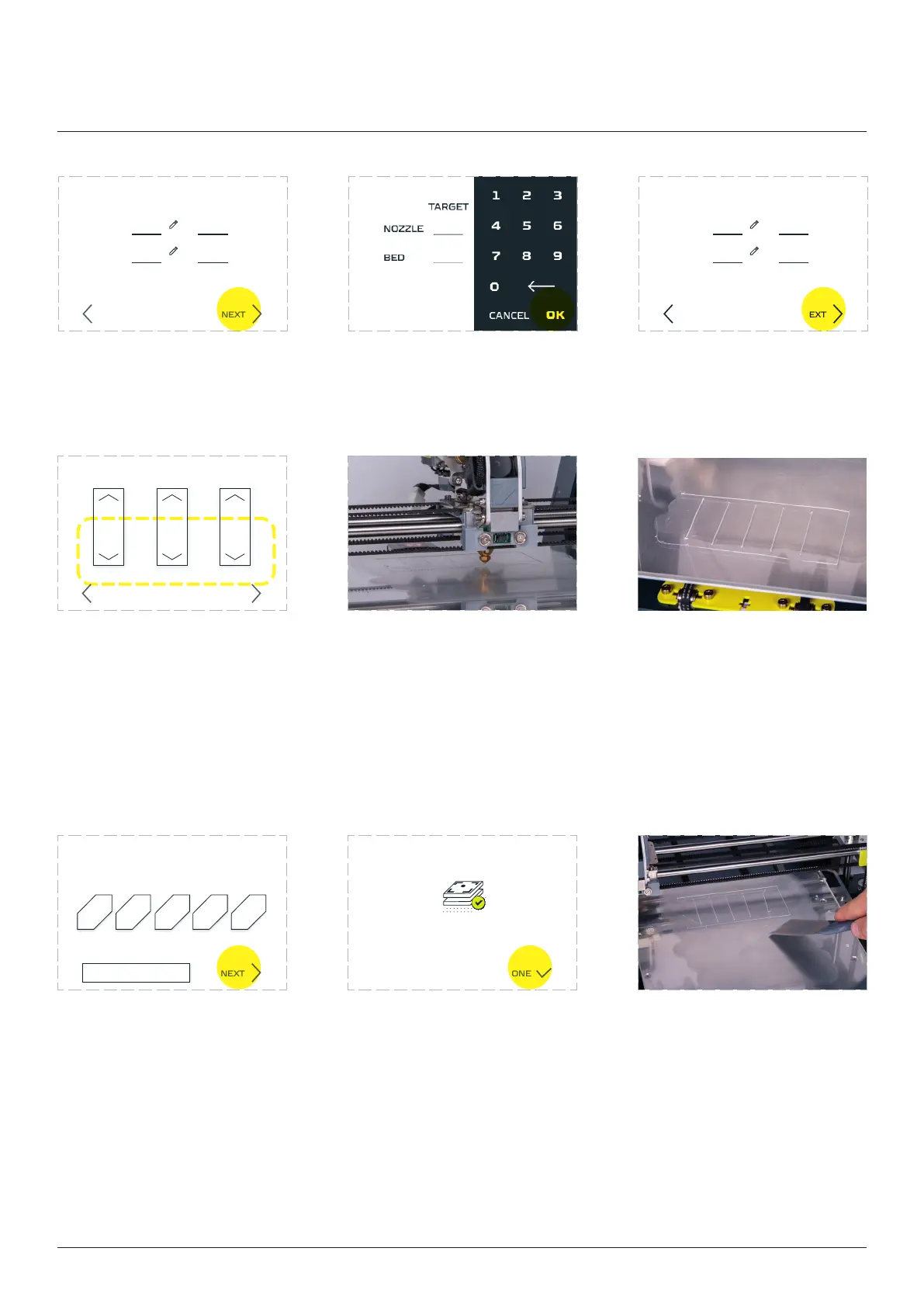
Set the printing temperature
To to that tap the gaps and
type the temperature on the
keyboard.
Wait for extruder to heat
up. When done tap ‘NEXT’.
Apply your choice by pressing
the ‘NEXT’ button.
Zmorph Fab calibration is
complete.
Clean the bed. Your machine
Use the arrow buttons on the
screen to feed the material
on both sides of the extruder
until it start to pour out from
the nozzle. (it might take
a couple times), after that
press the ‘NEXT’ button.
Wait for the machine to
Look at the printed lines
and select the best one on
the screen. A correct line is
the one that sticks to the
table after gently touching
NONE, REPEAT PRINTING
1 2 3 4 5
NEXT
Choose the best printed line
(numeration from le to right)
LOAD FILAMENT
LEFT RIGHT ALL
NEXTBACK
Calibration complete!
DONE
NEXTBACK
CURRENTTARGET
NOZZLE
BED
NEXTBACK
TARGET
NOZZLE
BED
CURRENT
Dual Extruder Toolhead
210 210210 210
80mm 80mm 80mm



 To Next Page