Zmorph Fab - QUICK START GUIDE 36
Laser cutting and engraving
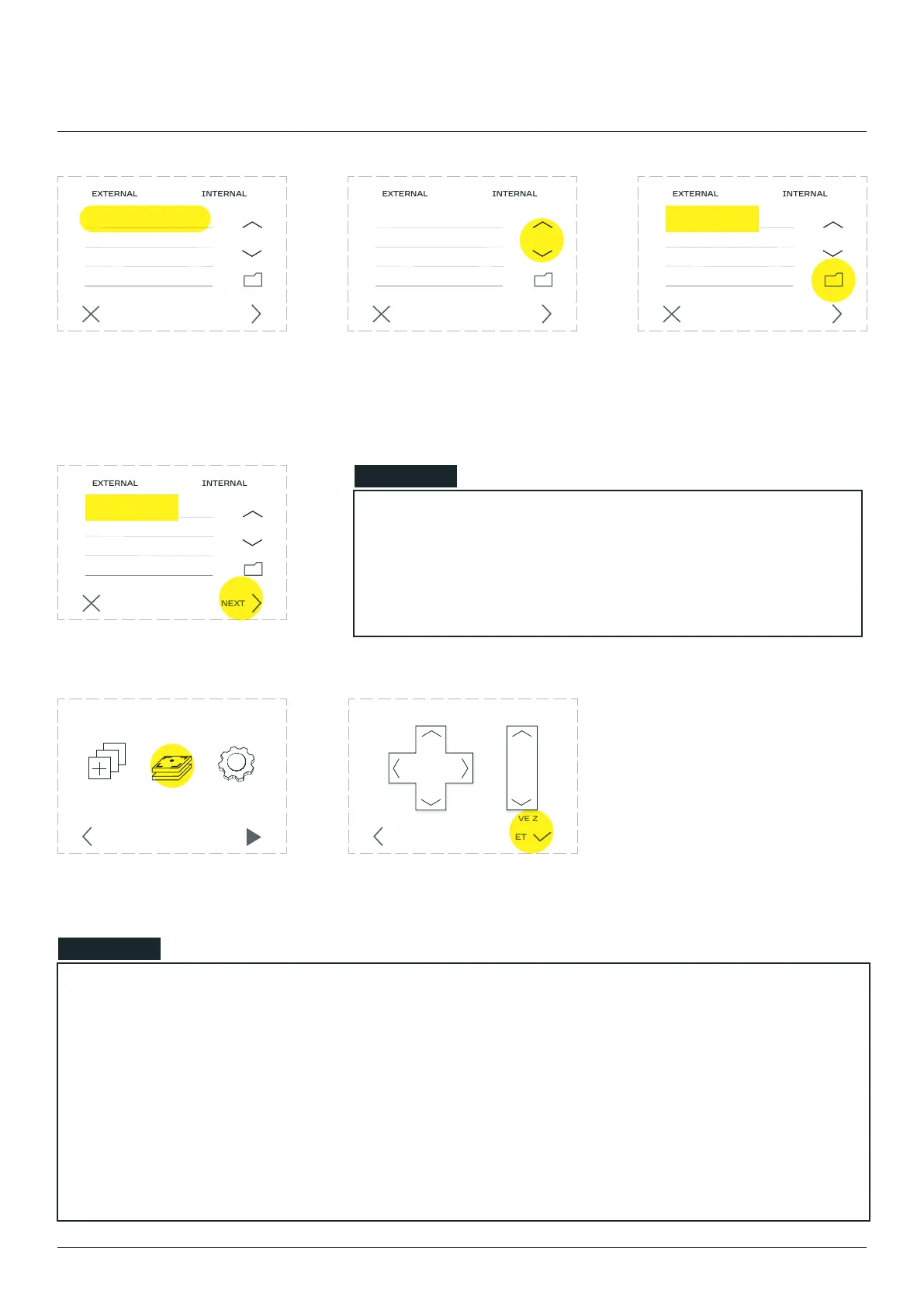
Select the prepared G-code
is not visible on the list press
the up/ down arrow buttons to
Exiting the folder is done by
selecting the folder icon.
CANCEL NEXT
CANCEL NEXT
CANCEL NEXT
example.gcode example.gcode example.gcode
‘NEXT’.
Go to the ‘Calibrate’ section.
NOTE
The movement in the X and Y axes will be disabled until they are homed. It is a safety procedure, to
protect the machine against damage.
The movement in the Z axis is avaliable all the time. Use it to move the laser tube above the surface
height of the prepared material.
The information on the Z axis height is stored in the motherboard internal memory. That is guided
by the fact that this value is not easy to change manually by the user unlike the X and Y axes.
CANCEL NEXT
example.gcode
X Y Z
MOVE ZMOVE X Y
BACK SET
CALIBRATE SETTINGSCHOOSE
FILE
STARTBACK
NOTE
machine must be calibrated to the mounted material on the
worktable. Skipping the calibration process may result in
damaging the machine or the toolhead.
10mm 1mm
70.00 30.00 12.00



 To Next Page