41
5.3 I Calibrang the sensors (if an oponal "pH Link" or "Dual Link" module has been installed)
5.3.1 Calibrang the pH sensor (blue)
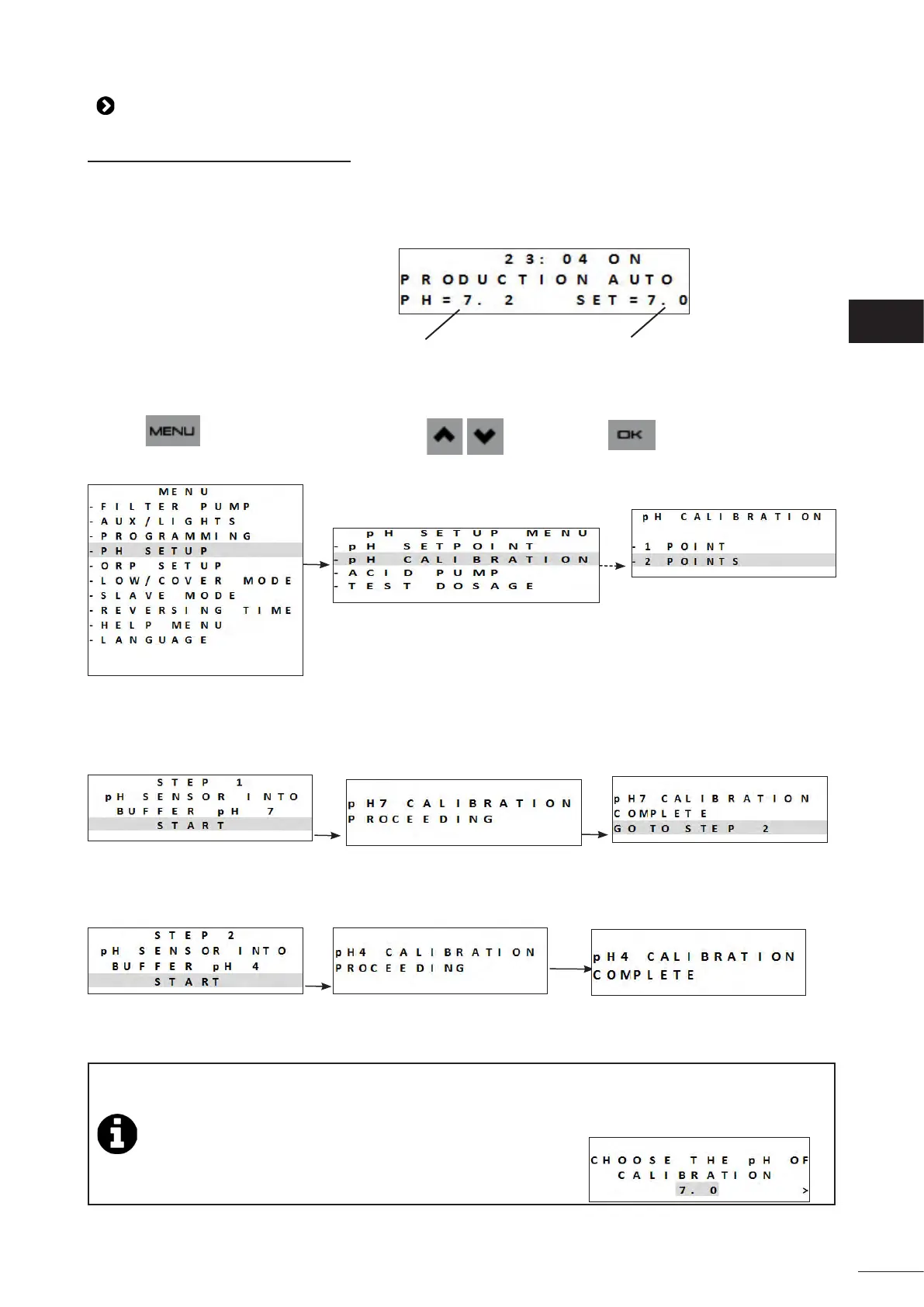
The pH sensor can be calibrated to 1 point or 2 points (pH 4 and pH 7). 2-point calibraon is recommended to improve
measurement accuracy.
The setpoints are displayed on the home screen when the appliance is switched on.
Current sensor measurements
Setpoints
• Switch on the appliance.
• Switch o the pool's pump and close the necessary valves in order to isolate the cell and the sensors.
• Press and browse the menu using the buons. Press to conrm.
• Select 1- or 2-point calibraon (2-point calibraon is recommended):
• Unscrew and remove the pH sensor from the POD.
• Rinse the p of the sensor with tap water.
• Shake it to remove any residual water. Do not touch the glass bulb at the end of the pH sensor.
• Place the pH sensor in the pH 7 soluon and follow the on-screen instrucons:
• Rinse the p of the sensor with tap water.
• Shake it to remove any residual water. Do not touch the glass bulb at the end of the pH sensor.
• Place the pH sensor in the pH 4 soluon and follow the on-screen instrucons:
• Once calibraon is complete, replace the sensor on the POD.
• If calibraon is unsuccessful, see “8.1 I Appliance behaviour”.
1-point calibraon: possible if the pH 7 and pH 4 soluons provided are no longer available.
In order to do this:
- Use a sample of water with a known pH value.
- Acvate 1-point calibraon and input this pH value on the screen:
EN














 To Next Page