29
❺ Use
5.1 I User interface
• Before acvang the chlorinaon funcon on the appliance, check that the minerals added to
the pool have completely dissolved.
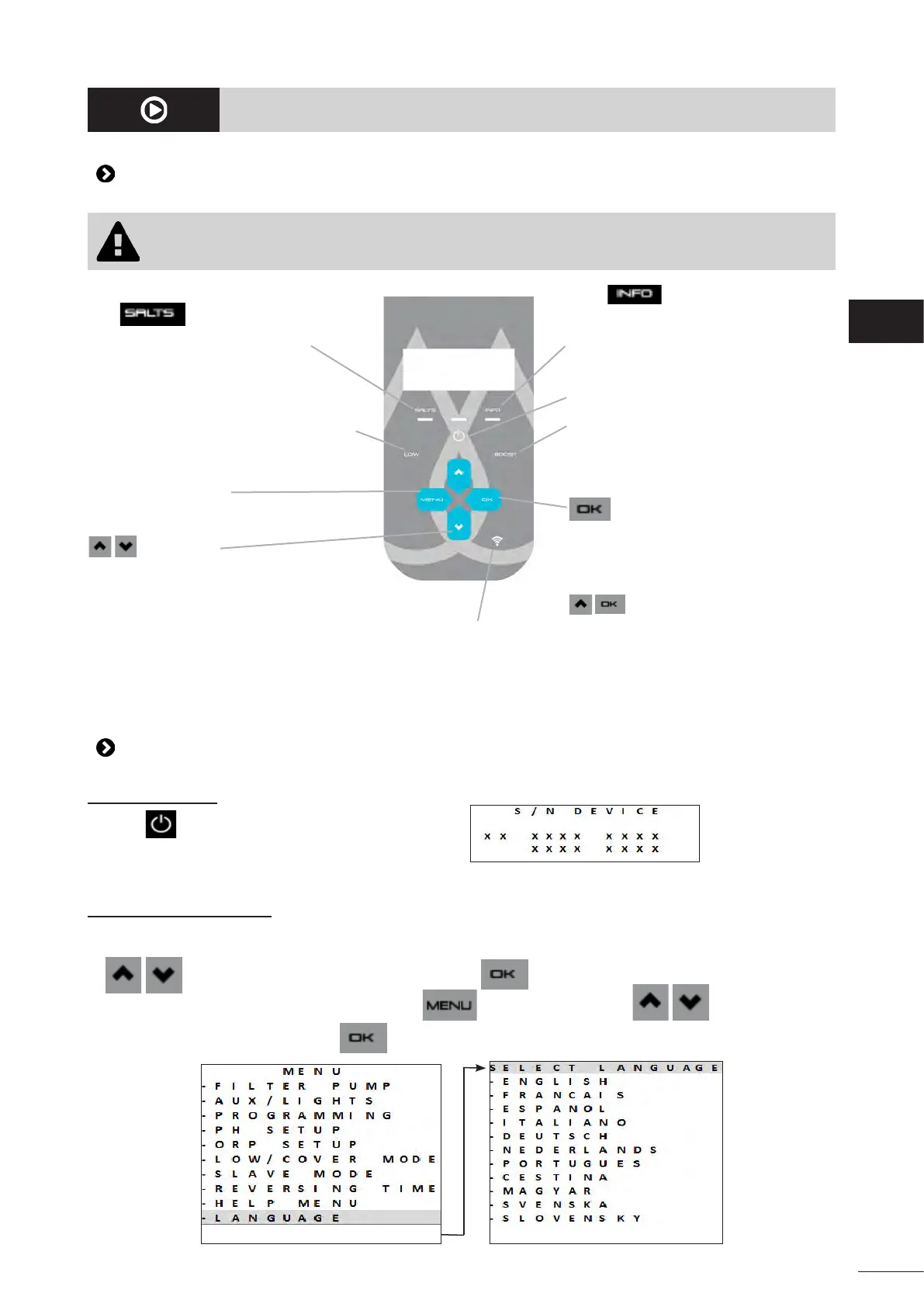
Blue indicator on steady:
Too low water conducvity (low minerals,
water too cold, worn cell, etc.)
Blue indicator on steady or
ashing:
View informaon or acon to be performed
on the screen.
Acvate/Disable LOW mode:
Chlorine producon reduced to between
0% and 30% in intervals of 10% (can be
congured in the relevant MENU).
The "LOW MODE ON" message is
displayed.
Switch on -/Switch o (press and hold)/
Switch to standby(press and release)
Acvate BOOST mode:
Chlorine producon at 100% for a
cumulated 24 hours. The "BOOST ON"
message is displayed with the me
remaining.
User menu:
Seng the parameters.
arrows:
- Browse a menu
- Increase or decrease a seng value
- Lock/unlock the user interface (Press
the 2 buons simultaneously for 4
seconds).
buon:
- Conrm the highlighted selecon
- Delete an error message requiring
human intervenon (press and hold for
4 seconds)
To acvate Wi-Fi Direct mode to
connect to the iAquaLink™ app
(Press both buons unl the Wi-Fi LED
starts to ash)
See “6.1 I Conguring the appliance
before rst use”.
*
Wi-Fi LED
5.2 I Conguraon before use
5.2.1 Switching on
• Press to switch the appliance on.
• The appliance's informaon is displayed on start-up:
5.2.2 Seng the language
• On rst start-up, the list of available languages is displayed; simply select the desired language using the
buons. Conrm the selecon by pressing .
• To change the language at a later point, press and browse using the buons.
• Conrm the selecon by pressing .
EN














 To Next Page