54
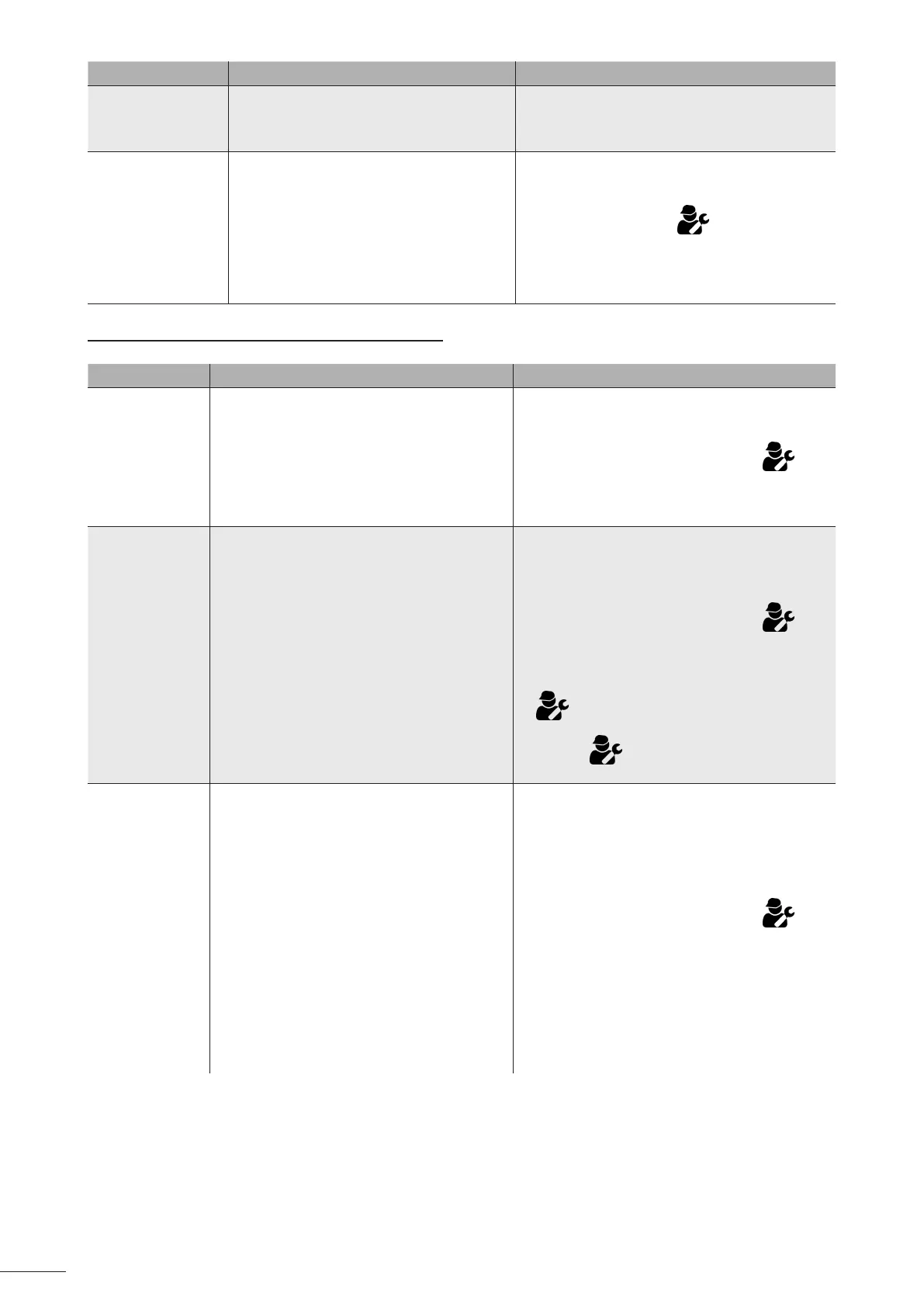
Message Possible cause Soluon
(NO MESSAGE)
No visible chlorine
producon on the
cell plates.
• Chlorinaon is in the reversal period.
• Chlorinaon is set to less than 100% and
is stopped.
• Wait and see. Chlorinaon should resume
within the next 10 minutes.
(NO MESSAGE)
Data loss (me,
etc.)
• Dead baery
• Power cut
• Do not reprogram the following
informaon: me, language, appliance
type.
• Contact your retailer to replace the 3V
CR1220 baery.
• Wait for the power to be restored.
==> The appliance should automacally recover
the informaon saved before the power cut.
8.1.2 Appliance WITH pH Link or Dual Link module
Message Possible cause Soluon
"pH LOW"
(“INFO” indicator
lit)
• The pH is less than 5.
• Faulty connecon or calibraon error, pH
sensor failure or dirty.
• Low alkalinity, reduced pH.
• Check the pH sensor wiring on the control box
and on the sensor holder.
• Check the operaon of the sensor using a
sensor tester (contact your retailer) .
• Clean and calibrate the sensor.
• Check and adjust the alkalinity.
• Replace the sensor.
"pH REGUL.
STOP"
(“INFO” indicator
ashing)
• The pH setpoint has not been reached aer
5 consecuve hours of injecon.
• Faulty connecon or calibraon error, pH
sensor failure or dirty.
• The pH minus container is empty.
• The peristalc pump is not primed.
• High alkalinity, injecon of acid does not
reduce the pH.
• Check the pool's pH using a photometer or a
test strip.
• Check the pH sensor wiring on the control box
and on the sensor holder.
• Check the operaon of the sensor using a
sensor tester (contact your retailer) .
• Clean and calibrate the sensor.
• Replace the pH container.
• Test the peristalc pump (contact your retailer)
.
• Reduce the alkalinity level (contact your
retailer) .
• Replace the pH sensor.
"ORP PROD.
STOP"
(“INFO” indicator
ashing)
• The ORP setpoint has not been reached
aer 36 consecuve hours of chlorinaon.
• Faulty connecon or calibraon error, ORP
sensor failure or dirty.
• A too high concentraon of cyanuric acid
signicantly reduces the ecacy of the
chlorine.
• A too high concentraon of cyanuric acid
reduces the ORP measurement taken by
the sensor.
• pH too high.
• If the total chlorine concentraon is too
high, the chloramines reduce the ORP
measurement taken by the sensor.
• The appliance is not appropriate for the size
of the pool.
• When the cell is worn, scaled up or
defecve, the electrolysis reacon does not
occur correctly.
• Check the pool's chlorine level using a
photometer or a test strip.
• Check the ORP sensor wiring on the control
box and on the sensor holder.
• Check the operaon of the sensor using a
sensor tester (contact your retailer) .
• Clean and calibrate the sensor.
• Empty the pool using the boom drain to
reduce the concentraon of cyanuric acid.
• Perform shock chlorinaon (with calcium
hypochlorite) to reduce the concentraon of
chloramines.
• Check the condion of the cells.
• Replace the ORP sensor.














 To Next Page