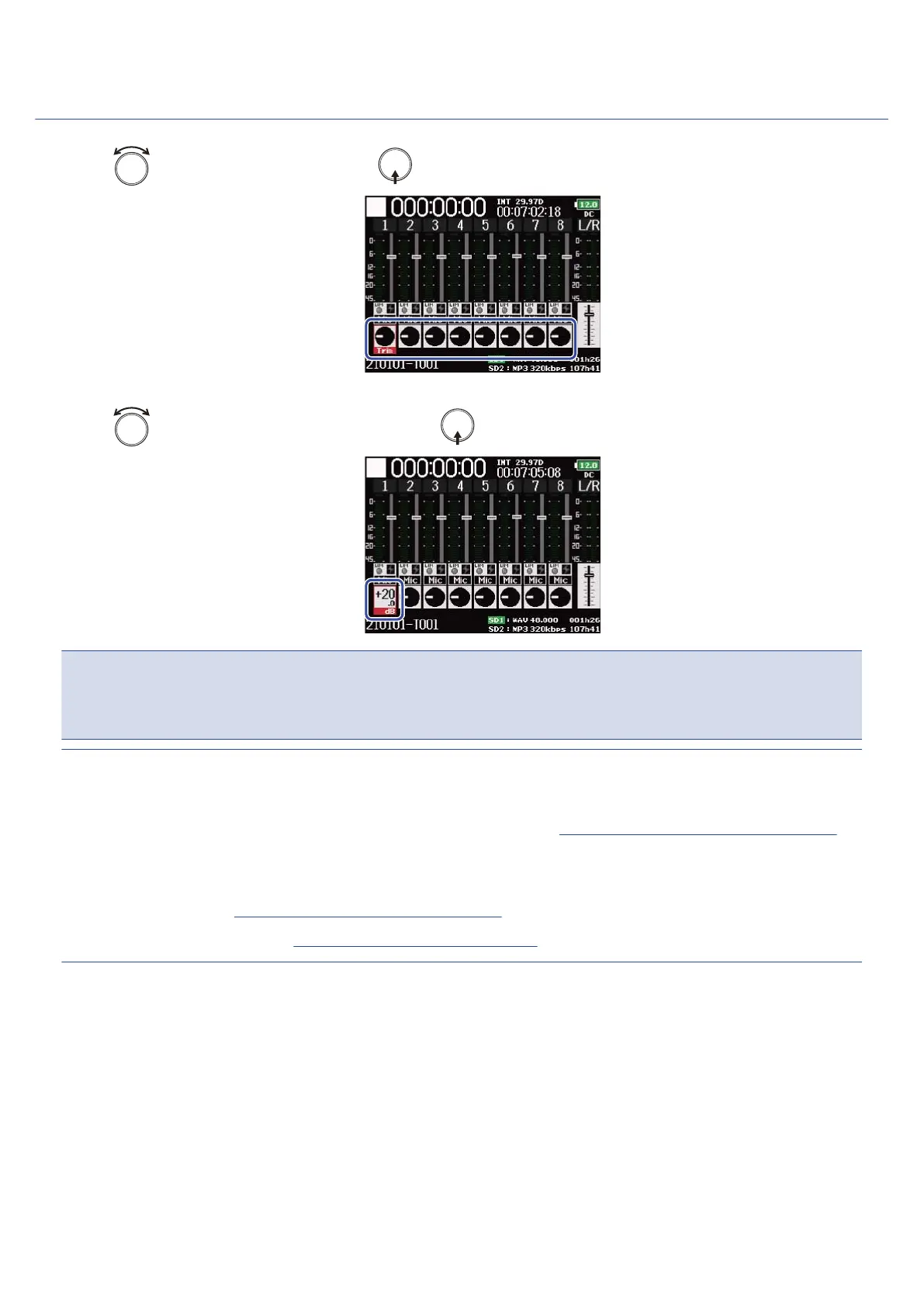
Adjusting input levels
1. Use to select a track, and press .
2. Use to adjust the input level, and press .
NOTE:
When a mic capsule is connected, the input levels of Input 1/2 cannot be adjusted with the F8n Pro. Use the
level control on the mic capsule to adjust its input volume.
HINT:
• This can be set in a range from +10 to +75 dB when the input source is set to “Mic”, from –10 to +55 dB
when set to “Line”, and from –35 to +30 dB when set to “USB”. (→Setting the input source (Input Source))
• If the sound distorts even when you lower the input level, try changing mic positions and adjusting the
output levels of connected devices.
• Using the limiter (→Using the input limiter (Input Limiter))
• Using the high pass filter (→Cutting low-frequency noise (HPF))
122



 To Next Page