Setting the power supply used (Power Source)
Set the external DC power supply shutdown voltage, nominal voltage and type of batteries so that the
remaining power supply charge can be shown accurately.
On this menu page, you can also check the voltage of each power supply and the remaining battery
capacity.
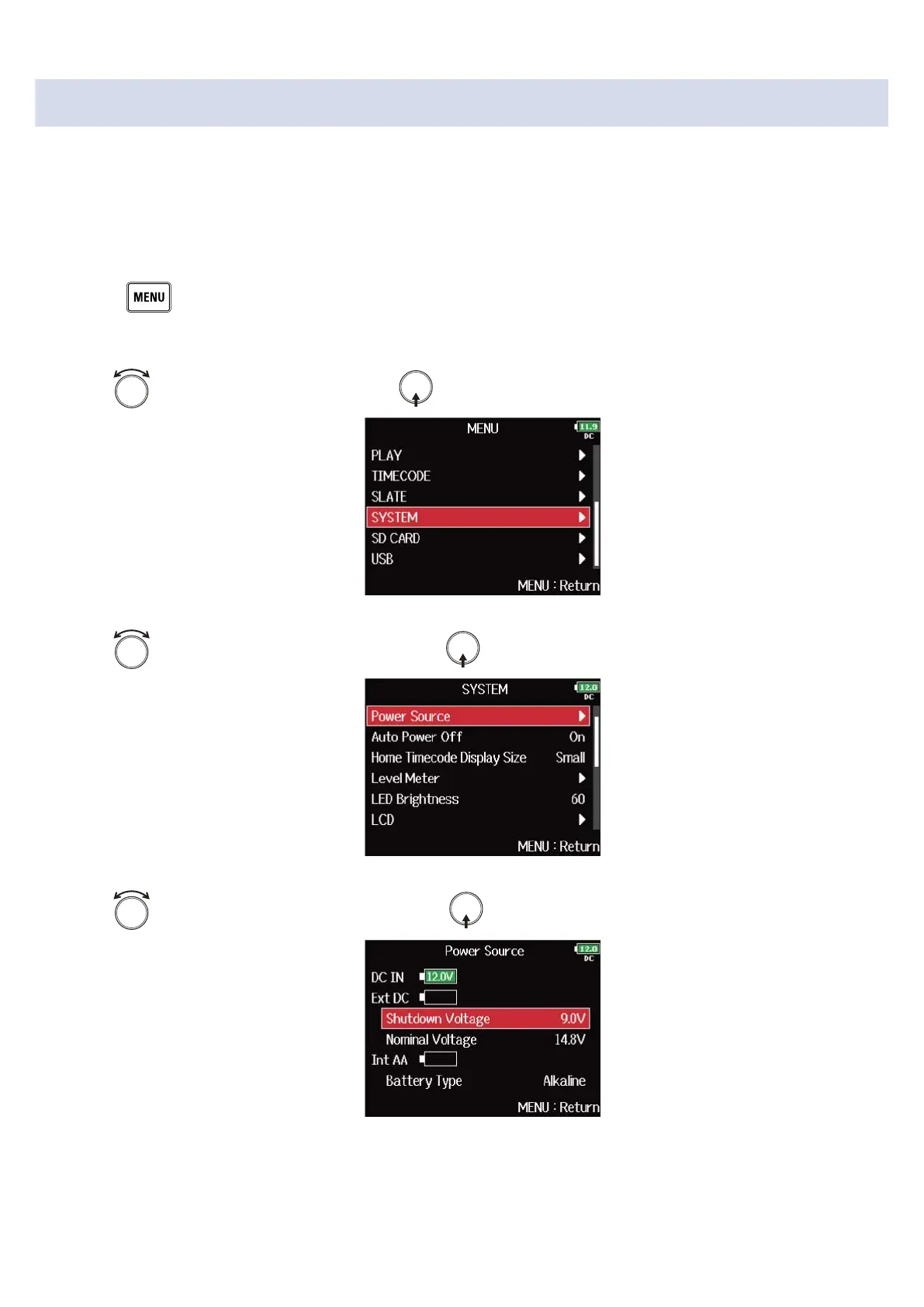
1. Press .
This opens the Menu Screen.
2. Use to select “SYSTEM”, and press .
3. Use to select “Power Source”, and press .
4. Use to select the setting item, and press .
283



 To Next Page