Supplying power
The F8n Pro can operate using either an AC adapter, external DC power supply or batteries.
A power supply will be used in the following order of priority.
AC adapter > external DC power supply > batteries.
Installing batteries
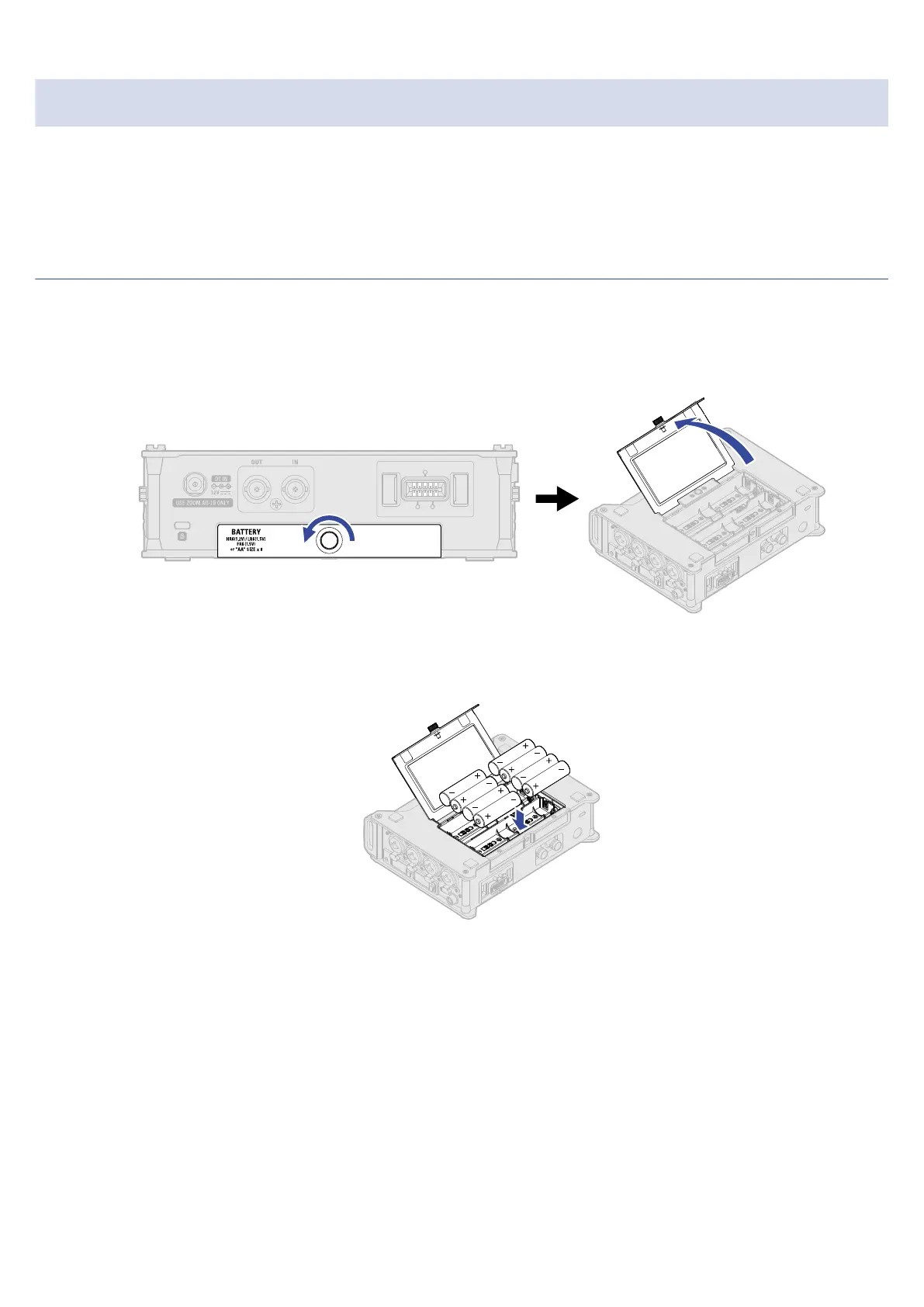
To run the F8n Pro using batteries, install 8 AA batteries in the battery compartment.
1. Turn the power off and then loosen the screw in the battery cover to open it.
2. Install the batteries.
3. Close the battery cover and tighten the screw.
30



 To Next Page