Selecting signals sent to the main outputs (MAIN OUT
Routing)
You can send either prefader or postfader signals for each track to the main outputs.
1. Press .
This opens the Menu Screen.
2. Use to select “OUTPUT”, and press .
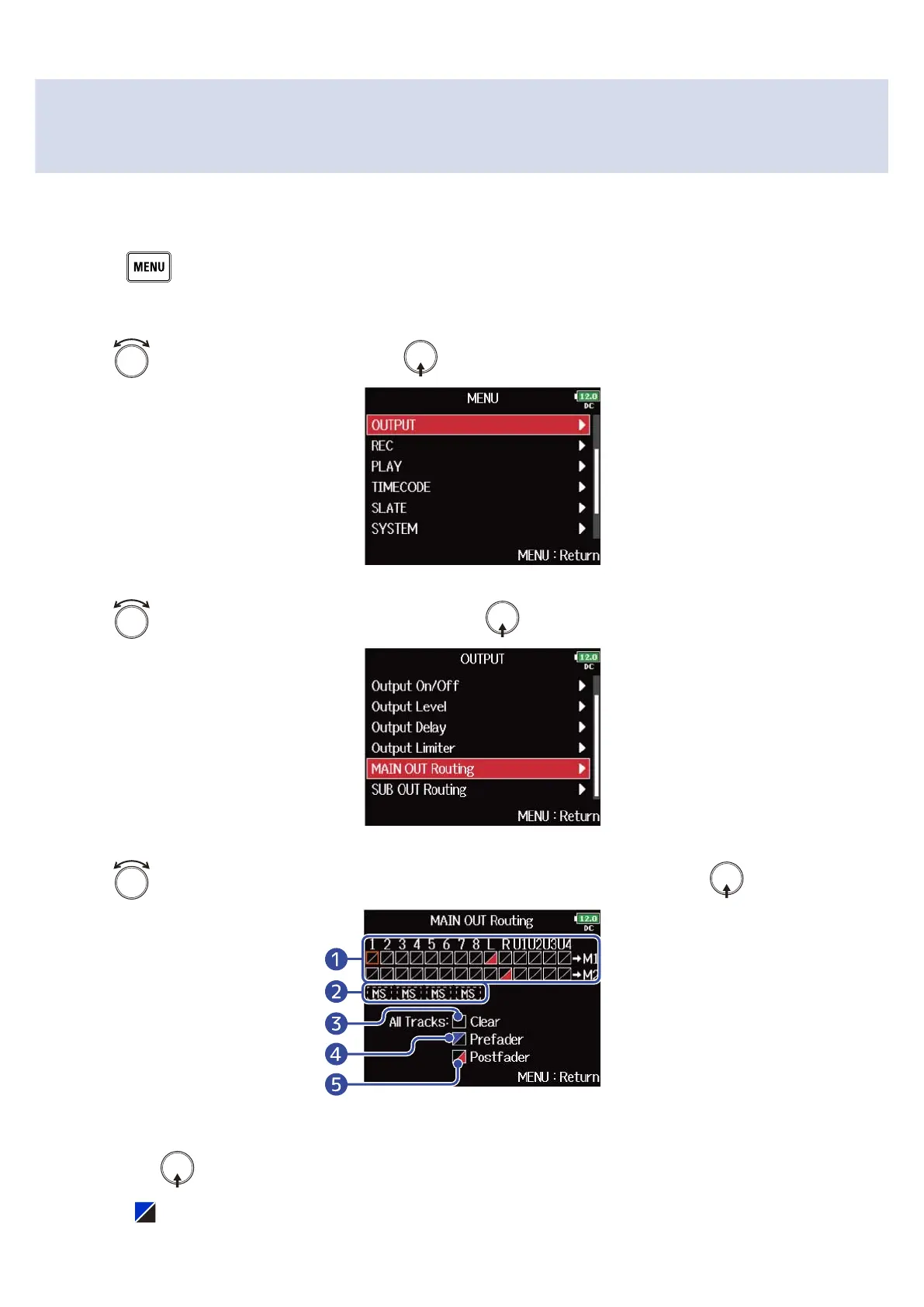
3. Use to select “MAIN OUT Routing”, and press .
4. Use to select the track for MAIN OUT 1 or MAIN OUT 2 routing, and press .
❶
Tracks routed to MAIN OUT 1 or MAIN OUT 2
Press to cycle through the options: “Prefader” → “Postfader” → “Off”.
• : Prefader selected
115



 To Next Page