Updating the FRC-8 firmware
You can check the FRC-8 firmware version and update it to the latest version.
The latest update file can be downloaded from the ZOOM website (www.zoom.co.jp).
1. See “Using the FRC-8 as a controller (Connect)”, and connect the F8n Pro and the FRC-8.
NOTE:
Updating is not possible if the remaining battery or DC power supply charge is low. In this case, replace the
batteries with new ones or use a charged DC power supply.
2. Copy the update file to the root directory on an SD card.
3. Load the SD card into the SD CARD 1 slot. (→Loading an SD card)
NOTE:
If an SD card is loaded in the SD CARD 2 slot, eject it.
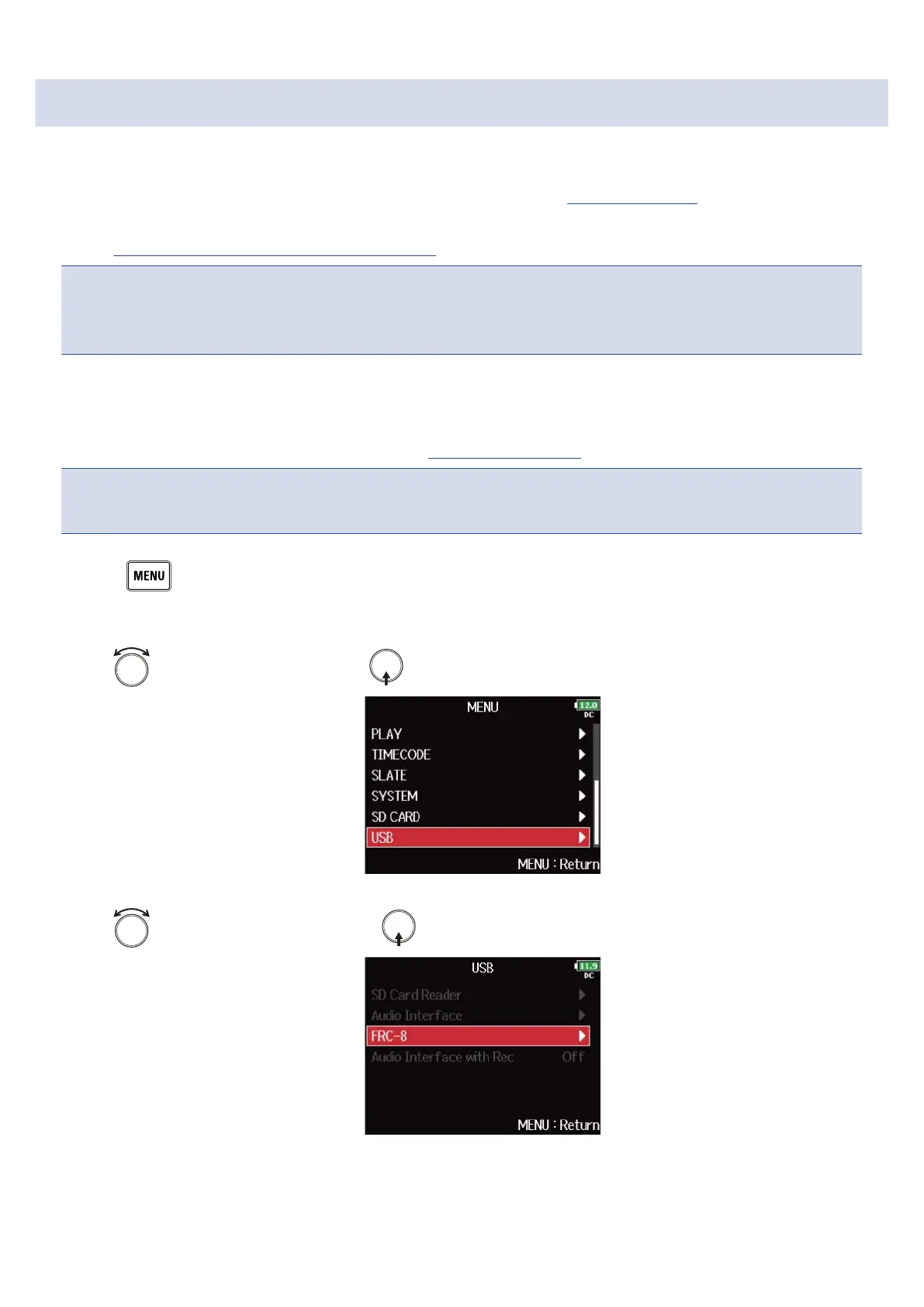
4. Press .
This opens the Menu Screen.
5. Use to select “USB”, and press .
6. Use to select “FRC-8”, and press .
258



 To Next Page