Adding marks when recording/playing (PLAY Key Option)
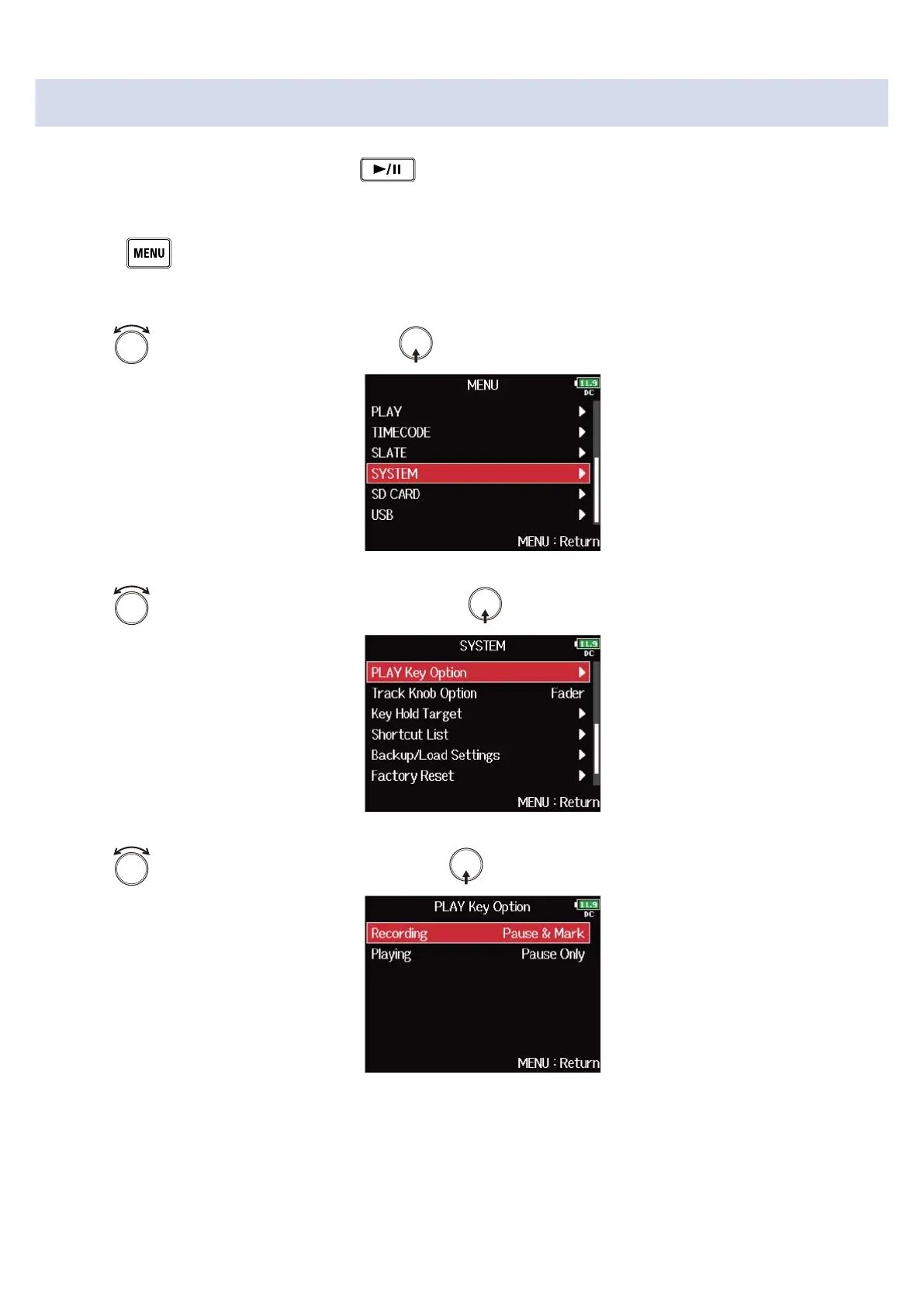
You can set how marks are added when is pressed while recording or playing back a WAV format
file.
1. Press .
This opens the Menu Screen.
2. Use to select “SYSTEM”, and press .
3. Use to select “PLAY Key Option”, and press .
4. Use to select the setting item, and press .
274



 To Next Page