Setting timecode functions
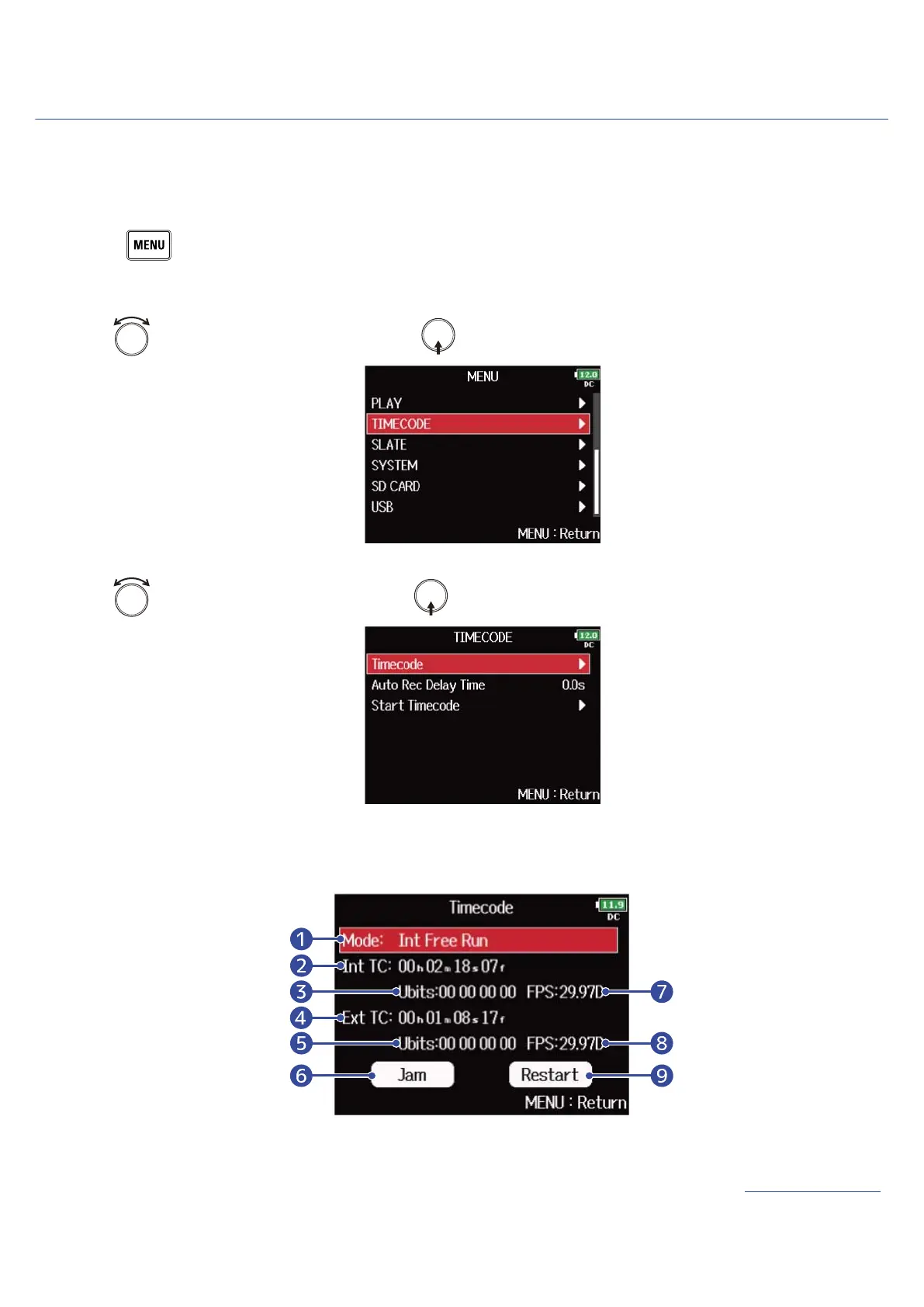
Use the timecode setting screen to set the timecode functions.
■ Displaying the timecode setting screen
1. Press .
This opens the Menu Screen.
2. Use to select “TIMECODE”, and press .
3. Use to select “Timecode”, and press .
The timecode setting screen appears.
For the timecode settings, see the link.
❶
Timecode mode
You can set the timecode mode (on/off, transmission/receiving settings, etc.). (→Setting the mode)
137



 To Next Page