Setting Explanation
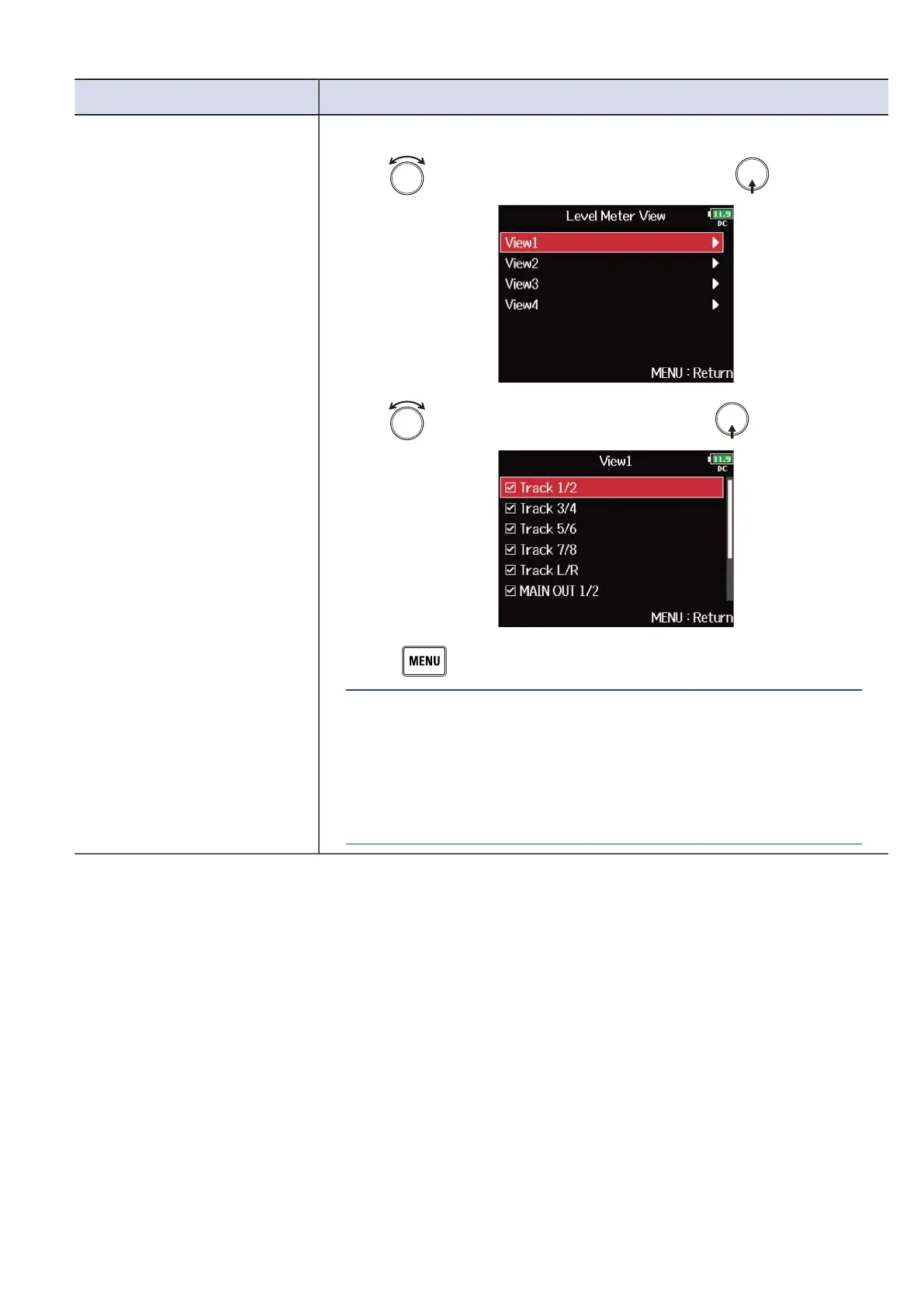
Level Meter View You can set which tracks are shown on the Home Screen.
1. Use to select “View1” – ”View4”, and press .
2. Use to select tracks to show, and press .
3. Press .
HINT:
• Multiple tracks can be shown. Not showing any tracks is also
possible.
• If none of the check boxes are checked, no track level meters will
appear on the Home Screen.
267



 To Next Page