Setting Explanation
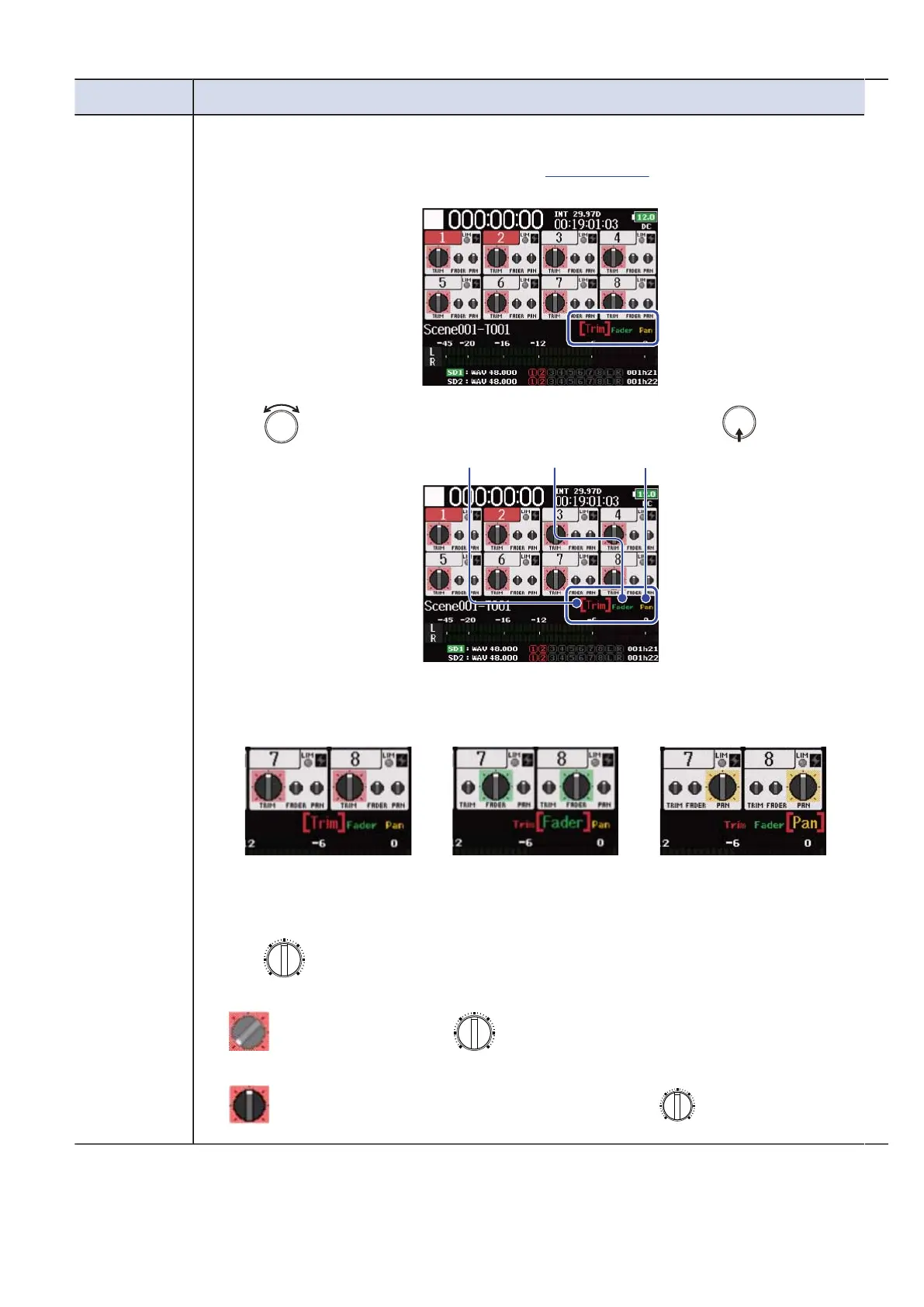
Mixer You can switch the parameter that can be adjusted by using the track knob.
1. Open the mixer on the Home Screen. (→Mixer Screen )
2. Use to select the function you want to adjust, and press .
The screen that you can adjust the selected function is displayed.
■Trim ■Fader ■Pan
You can adjust the trim. You can adjust the
fader.
You can adjust the pan.
3. Use of the track you want to adjust to change its trim, fader or pan
setting.
:
Adjust after you set to the same location as the setting on the
display.
:
The setting value is the same as the setting of .
48



 To Next Page