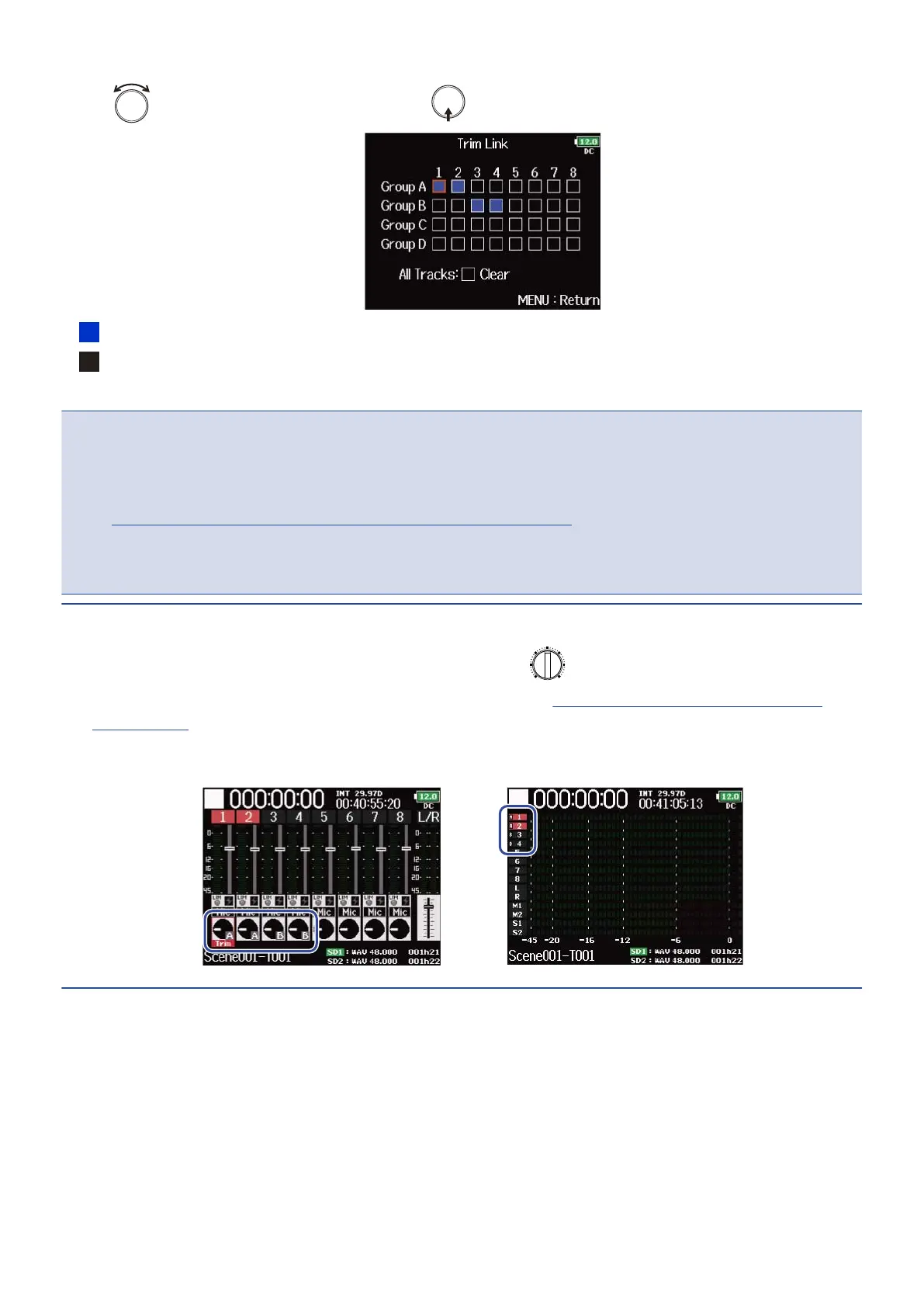
4. Use to select a track to link, and press .
: Linked
: Not linked
You can clear all settings by selecting “Clear”.
NOTE:
• A track cannot be in more than one group at a time.
• The input levels of tracks set to “MS Stereo Link” will also be linked if those tracks are put into groups.
(→Converting mid-side input to ordinary stereo (Stereo Link Mode))
• The input levels of tracks that have a mic capsule connected will not be linked even if those tracks are put
into groups.
HINT:
• When “Track Knob Option” is not set to “Fader”, you can use for the first track in a link group to
adjust all the input levels within that group at the same time. (→Setting the track knob function (Track
Knob Option))
• Icons for group names are shown next to linked tracks.
81



 To Next Page