H7016 User Manual
2-8
- This LED turns on when the system receives a signal from the remote controller
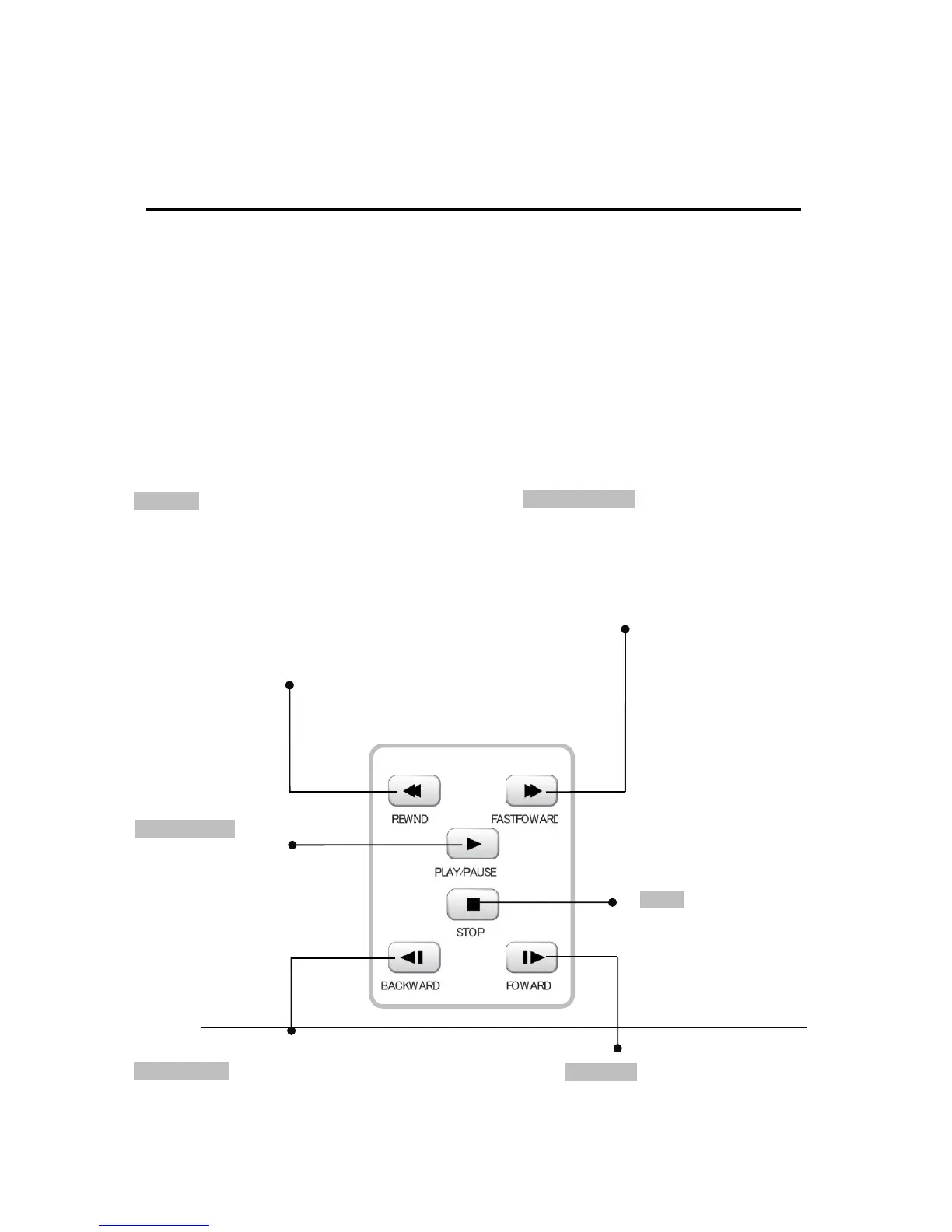
7. Search buttons
The below buttons are used in the search mode and live mode.
REWIND
In Search mode
- Move backward from current search
position
- Press button to accelerate the speed from
1x to 32x.
(ex: 1x >> 2x >> 4x >> 8x >> 16x>> 32x)
In Live mode
- Move cursor backward to delete character.
PLAY/PAUSE
- Toggle between Playback
and pause images.
- Switch directly to the
search mode from live
screen.
FASTFOWARD
In Search mode
- Move forward from current search
position
- Each press button accelerate the speed
from 1x to 32x.
STOP
Stop the current searching
process
BACKWARD
Move backward from current search position
frame by frame
FOWARD
Move forward from the current search
position frame by frame



 To Next Page