H7016 User Manual
4-6
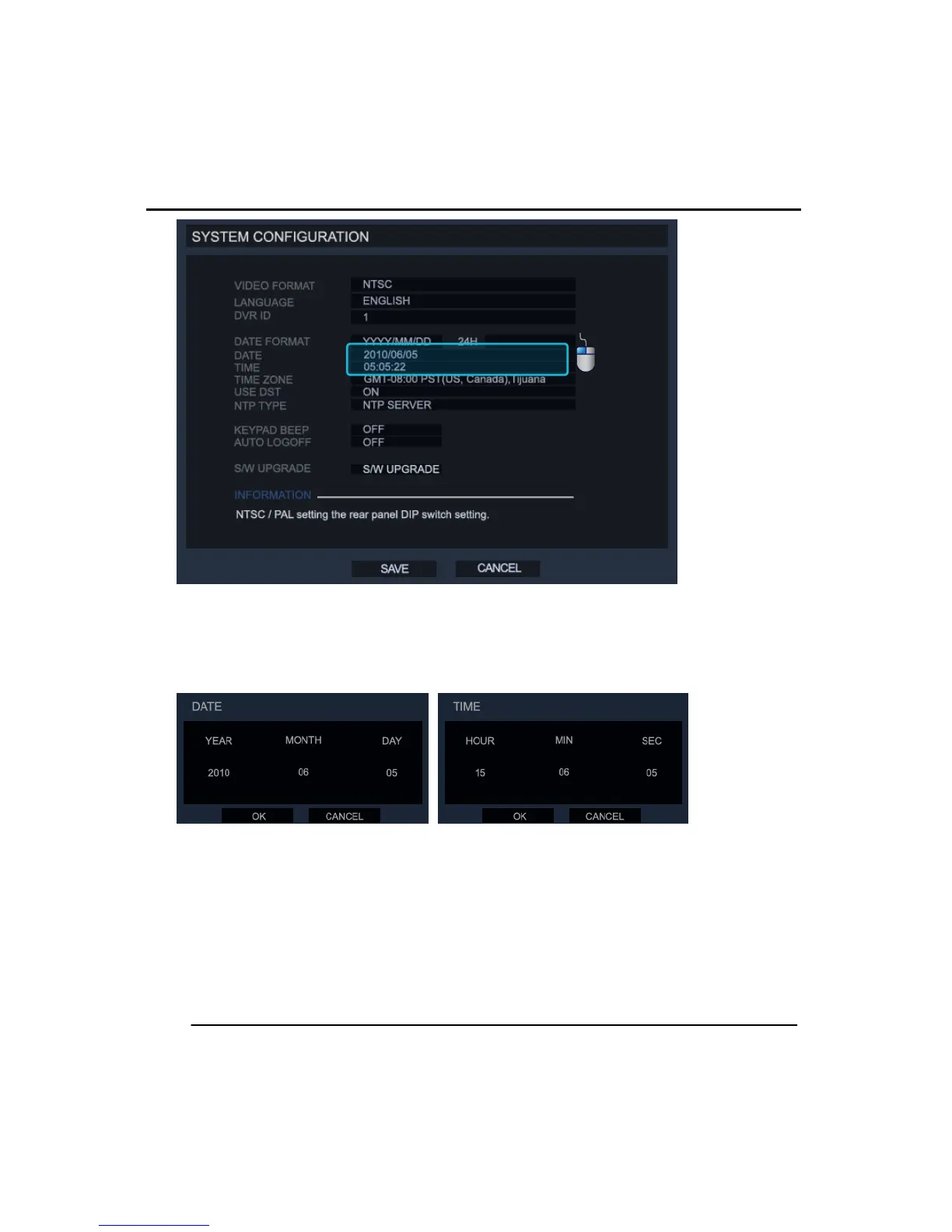
TIME & DATE: When you click on the time and date areas you can change the time and
date settings of the DVR. If you are using the NTP function the time and date options will
not be available.
Once you select either of the ‘DATE/TIME’ fields and it shows the menus as above.
Change the time and date format as required and click the OK button to confirm.
Setting the correct time and date on the DVR is important as the wrong time and date
information could cause problems when reporting an incident to your local authorities.



 To Next Page