402 CHAPTER 36: SSH CONFIGURATION
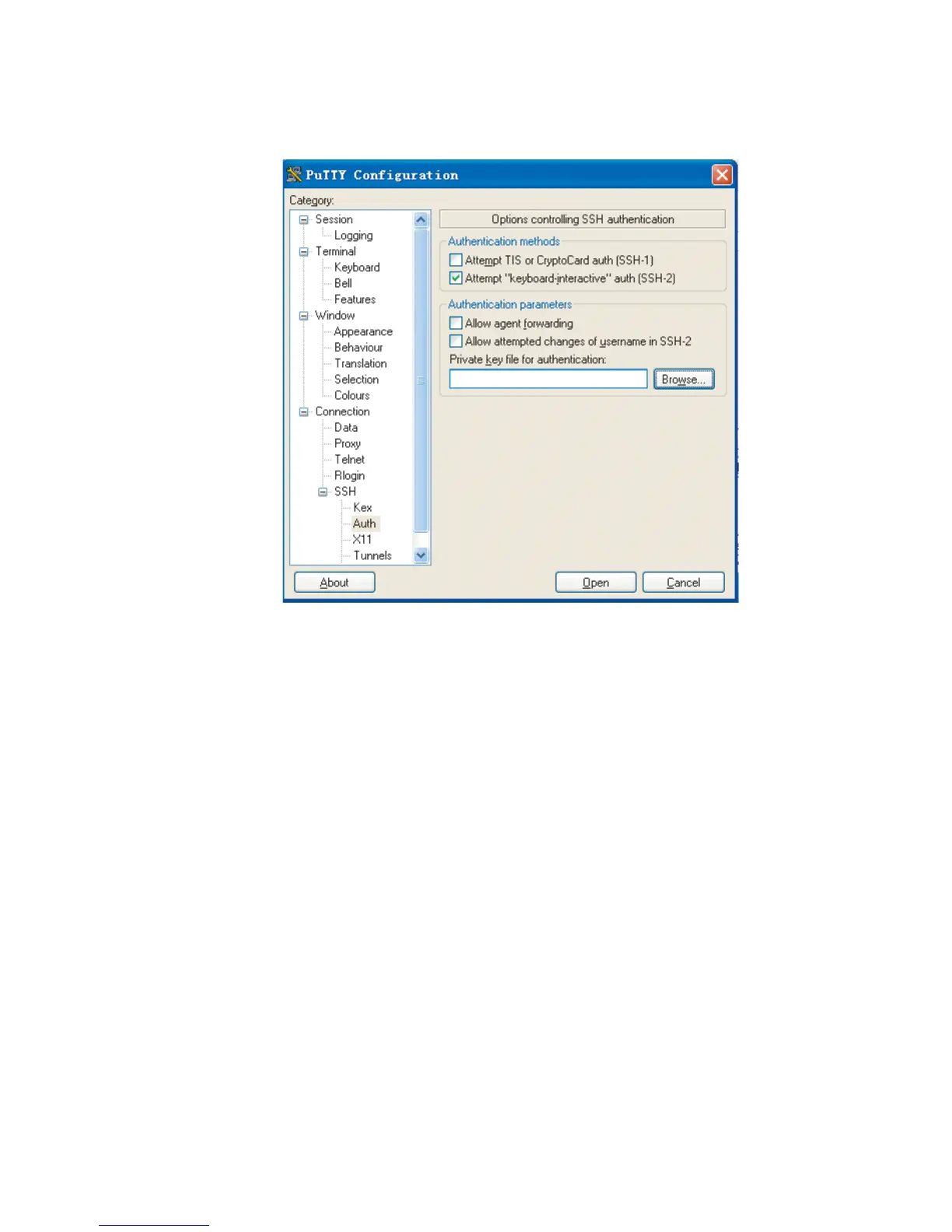
Figure 127 SSH client configuration interface 3
Click Browse... to bring up the file selection window, navigate to the private key
file and click Open to enter the following SSH client interface. If the connection is
normal, a user will be prompted for a username. Once passing the authentication,
the user can log onto the server.












 To Next Page