Setting Up a RADIUS Server 355
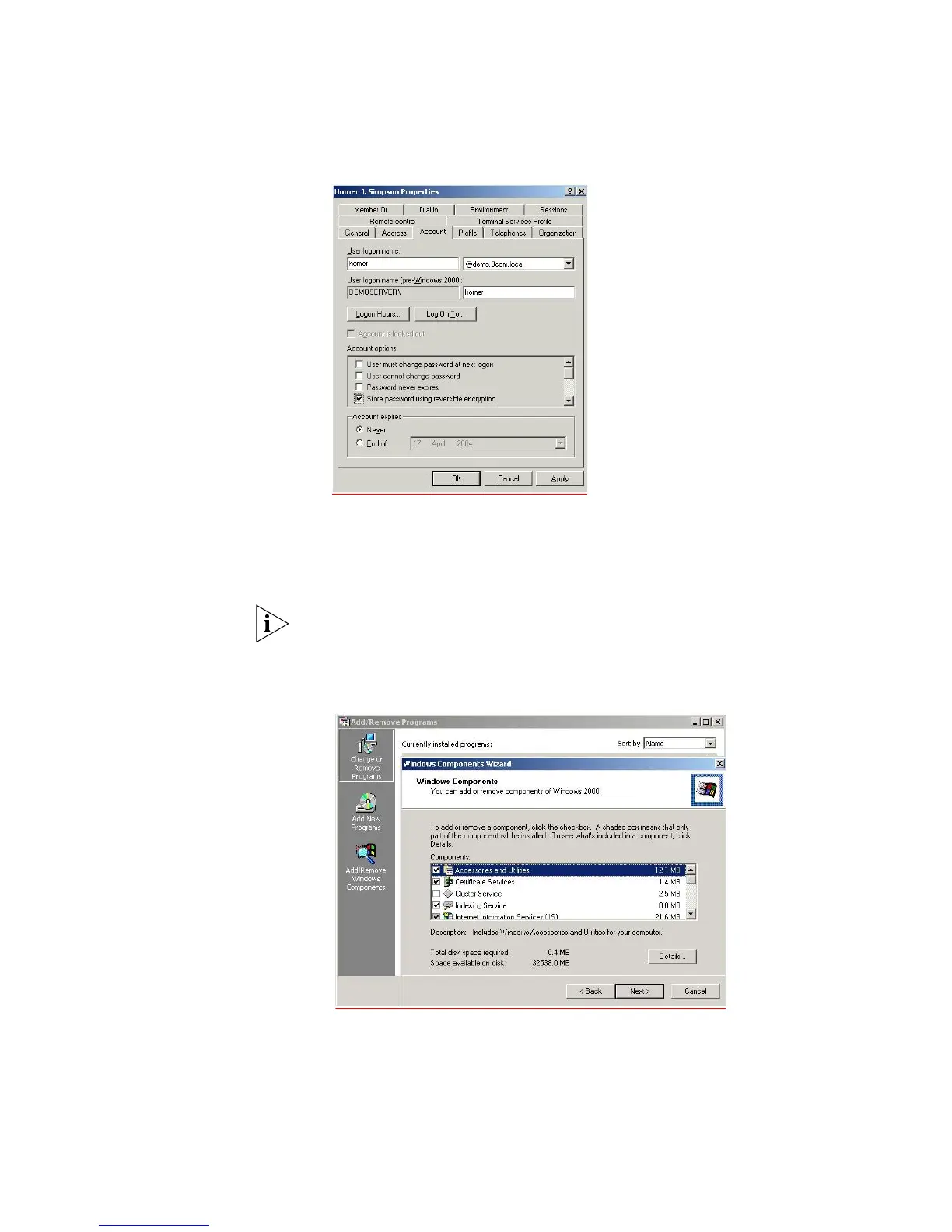
e The password for the user must be set to be stored in reversible encryption.
Right-click the user account and select Properties. Select the Account
tab,
check the box labeled Store password using reversible encryption.
f Now re-enter the password for the account, right-click the user account and
select Reset Password…
3 Enable the server as a certificate server. To use EAP-TLS certificate based
authentication, you need to enable the Certificate services in windows.
Make sure you have completed step 2 and created the DNS server, before
enabling Certificate services. You will not be able to create the DNS server after
certification has been enabled.
a Go to Control Panel > Add/Remove Programs > Add/Remove Windows
Components. The Certificate Services component should be checked.
b Select Next and continue through the wizard.



 To Next Page
 Loading...




