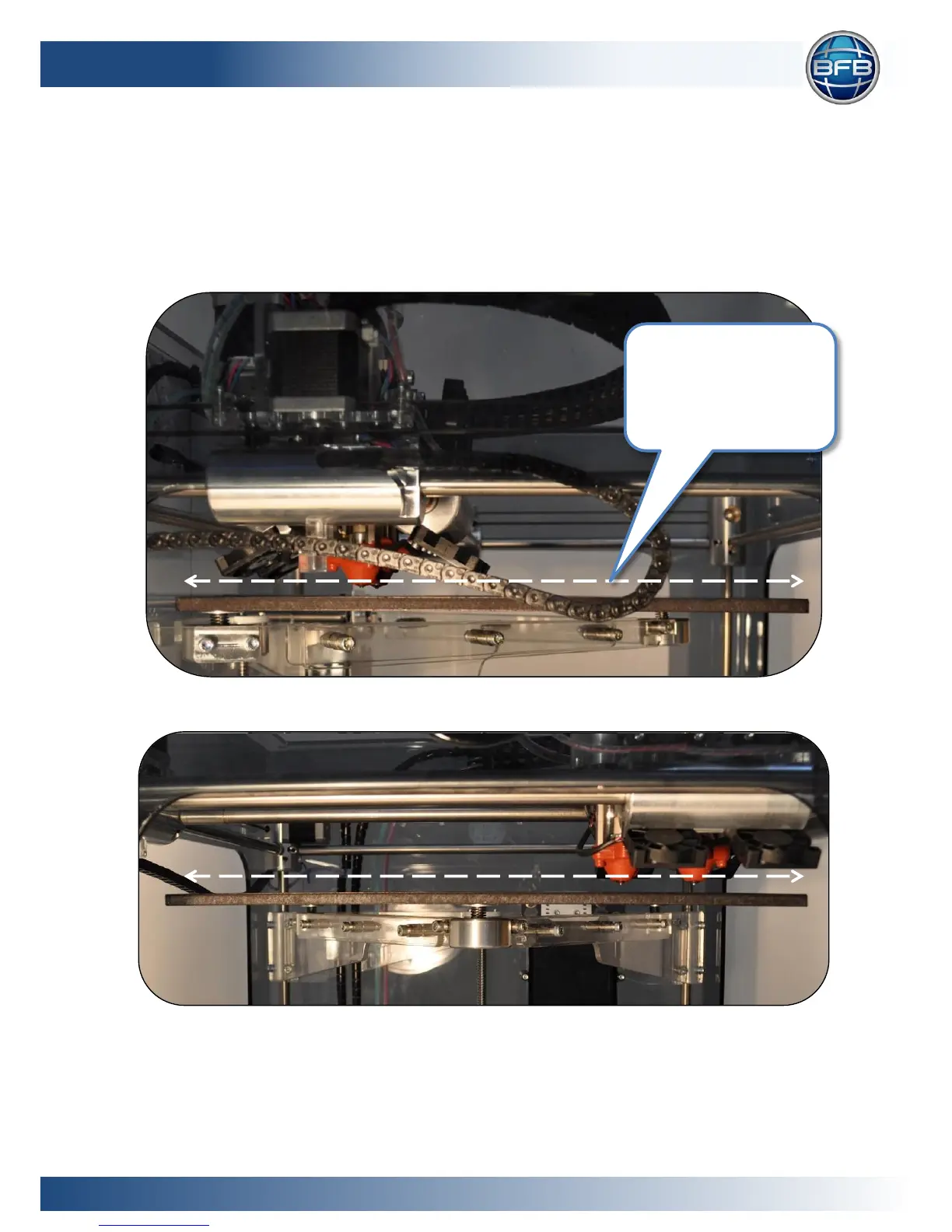
Press the X+ and X- buttons to automatically move the carriage around the corners of
the print bed (view on-screen instructions for more movement options).
During each movement along the side of the bed, observe from the side of the
machine any change in distance between the bed and extruder’s hot-end as it moves
along.
Figure 3: Levelling bed along the Y axis, viewed from the side
Figure 4: Levelling the bed along the X axis, viewed from the front











 To Next Page