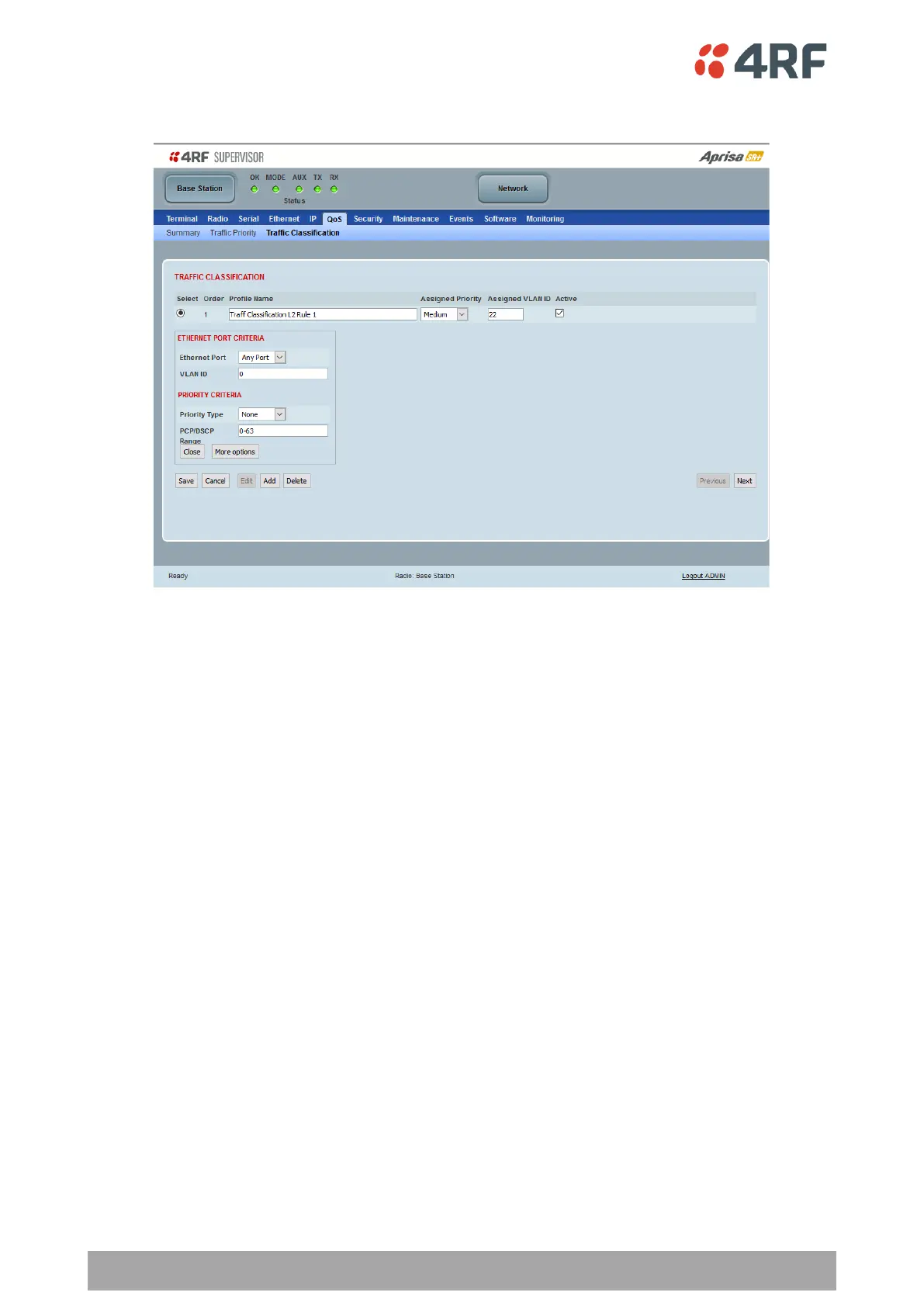
To edit a traffic classification, select the profile and click on the Edit button
ETHERNET PORT CRITERIA
Ethernet Port
Set the layer 1 Ethernet port number or all Ethernet ports in the selected profile classification rule.
VLAN ID
Sets the layer 2 packet Ethernet header VLAD ID field in the selected profile classification rule. Valid values
are between 0 and 4095. This VLAN ID should be enabled in the system for using this parameter during
classification.
Enable this VLAN in the network by setting the same VLAN ID value in PVID (port VLAN ID) and in the PORT
VLAN MEMBERSHIP under ‘VLAN PORT SETTINGS – Port 1’ on page 175. If the VLAN ID is set to zero, all VLAN
IDs will meet the criteria.



 To Next Page