II K 6-7
Operating Instructions
6.2 Guided Commissioning
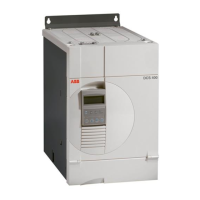
The DCS 400 converters of ABB offer the possibility
to have a guided commissioning by means of interac-
tive dialogue through the parameter programming.
One guarantees with it, that the drive is set up right
and is optimized.
This section describes the guided commissioning
with the panel. The necessary dialogue, also Panel
Wizard named, is used by the command sequence
shown below.
The following conventions apply for the commissioning procedure:
Aborts the commissioning
procedure or returns you to
the previous step.
Scrolls downward through
selection parameters or
decrements value
parameters.
Scrolls upward through
selection parameters or
increments value
parameters.
Confirms an entry and takes
you to the next step of the
commissioning procedure,
or confirms MENU.
0(18
(17(5
● Switch electronics on
●
ÿ
press
●
ÿ
press
l
press
●
ÿ
follow the instructions
0(18
(17(5
Start the guided commissioning:
CAUTION!
To avoid unintentional operating states, or to shut
the unit down in case of any imminent danger
according to the standards in the safety instruc-
tions it is not sufficient to merely shut down the
drive via signals 'RUN', drive 'OFF' or 'Emergency
Stop' respectively 'control panel' or 'PC tool'.
(17(5
0(18
/2&
5(0
5(6(7
1500rpm
440V 368A 1500rpm
OUTPUT MENU AUTO OFF HAND REM LOC <RUN>
$%%


 To Next Page