II K 4-41
Overview of Software
4.5.12 User events
Adaptation of digital inputs for user events
First four digital inputs DI1…DI4 are re-configurable
in parameter group 9-Macro Adaptation for macro
1, 5, 6, 7 and 8. This functionality is not available for
macro 2, 3 and 4.
For some user specific application it’s helpful do
assign these inputs to user events External Fault or
External Alarm. With that these inputs are applicable
for e.g.
• Overtemperature protection using Klixon
• Pressure switch of fan
• Brush wear sensor
• or other digital events.
Normally open (NO) contacts have to be assigned in
parameter User Fault (9.05) or User Alarm (9.07)
and normally closed (NC) contacts in User Fault Inv
(9.06) or User Alarm Inv (9.08).
User Alarm will be displayed at the operating panel
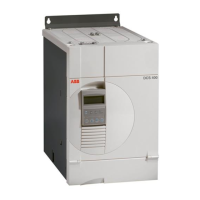
DCS400PAN as External Alarm (A12) and User
Fault as an External Fault (F22). The fault will trip the
drive.
External Fault (F22) or External Alarm (A12) oc-
curs when switch is closing.
External Fault (F22) or External Alarm (A12) oc-
curs when switch is opening
Maximal possible adaptation for user events:
User Fault (9.05) = DI1…4
or User Alarm (9.07) = DI1…4
NO
NC
User Fault Inv (9.06) = DI1…4
or User Alarm Inv (9.08) = DI1…4
User Fault (9.05) = DI1
User Fault Inv (9.06) = DI2
User Alarm (9.07) = DI3
User Alarm Inv (9.08) = DI4
DI1...DI4
+24V
DI1...DI4
+24V
DI1
+24V
DI2
DI3
DI4


 To Next Page