Commissioning
© 2006 ABB STOTZ-KONTAKT GmbH 141
ABB i-bus
®
EIB / KNX
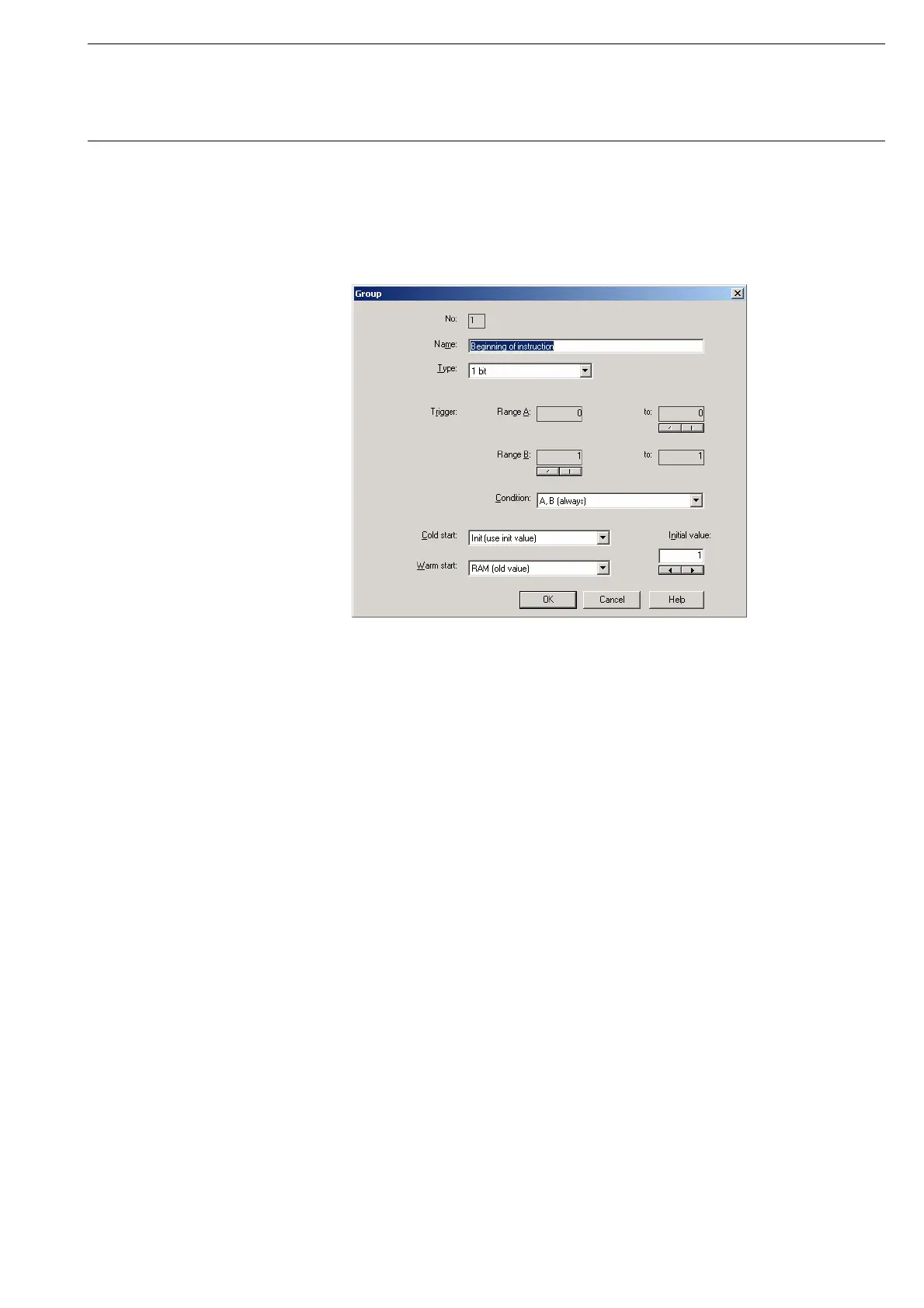
The Group parameter window is activated in the following way:
- by double-clicking on the selected group or
- by pressing the right mouse button and selecting Edit in the pop-up menu.
Fig. 141: Parameter window: “Select group”
The selected group is now available for editing.
No.
The group number (QU No.) cannot be modified. It is automatically allocated
by the application program Times Groups/2 and is a consecutive number for
the unique identification of the group.
Name
The group name (QU Name) can be modified. A maximum of 50 characters
are available.








 To Next Page