144 Maintenance
Replacing the fan
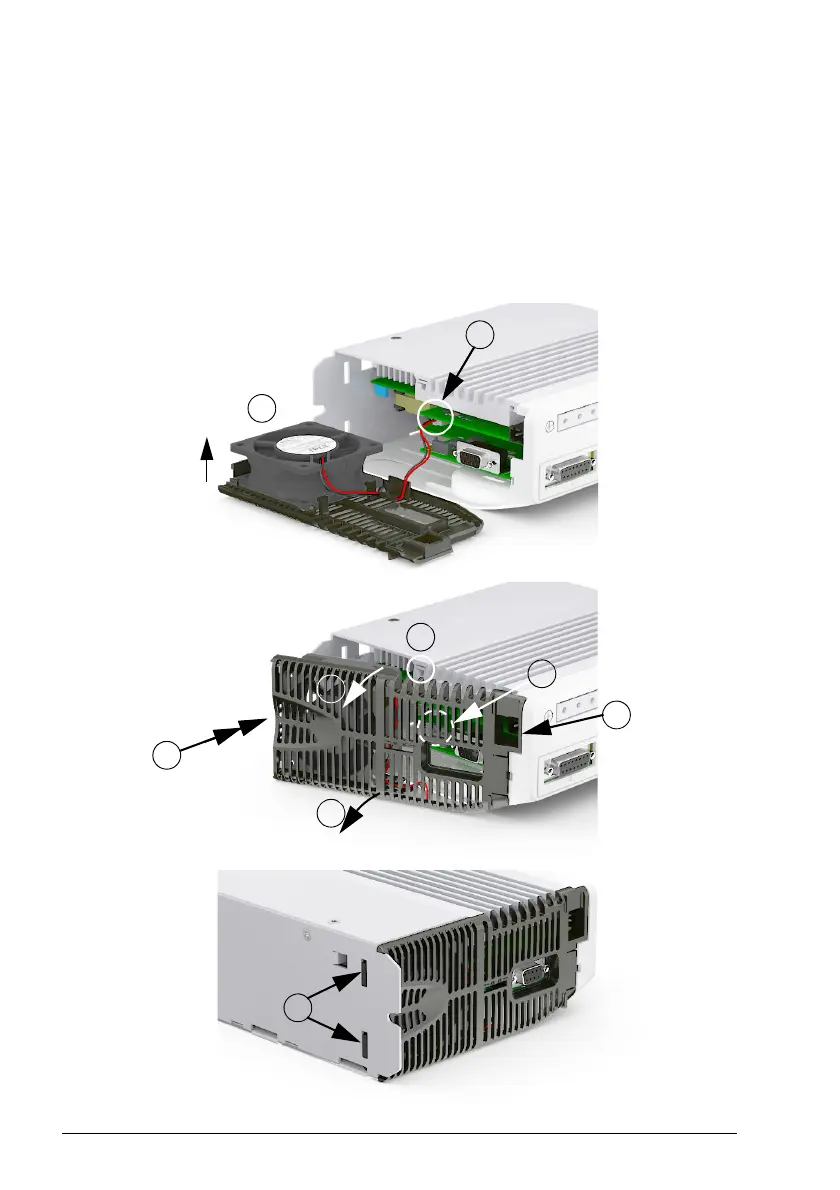
Insert the new fan (1) ensuring the airflow direction is bottom-to-top. Route the wire
through the retaining clip and connect the cable to the circuit board (2). Insert the
front edge of the base into the front panel (3). Apply outward pressure at the centre of
the base and simultaneously push the fan into the drive (4). Check that the plastic lug
fits into the recess in the heat sink (5). Check that the fan cable has not moved or
obstructed the encoder voltage switch (6, see page 78 to check the correct position).
Check that the retaining clips are fitted into the mountin
g plate (7).
Airflow direction
2
1
4
4
4
3
5
7
6



 To Next Page