Manual Power Quality Filter PQFM The PQF-Manager user interface 119
(c)
is higher than the set point and is capacitive (e.g. measured 0.97
capacitive and set point 0.92 capacitive, then the filter will not make any correction. If the
measured cos ϕ is inductive, the filter will correct the power factor to 1.0
Note: In the Main PFC/Balancing window, there is a “Sliding bar” which can also be used to set
the target PF in case of dynamic compensation.
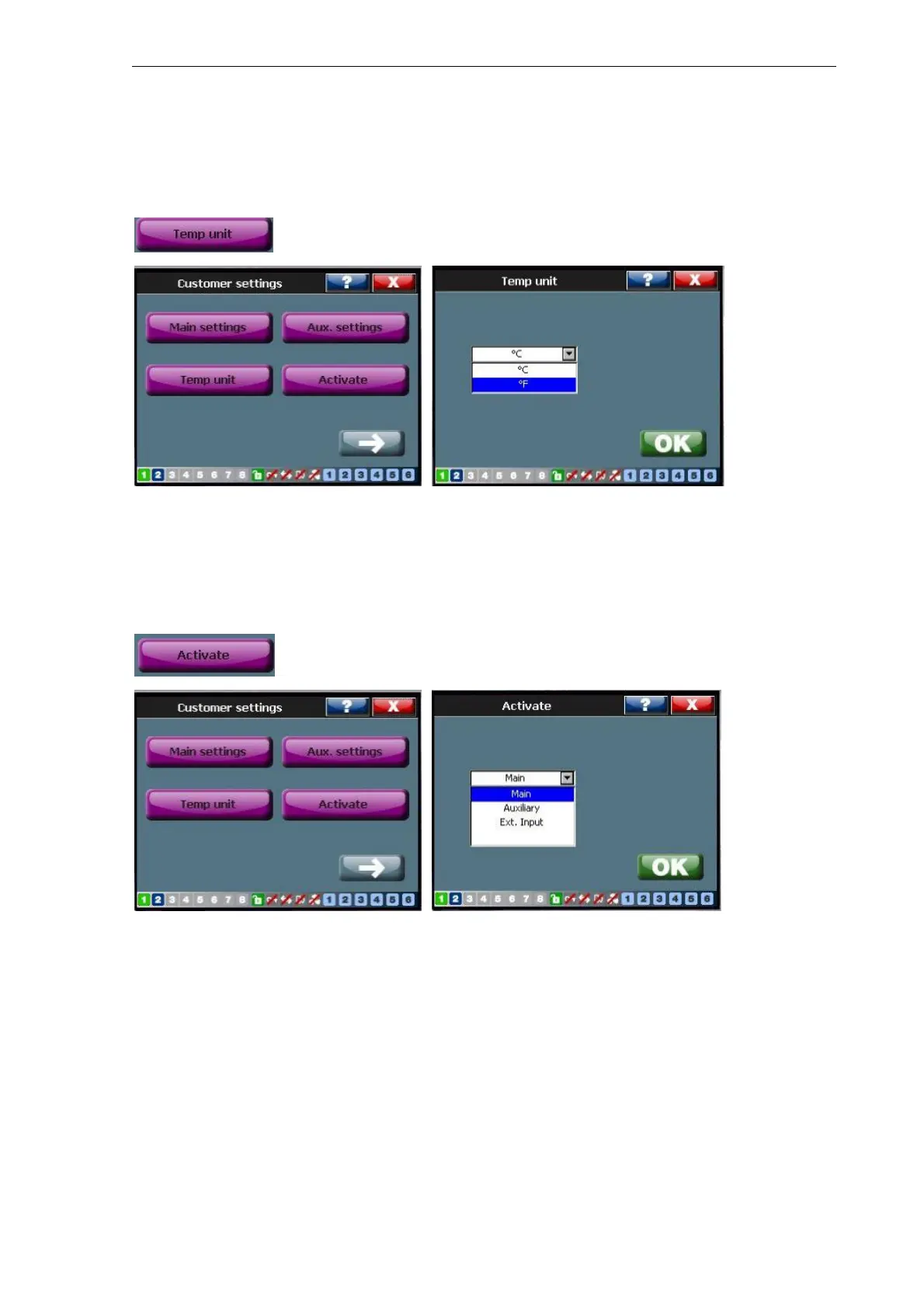
7.9.1.2 Temp unit
This menu provides two temperature units: Celsius and Fahrenheit.
User can choose the unit (Celsius or Fahrenheit) for all temperature measurements or
settings.
7.9.1.3 Activate menu
The “Activate” function is used to select the setting (Main or Aux.) with respect to
harmonics & PF/Load balancing. If the “main” is selected by the user in this menu, the
filter operated as per the data provided by the user in the “main” setting. Same applies
if “Auxiliary” is selected here. If “Ext. Input” is selected, the filter changes its operation
based on the “Digital Input” selection [/Welcome/Setting/Customer Setting/Digital
Inputs] chosen by the user.



 To Next Page