142 The PQF-Manager user interface Manual Power Quality Filter PQFM
− Inverter DC bus voltage: ‘Udc’ graph
− Peak current of the IGBT-modules: ‘Ipeak’ graph
− RMS current of the IGBT-modules: ‘Irms’ graph
− IGBT-temperature: ‘Temp’ graph
For multi-unit filters, this data can be obtained for each individual unit.
7.10.3 The ‘Event logging’ menu
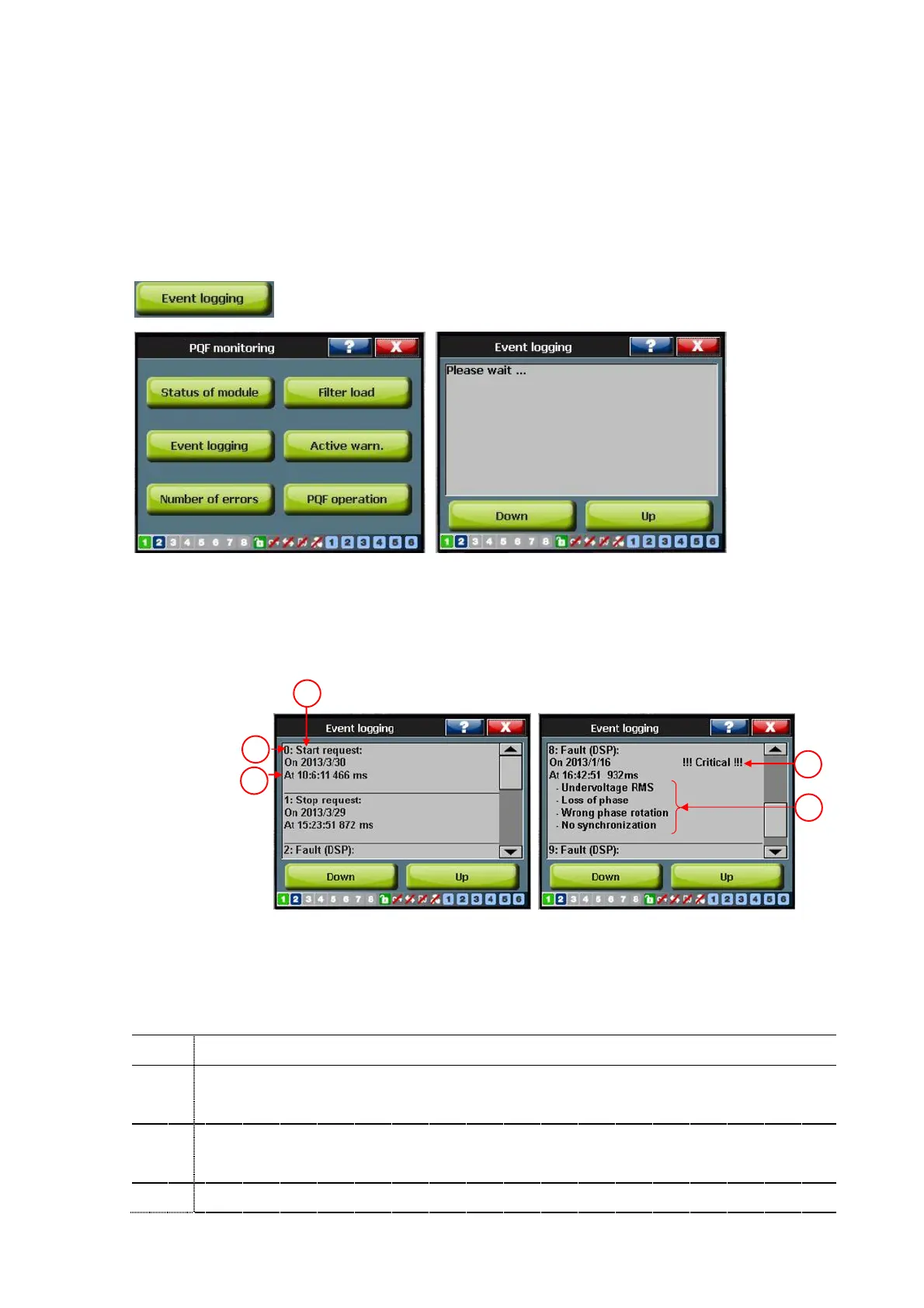
The ‘event logging’ window stores the events that are recorded by the filter controllers.
The event buffer stores the 200 most recent events. Figure 84 gives an example of the
event window. Two buttons are available on this screen, one scrolls to the next 10 events
and the other the previous 10 events at a time.
3
2
4
5
Figure 84: Example of an event window
The explanation of the different items is given in Table 51.
Table 51: Item explanation of the event window
1
The smaller the number, the more recent the event
2
Table 52 gives an overview of the possible event types
Date and time at which the event occurred



 To Next Page