ENGINEERING STATION BUS (GO OSE)
1VLG5 00007 E 41
Connecting GOOSE sender data to a protection relay application in PCM600
Step 1 / 3
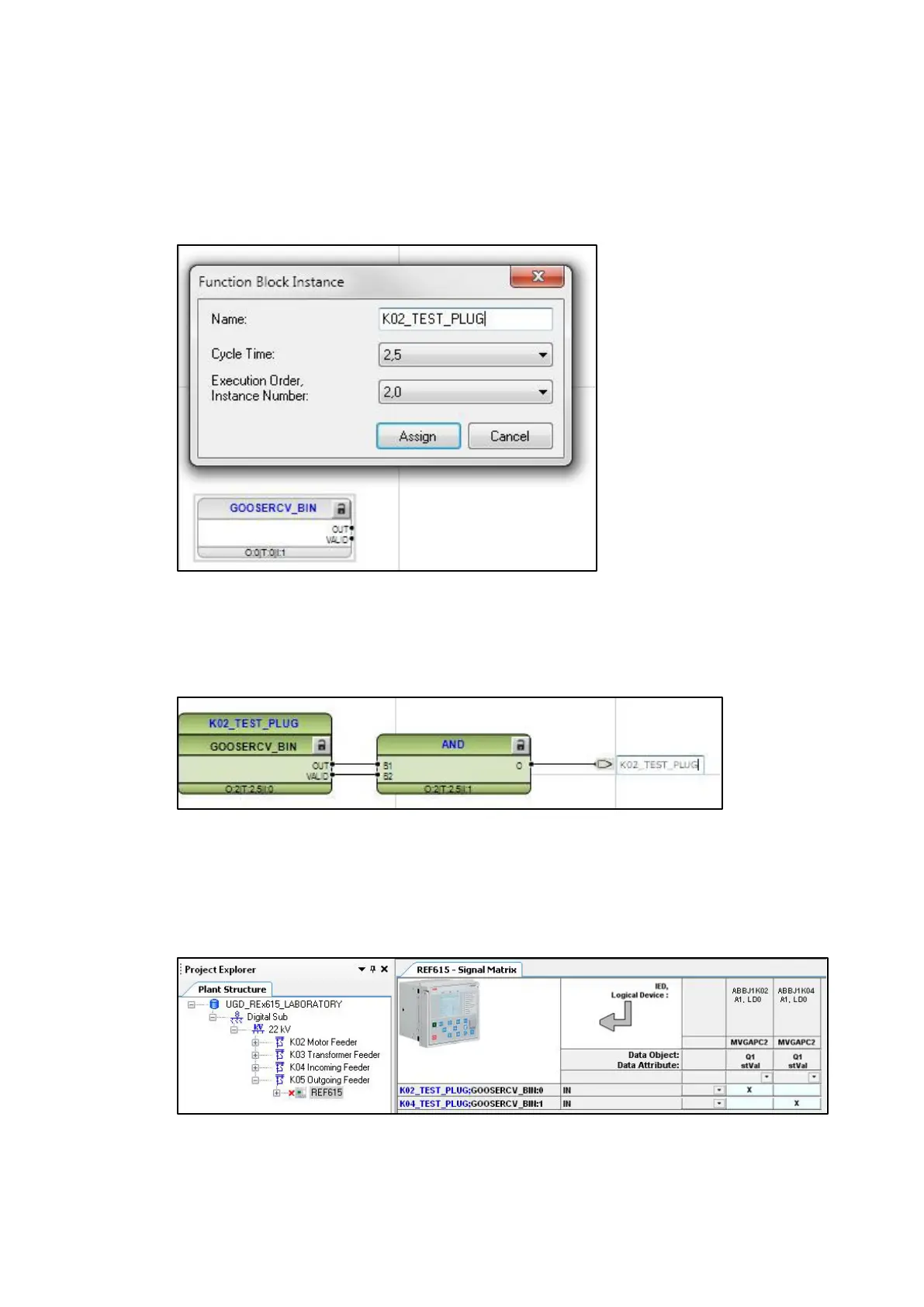
Adding GOOSERCV function block with Application Configuration Tool. Give the GOOSERCV
block application-specific user-defined names to distinguish between different blocks when
making GOOSE connections in the Signal Matrix tool.
Figure 52: Adding a GOOSERCV function block in the Application Configuration Tool
Step 2 / 3
Creating GOOSERCV block connection into the application
Figure 53: Creating GOOSERCV block connection to a new variable
Step 3 / 3
Mapping of GOOSE sender data into the corresponding GOOSERCV function block in Signal
Matrix
Figure 54: Signal Matrix



 To Next Page